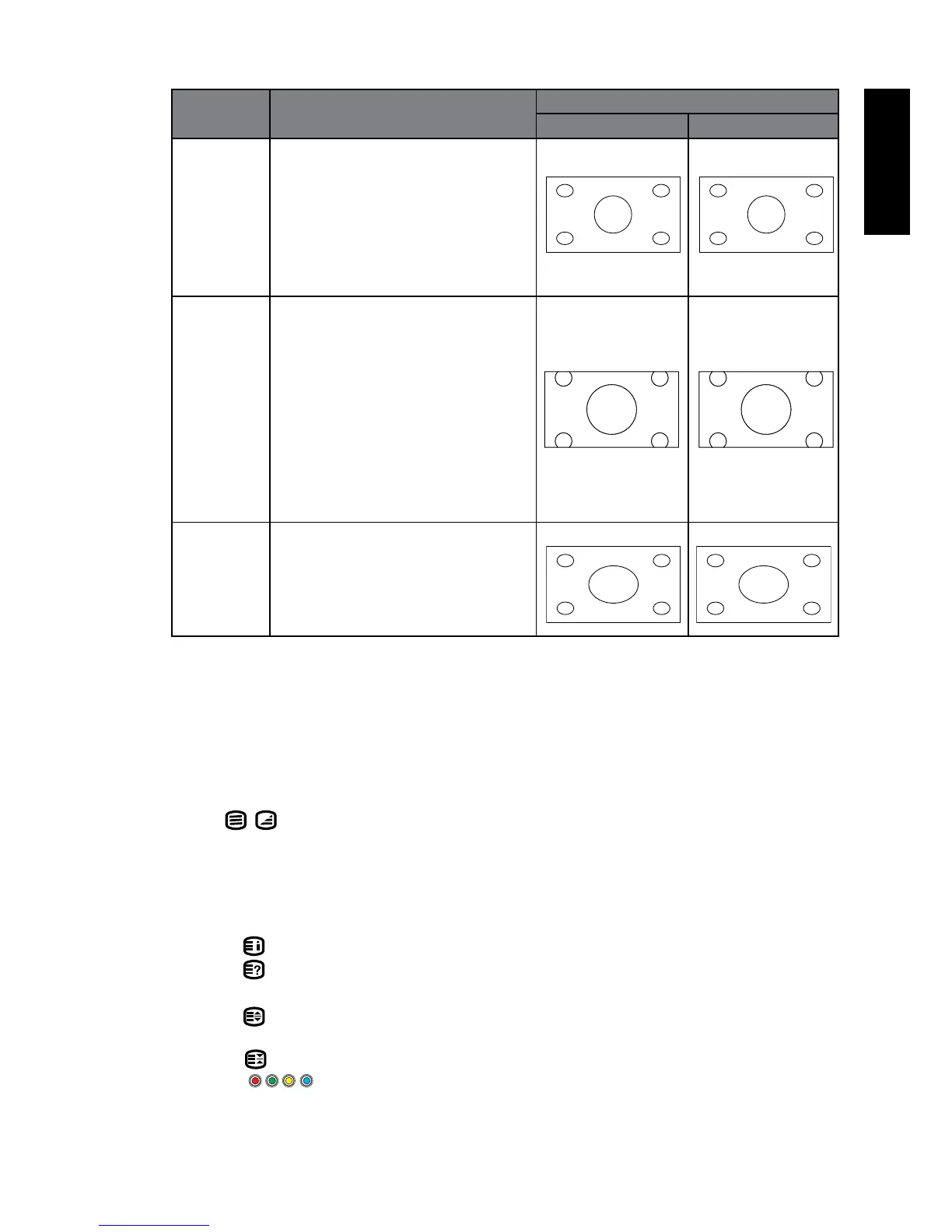
Aspect
ratio
Description and usage Aspect ratio of input video
4:3 16:9
ZOOM2 Stretches a 4:3 image to 16:9
aspect proportions and enlarges
the resultant image on the
screen. Recommended for use
when viewing video sources
which are in 4:3 aspect such as
analog TV input.
Panorama Resizes a 4:3 image to 16:9
aspect proportions, and trims
off the top and bottom strips.
Recommended for use when
viewing 4:3 aspect video
presenting compressed 16:9
aspect images in a 4:3 aspect
frame in a socalled letterbox
format (black strips along the
top and bottom).
Auto Stretches a 4:3 image to the
width of a 16:9 aspect image
proportions. Recommended for
use in lling the screen with a 4:3
aspect image.
•WhenviewingPC,only“16:9“and“4:3“areavailableforselection
Toavoidpossible"imageretention“or"screenburn-in“ontheLCDscreen,itis
recommendedthatyouchangetheaspectratiofromtimetotime,andprevent
the display from displaying a static image for a prolonged period of time.
Using the Teletext function
Press (Teletext) on the remote control to display Teletext, and again to
turn it off.
TeletextisonlyavailablewhenaTVsignalwhichtransmitsTeletextiscurrently
displayed.NotallTVstationsbroadcastTeletext.Ifindoubt,pleasecontractthe
TV station.
When Teletext displays on-screen, you can:
1. Press to display the main index in TELETEXT mode.
2. Press to revea hidden information such as the answer to a quiz in
TELETEXT mode.
3. Press to display the top, bottom or all of page,to easily read in TELETEXT
mode.
4. Press to freeze a multi-page passage on screen in TELETEXT mode.
5. Press the appropriate colour to direct access the colour page.



 To Next Page