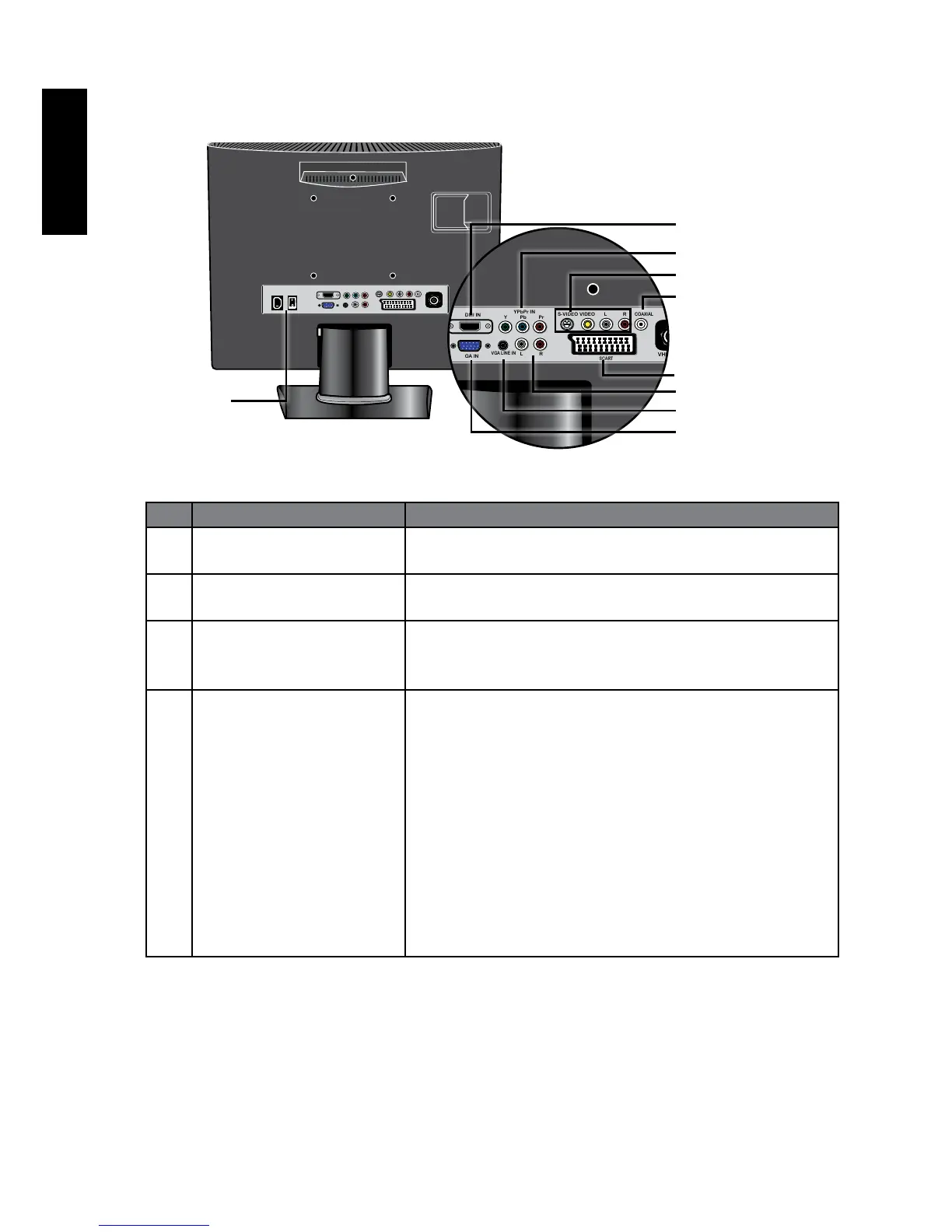
Rear view
No. Name Description
1 HDMI IN Connect to the DVI digital video or HDMI digital
audio/video output of your digital source device.
2 YPbPr IN Connect each to the Component Video (Y CB/PB
CR/PR) output of an appropriate video source device.
3 AUDIO L/R Connect each to the audio output of an appropriate
video source device to match that of each
Component Video input. .
4 VIDEO, S-VIDEO,
AUDIO L/R
VIDEO: Connect to the Composite Video (AV)
output as appropriate for your AV source device. .
S-VIDEO: Connect to the S-Video output as
appropriate for your AV source device.
AUDIO L/R: Connect to the audio output of
either the Composite Video or S-Video output as
appropriate for your AV source device.
ConnectyourexternalAVdeviceusingeitherthe
CompositeVideoorS-Videoinputs.Ifbothare
connectedtoanAVsourceatthesametime,S-Video
inputtakespreferenceoverCompositeVideoinput.
S-Videowillprovideabetterqualityimage.



 To Next Page