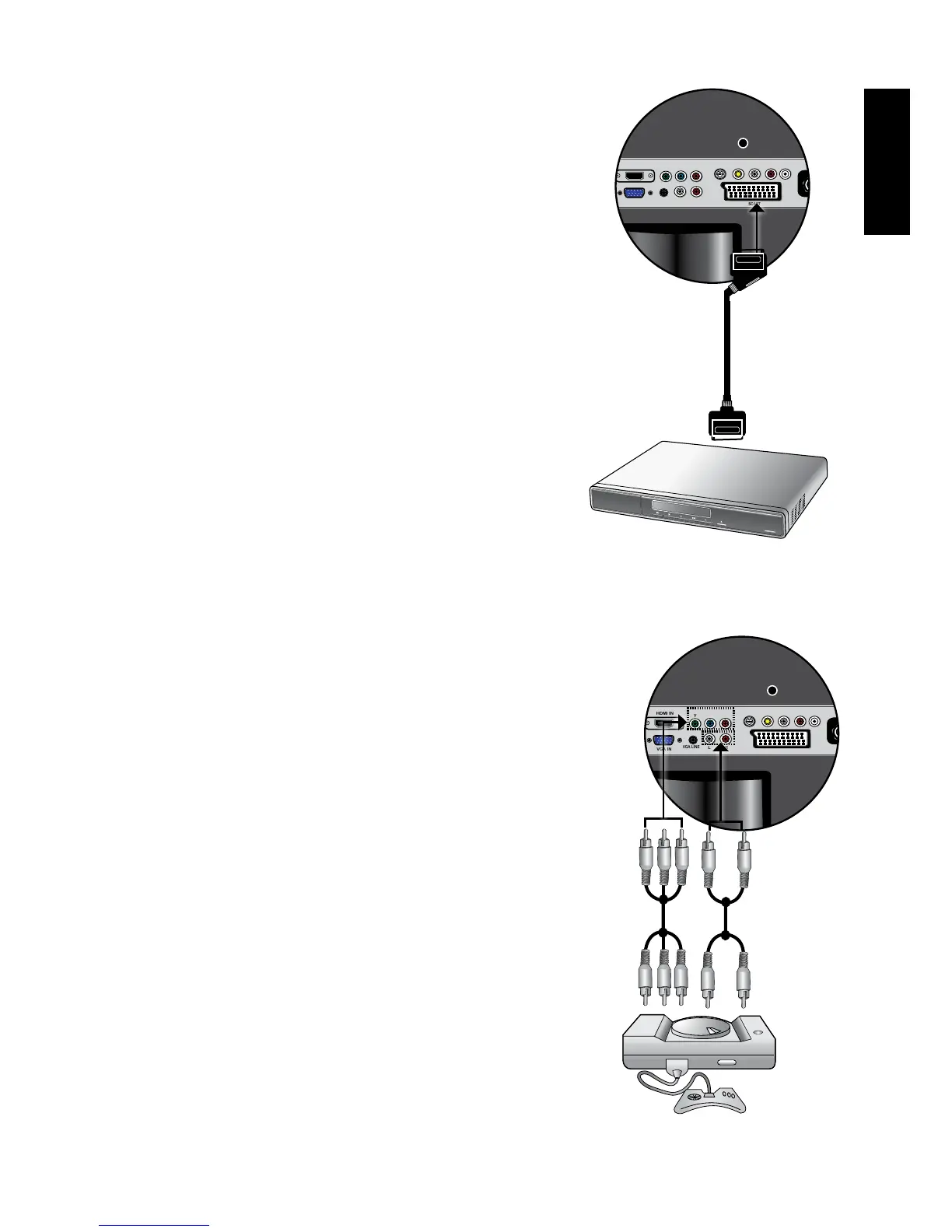
Connecting the SCART input
Connect the SCART of your output equipment
to the TV's SCART terminal using a SCART
cable (not provided).
To view video image from these inputs, press
INPUT and use
▲▼
button to select VIDEO4
(SCART) then press OK button.
AV Equipment
SCART cable
Connecting the Component Video input
1. Connect the Component Video output of
your output equipment to the TV's YPbPr IN
terminals using a Component Video cable (not
provided). A Component Video cable consists
of three plugs: Green (Y), Blue (CB/PB), and
Red (CR/PR). Ensure that the colours of the
plugs and terminals match when making
connection.
2. Connect the corresponding audio output of your
output equipment to the YPbPr AUDIO INPUT
L/R input terminals on the display using an
audio cable (not provided).
To view video image from these inputs, press
INPUT and use
▲▼
button to select
VIDEO3(YPbPr) then press OK button.
Oftheanalogvideosignaltypes,Component
Videooffersthebestquality.See"Supported
ComponentVideoinputsignalresolutions"on
page 39 for supported resolutions.
TV game
console
Audio
cable
Component
Video cable



 To Next Page