Using the sleep timer
The sleep timer is useful if you want the display to automatically to go into
standby mode after a set period of time.
Press SLEEP repeatedly on the remote
control to select the sleep timer from Off to 240 minutes.
Using the freeze function
Press FREEZE on the remote control to freeze the image on the screen. Press it
again to restore normal viewing.
This function does not control the input source which will continue normally, but not
be displayed whilst the image remains frozen. When the image freeze is stopped,
normal play will resume in real time. That is, the displayed image will jump to the
current time and any interim video is not displayed.
Donotleavethescreendisplayingastaticimageforanextendedperiodoftime
(days)asdoingsomaytemporarilyorpermanentlydamagethescreenresulting
inimagetraceswhichcouldremainvisiblelongaftertheoriginalimagehasbeen
removed.
Adjusting aspect ratio
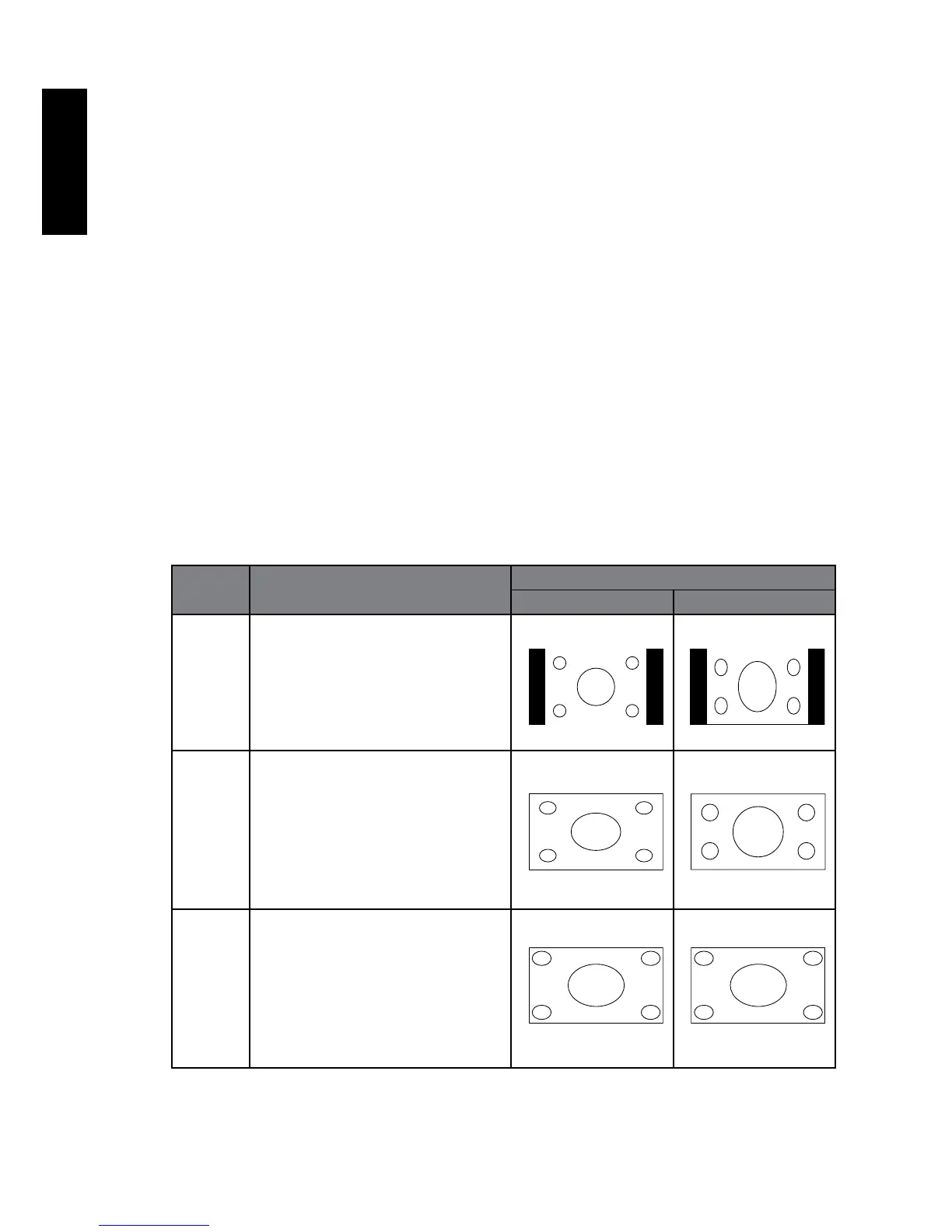
The display can resize and reshape an image to suit your requirements. The
visual result will depend upon the setting your have chosen, and the original
aspect ratio of the input image. Press P.SIZE on the remote control to cycle through
the aspect ratios. The table below shows the resulting images in relation to the
input image when different aspects are selected:
Aspect
ratio
Description and usage Aspect ratio of input video
4:3 16:9
4:3 Resizes the image to 4:3 aspect
proportions. Recommended
for use when viewing video
sources which are already in 4:3
aspect such as analog TV and
PC video input.
16:9 Stretches a 4:3 image to
16:9 aspect proportions.
Recommended for use when
viewing video sources which are
already in 16:9 aspect such as
digital TV and most widescreen
DVDs.
ZOOM1 Stretches a 4:3 image to
16:9 aspect proportions and
enlarges the resultant image on
the screen. Recommended for
use when viewing video sources
which are in 4:3 aspect such as
analog TV input.



 To Next Page