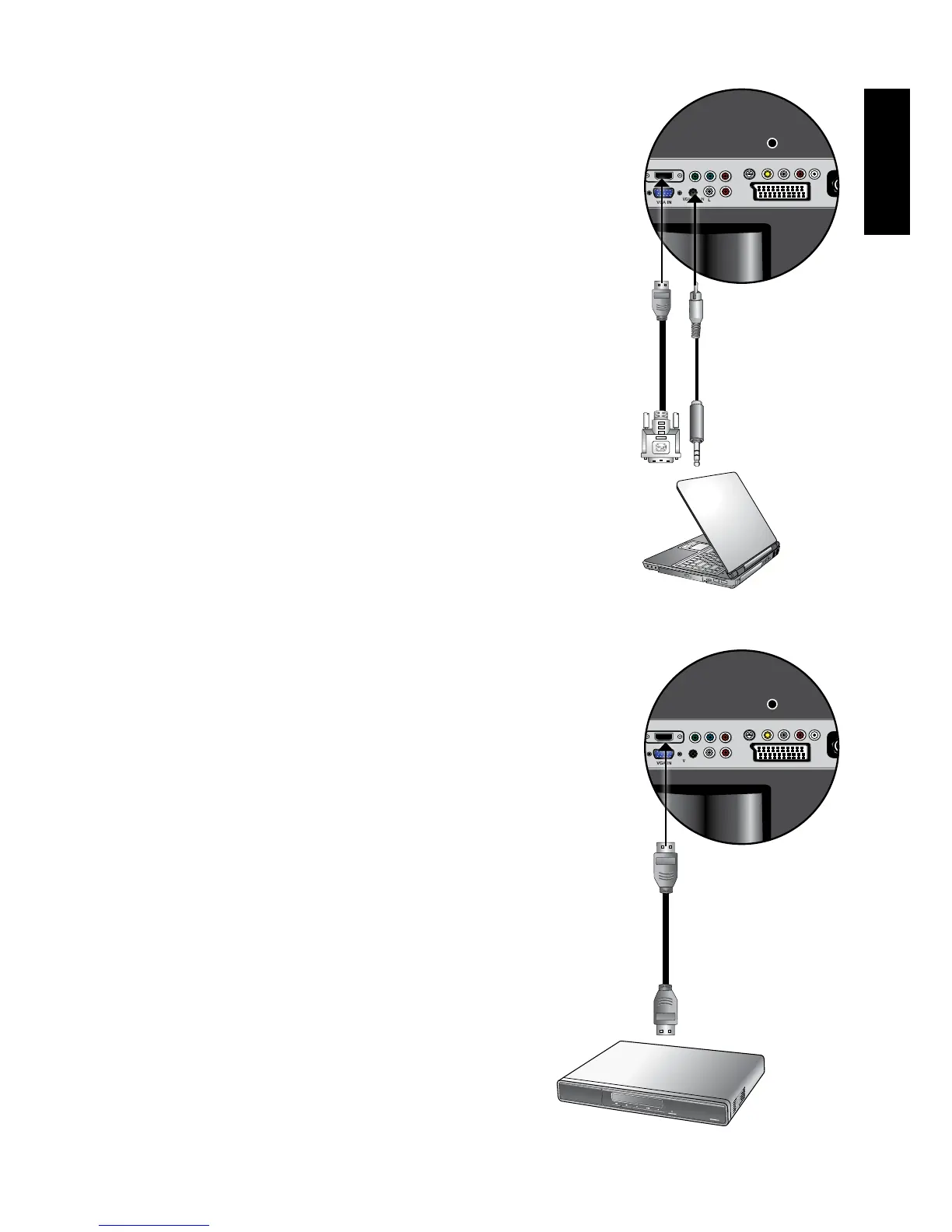
Connecting the DVI input
1. Connect the digital video output of your
output equipment (for example, a PC or
digital Set Top Box) to the HDMI IN terminal
on the TV using a DVI to HDMI adaptor
cable (not provided).
2. Connect the DVI audio output of your output
equipment to the TV's HDMI AUDIO INPUT
input terminals using an appropriate audio
cable (not provided).
To view video image from this input, press
INPUT and use
▲▼
button to select
VIDEO5(HDMI) then press OK button.
WhenconnectedtoaPC,youshould
adjust the resolution in the display
properties of the computer to closely
matchthenativeresolutionofthe
display(forexample,1024x768pixels).
See"SupportedPC(D-Sub/DVI)input
signalresolutions"onpage39onother
supported resolutions.
Connecting the HDMI input
Connect the HDMI output of your output
equipment to the HDMI IN terminal on the display
using an HDMI cable(not provided).
To view video image from this input, press INPUT
and use
▲▼
button to select VIDEO5(HDMI)
then press OK button.
HDMI(High-DenitionMultimediaInterface)is
anuncompressedandall-digitalaudio/video
interface.HDMIprovidesaninterfacebetween
anyaudio/videosource,suchasaset-top
box,DVDplayer,orA/Vreceiveroverasingle
cable.Thedisplay’sHDMIinputsarecompliant
withtheHDMI1.2standard.However,the
playbackofSACD(SuperAudioCD)audioisnot
supported.BeawarethatHDMIinputmustbe
HDCPcomplianttobedisplayed.Toensurethe
stability and performance of signal transmission,
it is recommended that you use high-quality
andHDMIcertiedcableforconnection.See
"SupportedHDMIinputsignalresolutions"on
page40forsupportedresolutions
Audio cable
PC
DVD Player
HDMI Cable
DVI to HDMI
adaptor cable



 To Next Page