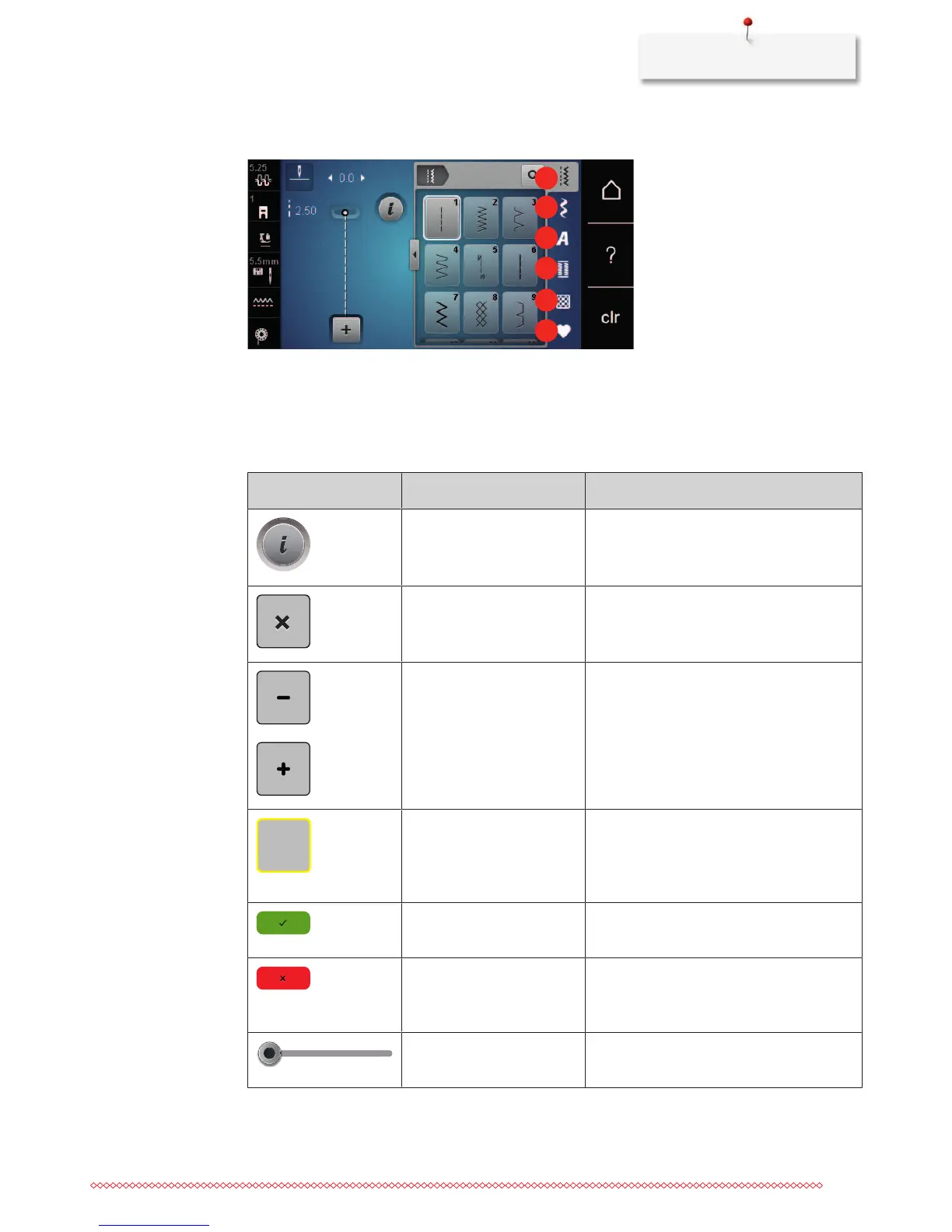
1 Practical stitches 4 Buttonholes
2 Decorative stitches 5 Quilt stitches
3 Alphabets 6 Personal Memory
Overview Icons
Icon Name Purpose
i-Dialog Touching the icon «i»-Dialog provides various
functions to edit motifs.
Close The display is closed and the previously made
adjustments are saved.
Icons «-/+» By touching the icons «-» and «+» the setting
values are changed.
Yellow frame around the
icon
A yellow-framed icon indicates that a setting
or a value in this function has been changed.
By touching the yellow-framed icon, the
default setting can be restored.
Confirm Confirms the previously adjusted alterations.
The display is closed.
Cancel The process is canceled. The display is closed
and the previously made adjustments are not
saved.
Slide By moving the slide the setting values are
changed.










 To Next Page