Creative sewing
62
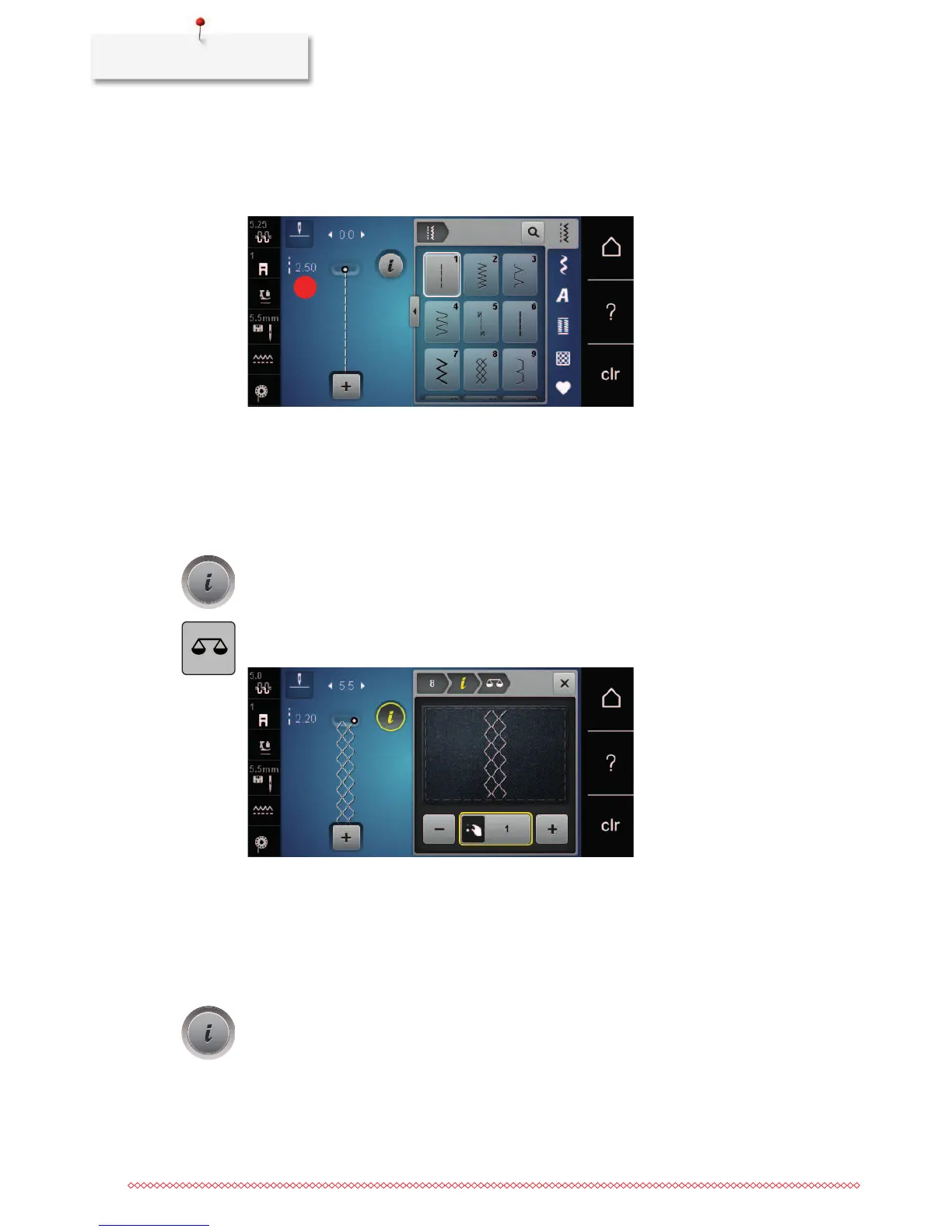
Changing the stitch length
> Turn the «Lower Multifunction knob» to the left to shorten the stitch length.
> Turn the «Lower Multifunction knob» to the right to elongate the stitch length.
> Touch the icon «Stitch length» (1).
> Touch the yellow-framed icon to reset the alteration to default setting.
Correcting the balance
Different fabrics, threads and stabilizers can affect the programmed stitch patterns so that they cannot be
sewn out correctly. The electronic balance can correct these deviation and the stitch pattern can be adjusted
optimally to the selected fabric.
> Select a stitch pattern or alphabet.
> Touch the icon «i»-Dialog.
> Touch the icon «Balance».
– A preview of the stitch pattern is displayed.
> To correct the vertical direction of the stitch pattern, turn the «Lower Multifunction knob» until the
preview of the stitch pattern is in accordance with the sewn stitch on the fabric.
> To save the alterations, close the preview window or touch the icon «i»-Dialog.
Programming pattern repeat
Stitch patterns can be repeated up to 9 times.
> Select a stitch pattern or an alphabet.
> Touch the icon «i»-Dialog.










 To Next Page