- 28 -
Control unit
EN
Description of level 2 parameters
·
: Request for maintenance
- : the request for maintenance is not active.
- : at the end of the countdown period, timed by the counters and , the programmed output is activated (see parameter )
- : at the end of the countdown period, timed by the counters and , the programmed output is activated (see parameter )
and the bollard lights ash twice.
·
-: Programming maintenance cycles in thousands and millions
Thanks to the combination of the two parameters the countdown can be set after which a request for maintenance is signalled.
Thousands can be set with the parameter, millions with the parameter. Example: to set 275,000 maintenance manoeuvres set
on 0.2 and on 75. The value displayed in the parameters updates along with the manoeuvres.
·
=11: Assistance required
If con gured, the contact indicates that the electronic control unit detected an error in the automation and in particular, the failure
of the travel stop or the solenoid valve (GRIZZLY / OAK 800.4 only). The error is signalled by the triple ashing of the cover lights.
·
: TERMON (integrated electronic motor heating system)
Must be activated with the ambient temperature where the bollard is installed (Tamb) drops below the minimum operating tempe-
rature of the bollard itself (Tmin).
Sets the temperature di erence between the bollard’s motor and the ambient temperature in centigrade degrees.
If the parameter is not zero, the control unit will heat the motor in order to obtain the set temperature di erence.
Example: =15. The control unit will ensure that the motor maintains a temperature that is 15° above the ambient temperature.
By setting the parameter =3, it is possible to enable or disable the Termon system, operating directly on the PDM input.
Recommended con guration: = Tmin - Tamb_min + 5 (°C). Example: Tmin= -15°C, Tamb_min= -30°C, set = 20.
The heating function may be activated from a thermostat connected to the PDM input, and calibrated to switch when Tamb <
Tmin+5°C.
Alternatively, a timer clock may be connected to the PDM input with a calendar which activates heating during cold seasons.
·
: Deceleration rotation torque
Sets the deceleration speed at the end of the closing manoeuvre.
The value of the deceleration speed at the end of opening is preset by the company.
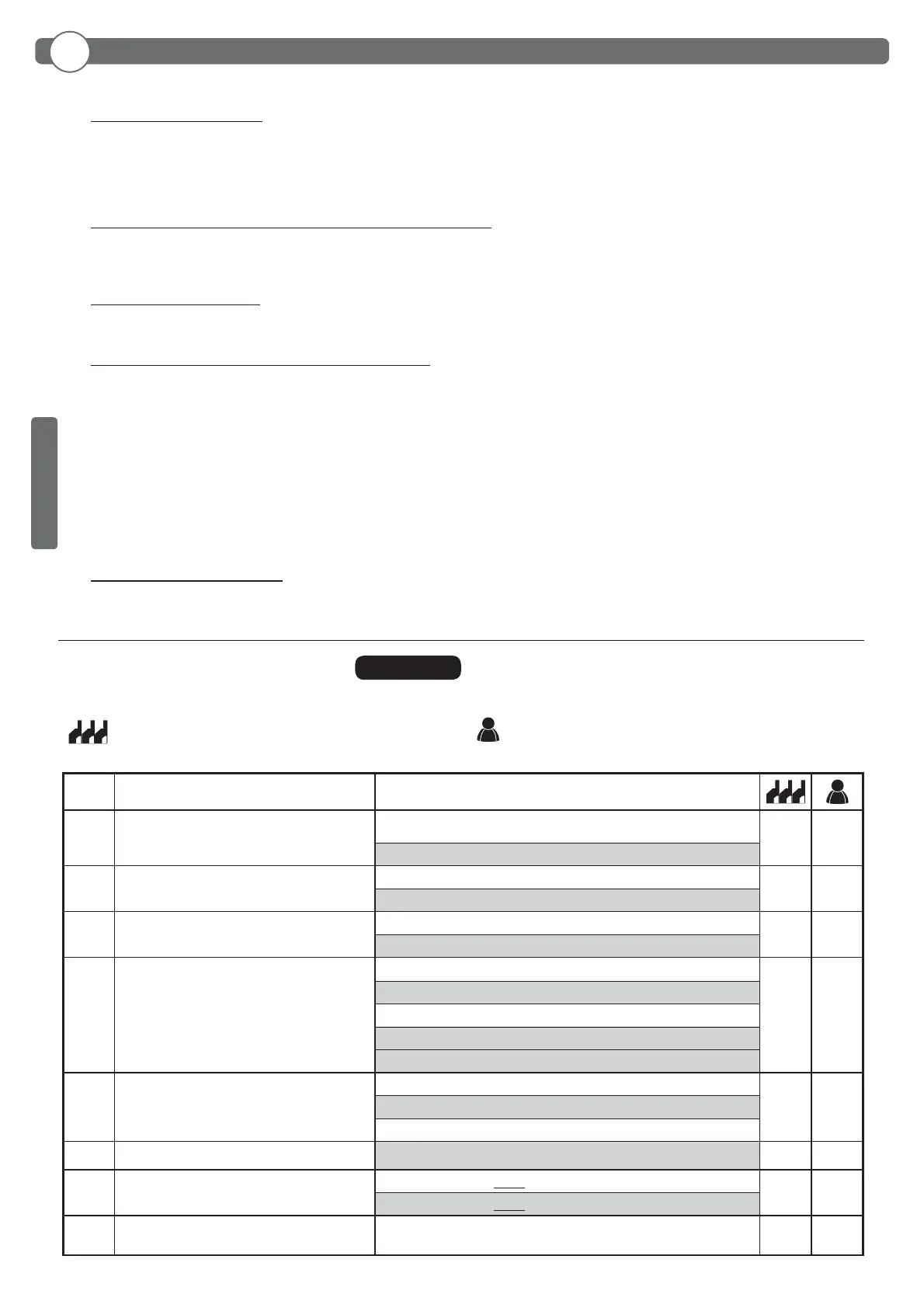
Par Function Settable data
PDM dynamic input polarity
: input N.O.
: input N.C.
Output AUX polarity
: N.O.
: N.C.
Commands during pause
: OFF
: ON
Special PDM functions
programmable input
: None
: Opening consent
: Opening consent and pause time reset (with =04)
: TERMON enabling
: Opening consent and pause time reset (with =05)
Radio channel 1
command selection
: Channel 1 deactivated
: START
: APRI (with =05 special function)
Select frequency
Selecting pressure switch
polarity (for GRIZZLY / OAK 800.4 only)
: N.O. (used until 2012)
: N.C. (used from 2013)
Exiting the menu/saving
Exit programming and view machine statuses (see notes St
automation statuses display after the 1st level table)
ENGLISH
7.4
3rd LEVEL
PROGRAMMING
The following table gives the 3rd level functions and the single settable parameters.
= DEFAULT value set in factory.
= parameter value set during installation: must be indicated
if DEFAULT value is modi ed.



 To Next Page