32
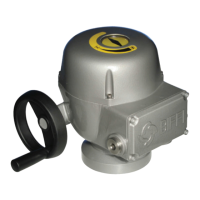
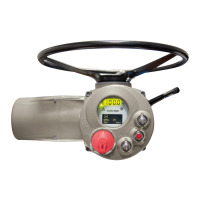
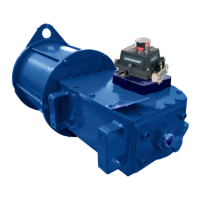
BIFFI F01-2000 ELECTRIC ACTUATOR
INSTRUCTION AND OPERATING MANUAL
9�1�9 OUT 4-20 mA
This routine is only available if the Ain/Aout
card is present. With this card the F01-2000
is provided with a 4-20 mA analog input and a
4-20 mA analog output.
The 4-20 mA output can be configured to
provide a current proportional to either
“position” or “torque”. The polarity option
allows to reverse the relationship between the
present position or torque and the 4-20 mA
output signal, according to the following
diagrams:
OUTPUT: POSITION
POLARITY: 4 mA = CL
Output mA
20 mA
4 mA
Position %
0% 100%
20 mA
4 mA
OUTPUT: POSITION
POLARITY: 4 mA = OP
Output mA
Position %
0% 100%
OUTPUT: TORQUE
POLARITY: 4 mA = CL
OUTPUT: TORQUE
POLARITY: 4 mA = OP
Output mA
Output mA
20 mA
12 mA 12 mA
4 mA
20 mA
4 mA
Torque % Torque %
100% CL 0% 100% OP
100% CL 0% 100% OP
Configuration procedure
• Move the local selector to OFF and then
simultaneously press OPEN and STOP. Select
the language and then enter the password
according to the instructions (see “entering
the set-up mode”). When the message of
the display is “SET-UP MODE OK?” press
YES. Press YES to select the actuator set-up
menu, press NO to scroll the list of available
routines and then press YES to select
Out 4-20 mA.
• Press YES if the output is correct (POSITION
or TORQUE), or press NO to change it, then
press YES.
• Press YES if the polarity is correct, or press
NO to change it, then press YES.
Configuration procedure
• Move the local selector to OFF and then
simultaneously press OPEN and STOP. Select
the language and then enter the password
according to the instructions (see entering the
set-up mode). When the message displayed
is “SET-UP MODE OK?” press YES. Press YES
to select the actuator set-up menu, press NO
to scroll the list of available routines and then
press YES to select FAIL SAFE.
• Press YES if the configured ACTION is correct
(open, close, stay-put, go to position xxx%,
off), or press NO to change it, then press YES.
• Press YES if the configured value of the
DELAY is correct (from 0 to 255 sec), or press
NO to change it, then press YES.
9�1�10 Interlock
The interlock inputs can be used to inhibit the
actuator movement in open or close direction.
The controls are momentary, the inhibit
action continues until the relevant signal is
present. The interlock controls work when the
local selector is in LOCAL or in REMOTE. The
ESD control overrides the interlock controls.
The following options can be configured:
- Interlock OP:
active when signal is PRESENT, active when
signal is ABSENT, no action (OFF).
- Interlock CL:
active when signal is PRESENT, active when
signal is ABSENT, no action (OFF).
Configuration procedure
• Move the local selector to OFF and then
simultaneously press OPEN and STOP. Select
the language and then enter the password
according to the instructions (see entering the
set-up mode). When the message displayed
is “SET-UP MODE OK?” press YES. Press YES
to select the actuator set-up menu, press NO
to scroll the list of available routines and then
press YES to select INTERLOCK.
• Press YES if the configured value of the
Open Interlock is correct (PRESENT,
ABSENT, OFF), or press NO to change it, then
press YES.
• Press YES if the configured value of the
Close Interlock is correct (PRESENT,
ABSENT, OFF), or press NO to change it, then
press YES.


 To Next Page