KB (E4 + E6) 02/2017 page 47/148
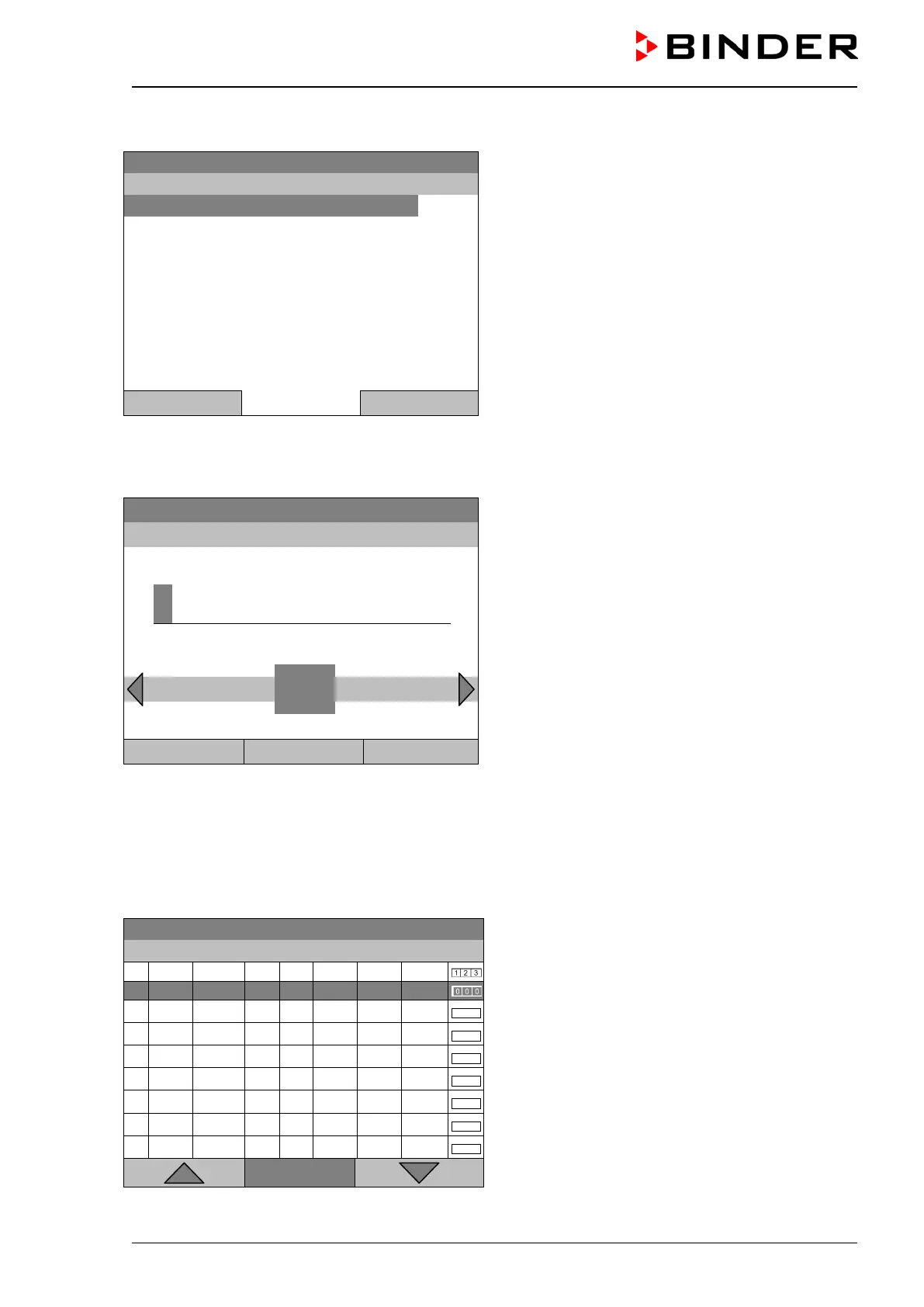
If you selected “Based on”, then the program selection window appears:
08.03.2015 05:05:06
Submenu “Select program” (example).
Select the desired program
and press the operating button.
Close Home
If no program has been created and saved so far, the message “No programs found” appears. Press the
operating button to confirm with “Ok” and enter a program with “Create”.
Now you can specify the name of the new time program:
08.03.2015 05:05:06
Entry menu “Program”.
Enter the desired start time with the operating but-
ton.
Press the “Ok” button to confirm.
0
T U V W X Y Z
1 2 3 4 5 6 7 8 9
Close Ok Home
The time program editor is displayed. Following the selection “Based on…”, this table for program entry
shows the values of the selected program. Following the selection “New" there is an empty table, which
can be filled section by section with sample values. You can edit the displayed values.
Entering the program values for the first parameter (temperature)
A first program line is shown. This corresponds to a program section. You can now edit the values.
08.03.2015 05:05:06
Time program editor
(view with optional control outputs).
To edit the values, press the operating button, select
the desired value and press the operating button
again.
..\ Temperature controller
Menu







 To Next Page