KB (E4 + E6) 02/2017 page 93/148
If no USB device has been connected, the message “No USB device found” is displayed. It
disappears after inserting the USB stick or the plug of your USB drive into the USB port in the
instrument box.
This symbol on the controller display indicates that data are being transmitted via the USB port.
14. Notifications and Alarms
14.1 Notifications overview
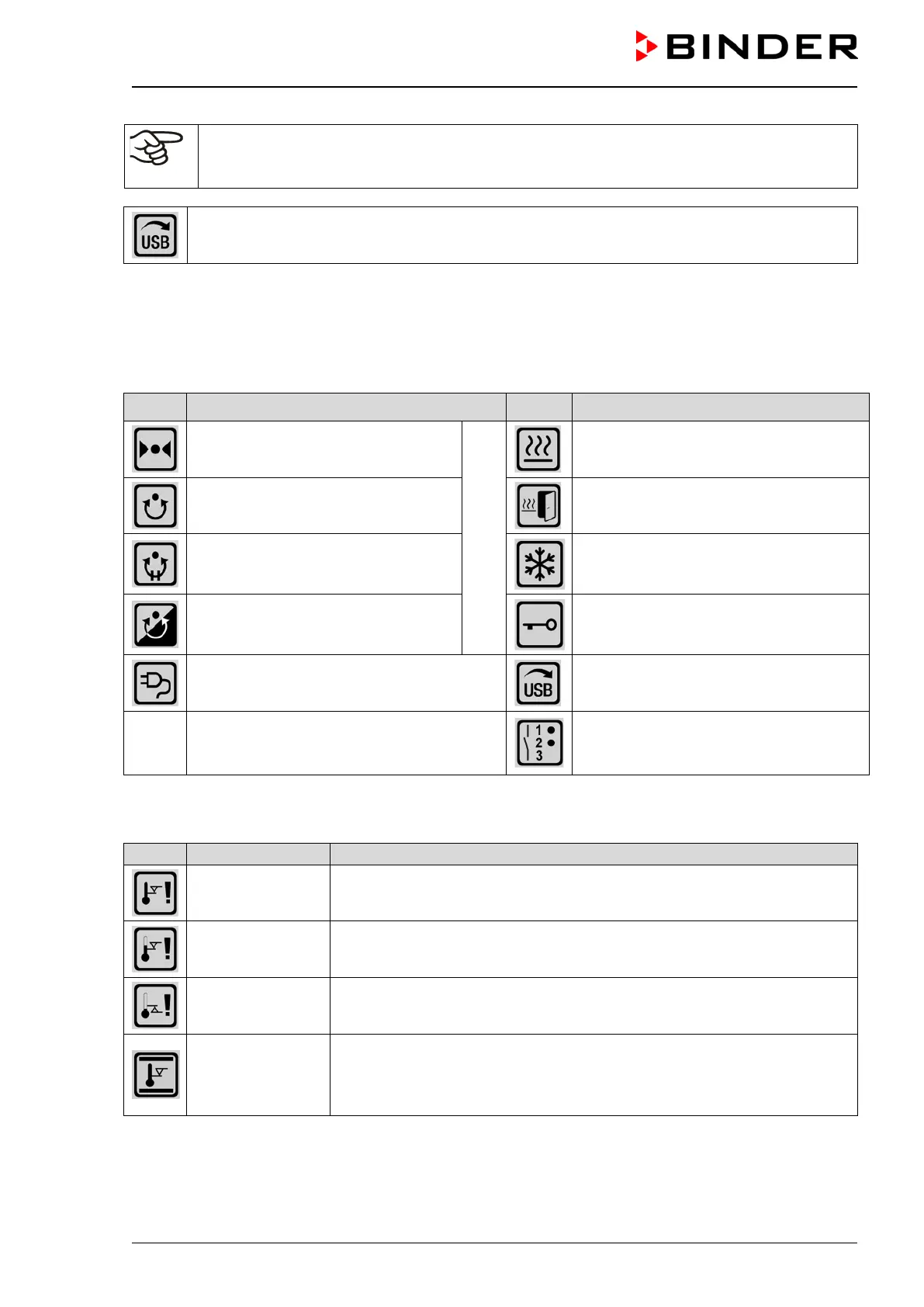
Icon Signification Icon Signification
Fixed value operation
Operating modes
Heating active
Time program operation
Door heating active (KB 240 / 400 / 720)
Time program interrupted
Refrigeration active
Week program operation
Key lock activated
Interior socket (option) turned on
Copying data via USB
Switching state of the optional zero-
voltage relay control outputs (example:
control outputs 1 + 2 switched on)
14.2 Alarms overview
Safety controller
overtemperature
Overtemperature safety controller alarm (class 3.1): selected value of the
safety controller exceeded
Safety controller
overtemperature
Overtemperature safety controller alarm with option class 3.3: selected
value of the safety controller exceeded
Safety controller
undertemperature
Undertemperature safety controller alarm with option class 3.3: fallen be-
low selected value of the safety controller
Temp. range
Tolerance range alarm: Having reached the set-point, the temperature
deviates by more than +/- 2 °C from the set-point for more than 10
minutes, or the temperature doesn’t reach the tolerance range within 3
hours from turning on the chamber or closing the door







 To Next Page