DNA Engine Tetrad 2 Thermal Cycler Operations Manual
5-28 Tech Support: 1-800-4BIORAD • 1-800-424-6723 • www.bio-rad.com
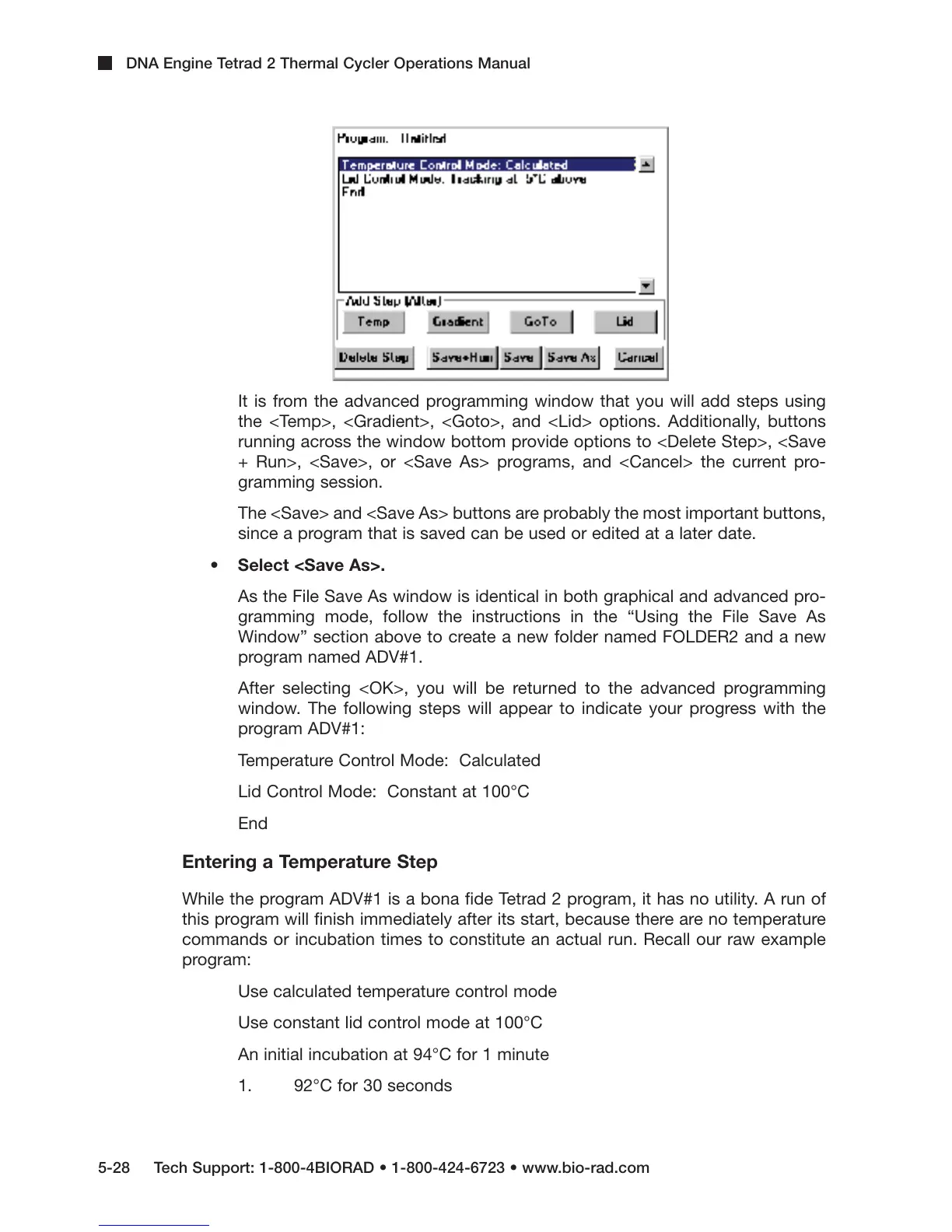
It is from the advanced programming window that you will add steps using
the <Temp>, <Gradient>, <Goto>, and <Lid> options. Additionally, buttons
running across the window bottom provide options to <Delete Step>, <Save
+ Run>, <Save>, or <Save As> programs, and <Cancel> the current pro-
gramming session.
The <Save> and <Save As> buttons are probably the most important buttons,
since a program that is saved can be used or edited at a later date.
• Select <Save As>.
As the File Save As window is identical in both graphical and advanced pro-
gramming mode, follow the instructions in the “Using the File Save As
Window” section above to create a new folder named FOLDER2 and a new
program named ADV#1.
After selecting <OK>, you will be returned to the advanced programming
window. The following steps will appear to indicate your progress with the
program ADV#1:
Temperature Control Mode: Calculated
Lid Control Mode: Constant at 100°C
End
Entering a Temperature Step
While the program ADV#1 is a bona fide Tetrad 2 program, it has no utility. A run of
this program will finish immediately after its start, because there are no temperature
commands or incubation times to constitute an actual run. Recall our raw example
program:
Use calculated temperature control mode
Use constant lid control mode at 100°C
An initial incubation at 94°C for 1 minute
1. 92°C for 30 seconds



 To Next Page