Running Programs
Tech Support: 1-800-4BIORAD • 1-800-424-6723 • www.bio-rad.com 7-5
The Run Program Window
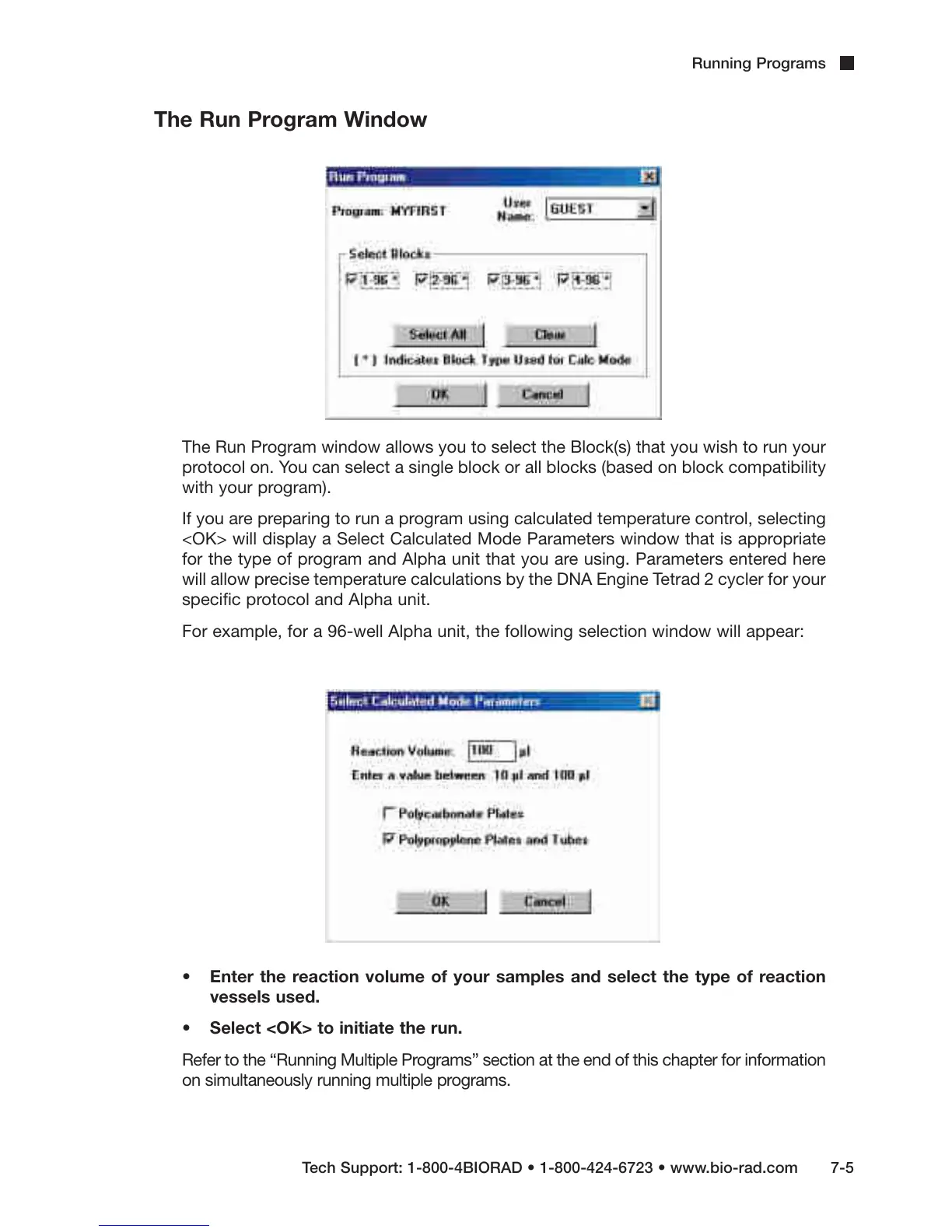
The Run Program window allows you to select the Block(s) that you wish to run your
protocol on. You can select a single block or all blocks (based on block compatibility
with your program).
If you are preparing to run a program using calculated temperature control, selecting
<OK> will display a Select Calculated Mode Parameters window that is appropriate
for the type of program and Alpha unit that you are using. Parameters entered here
will allow precise temperature calculations by the DNA Engine Tetrad 2 cycler for your
specific protocol and Alpha unit.
For example, for a 96-well Alpha unit, the following selection window will appear:
• Enter the reaction volume of your samples and select the type of reaction
vessels used.
• Select <OK> to initiate the run.
Refer to the “Running Multiple Programs” section at the end of this chapter for information
on simultaneously running multiple programs.



 To Next Page