DNA Engine Tetrad 2 Thermal Cycler Operations Manual
7-6 Tech Support: 1-800-4BIORAD • 1-800-424-6723 • www.bio-rad.com
During the Run
Run Status
Information in the Temperature, Time, and Cycle fields of the Status window will indi-
cate that your program is running. To graphically display the run conditions, go to the
Graphs window.
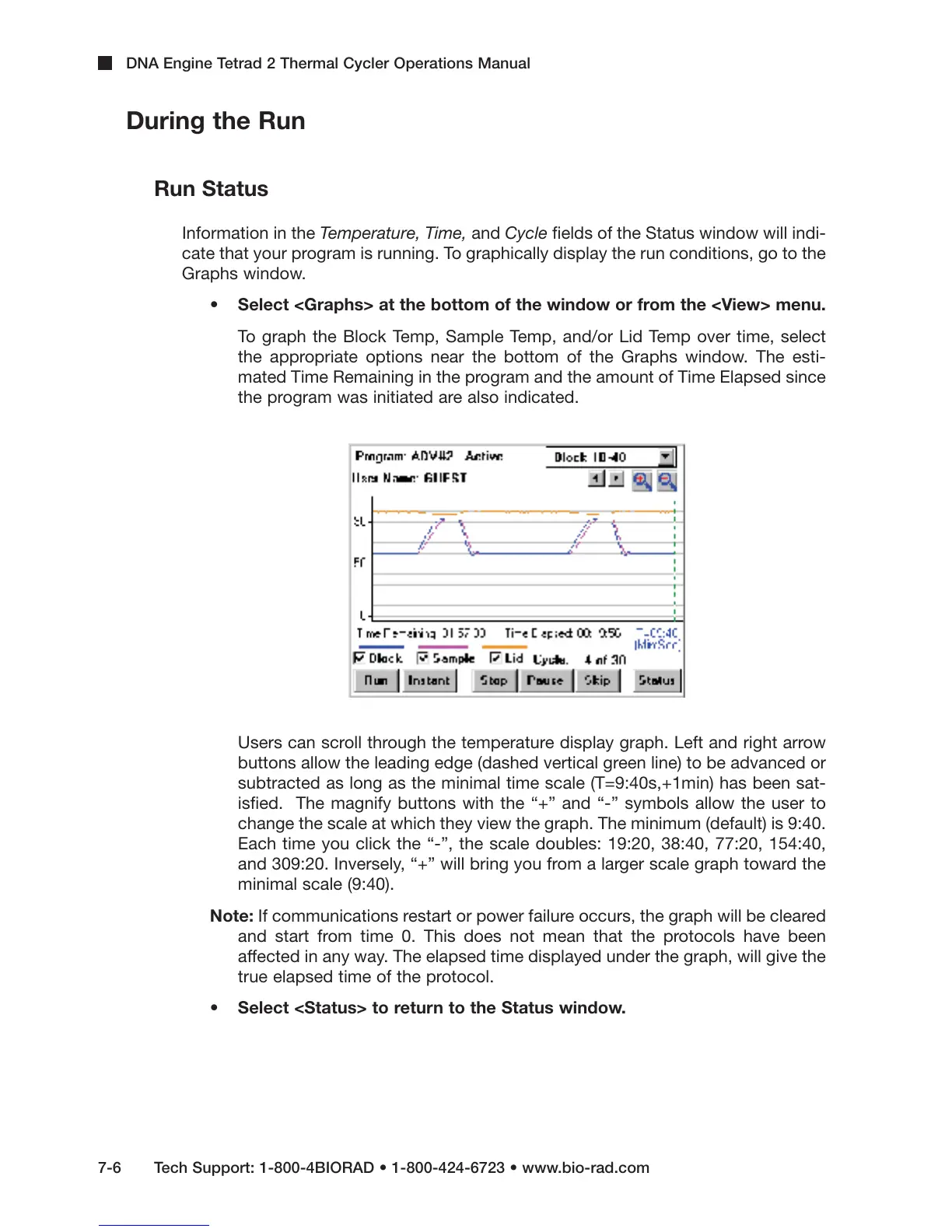
• Select <Graphs> at the bottom of the window or from the <View> menu.
To graph the Block Temp, Sample Temp, and/or Lid Temp over time, select
the appropriate options near the bottom of the Graphs window. The esti-
mated Time Remaining in the program and the amount of Time Elapsed since
the program was initiated are also indicated.
Users can scroll through the temperature display graph. Left and right arrow
buttons allow the leading edge (dashed vertical green line) to be advanced or
subtracted as long as the minimal time scale (T=9:40s,+1min) has been sat-
isfied. The magnify buttons with the “+” and “-” symbols allow the user to
change the scale at which they view the graph. The minimum (default) is 9:40.
Each time you click the “-”, the scale doubles: 19:20, 38:40, 77:20, 154:40,
and 309:20. Inversely, “+” will bring you from a larger scale graph toward the
minimal scale (9:40).
Note: If communications restart or power failure occurs, the graph will be cleared
and start from time 0. This does not mean that the protocols have been
affected in any way. The elapsed time displayed under the graph, will give the
true elapsed time of the protocol.
• Select <Status> to return to the Status window.



 To Next Page