DNA Engine Tetrad 2 Thermal Cycler Operations Manual
8-2 Tech Support: 1-800-4BIORAD • 1-800-424-6723 • www.bio-rad.com
In previous chapters, you’ve learned how to install and operate the DNA Engine
Tetrad 2 cycler, as well as write and execute programs. In this chapter, the various
functions of the <Utilities> submenu will be discussed. The <Utilities> submenu
rounds out the capabilities of the DNA Engine Tetrad 2 cycler, providing access to
user name control, remote command mode, and the date and time settings.
The <Utilities> submenu is selectable from the Status window.
<Utilities> has five options with submenus: <Control>, <Config>, <Service>,
<Network> and <Grad Calc>, as well as the <About> dialog box.
<About>
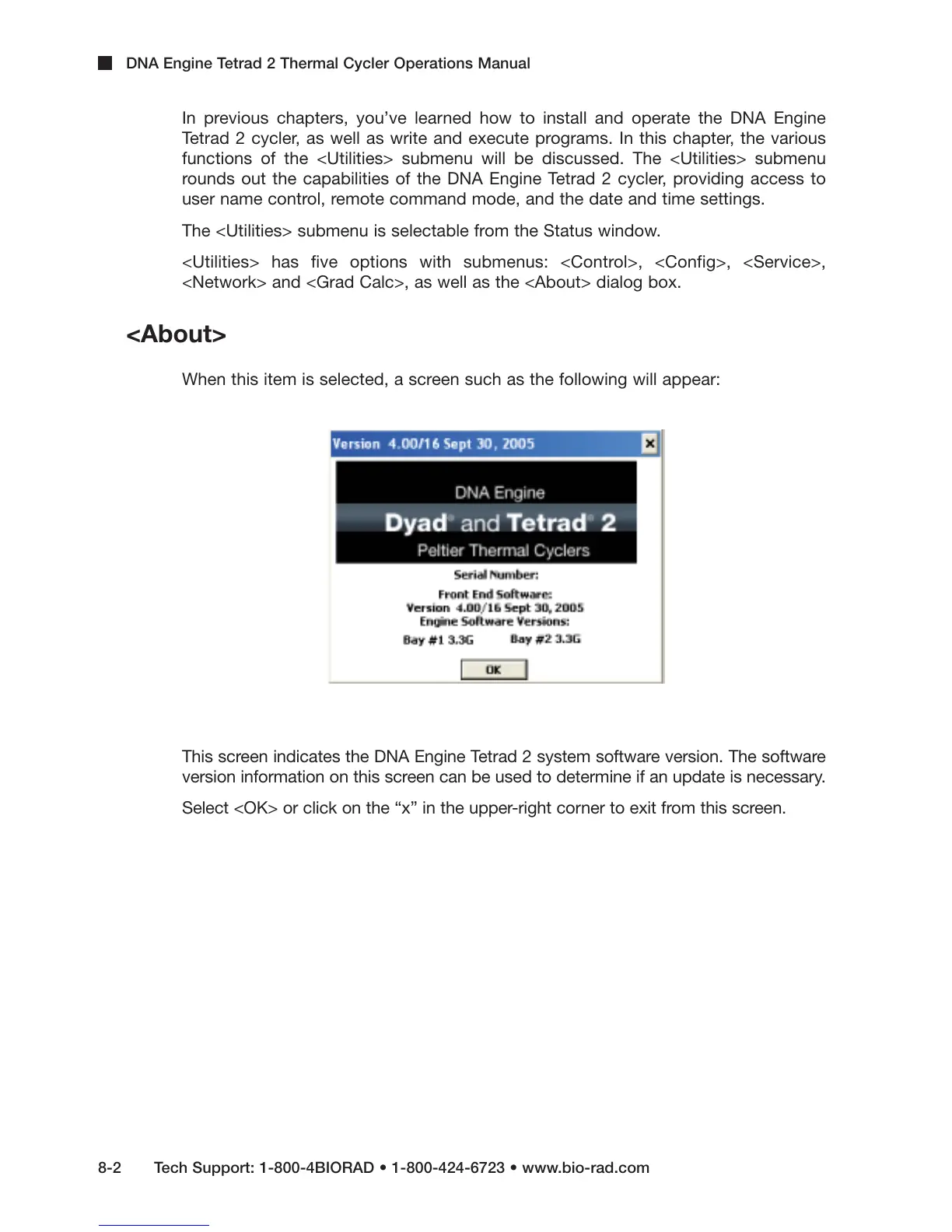
When this item is selected, a screen such as the following will appear:
This screen indicates the DNA Engine Tetrad 2 system software version. The software
version information on this screen can be used to determine if an update is necessary.
Select <OK> or click on the “x” in the upper-right corner to exit from this screen.



 To Next Page