Handheld monitor user’s manual
Chapter 3-6
1. Select【System】→【Maintenance】,a password
entering window will pop up, input the password and
select
【
OK
】
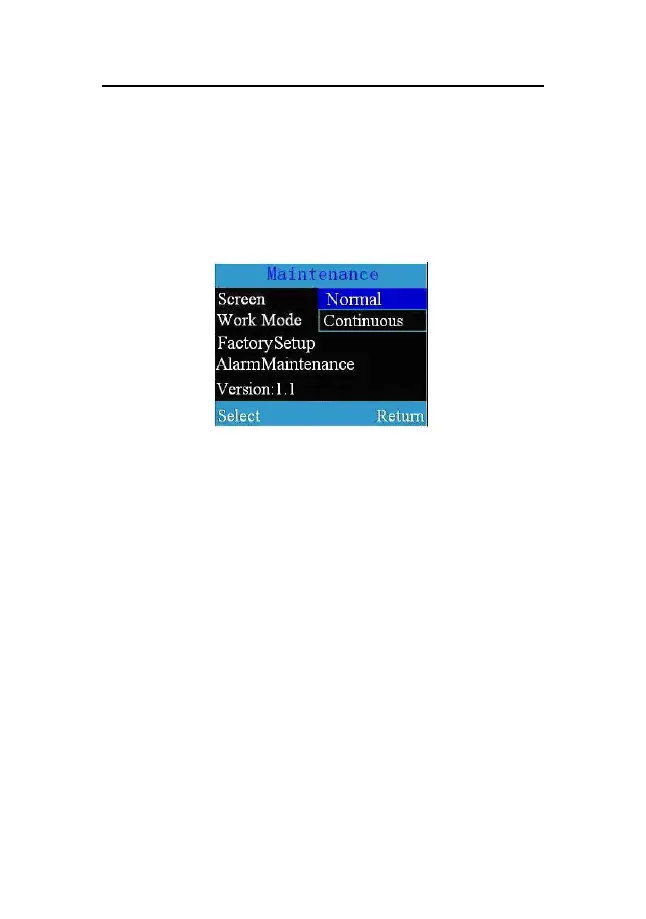
to enter the maintenance window shown as
follows:
Fig 3-3 Maintenance window
2. Select【Work Mode】, you can set the monitor’s
wok mode to
【
Continuous
】
or
【
Spot-Check
】
.
3.6.1 Continuous Monitoring Mode
The continuous monitoring mode is intended for
long-term monitoring. This mode is normally selected when
the patient is in hospital or under transport. At the time, the
patient ID defaulted by the system is 0. When the memory
reaches the above limit, the data stored primarily will be
cleared.



 To Next Page