Handheld monitor user’s manual
Chapter 7-2
monitoring ECG, the line of【HR】displays the values of HR.
While there is no ECG monitoring, the line of【HR】displays
the values of PR.
7.3 Reviewing Setup
After entering the reviewing window, press the left
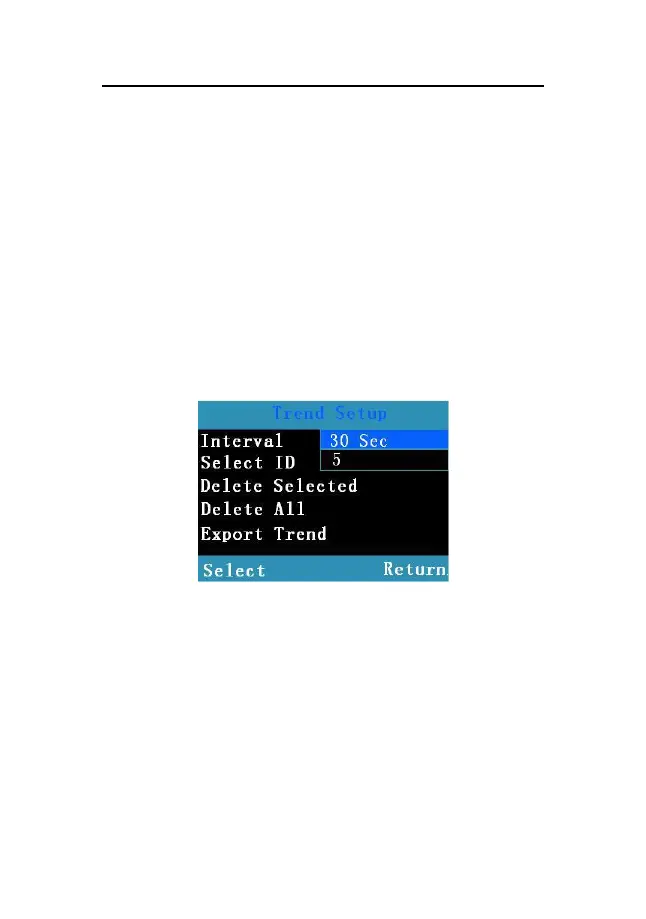
button to enter 【 Trend Setup 】 window shown as the
following:
Fig 7-2 Trend Setup
In the window you can set【Interval】,【Select ID】,
【
Delete Selected
】
,
【
Delete All
】
and
【
Export Trend
】
:
Interval:To adjust recording time interval within
the range from 2 seconds to 30 minutes.
Select ID
:
To select patient ID No. The user may



 To Next Page