Handheld monitor user’s manual
Chapter 7-1
Chapter 7 Reviewing
7.1 Introduction
Select【Menu】→【Trend】to enter trend reviewing
window. In the window, you can review SpO
2
and PR data
stored before.
7.2 Reviewing Screen
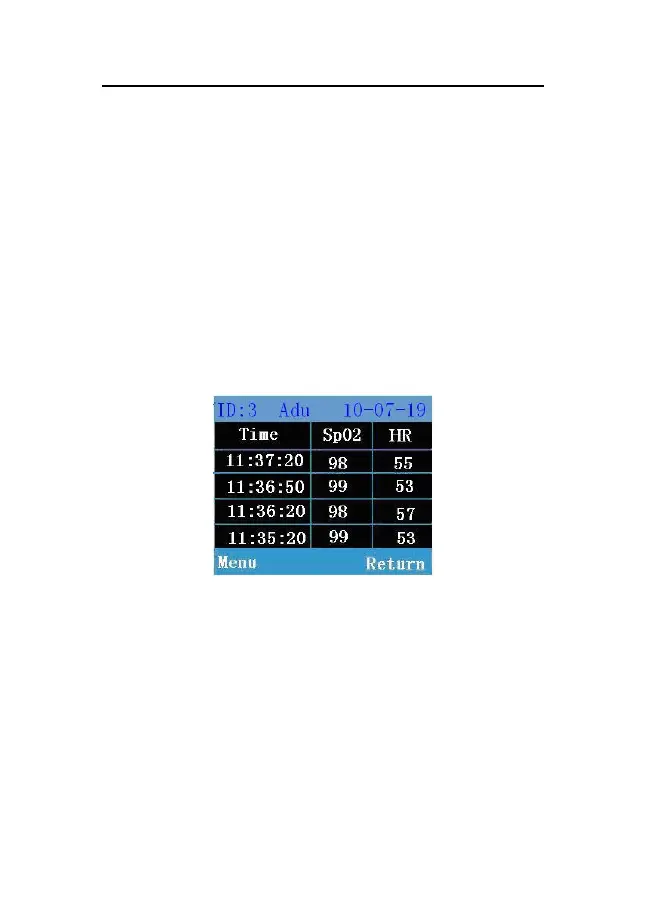
Fig 7-1 SpO
2
/HR reviewing window
The above is SpO
2
/HR reviewing window. In the window,
you can review SpO
2
/HR value measured in different time.
When SpO
2
or HR is over the setting alarm limit, their values
are red. If the trend date is not only one page, you can turn
pages by the up/down button. When the monitor is



 To Next Page