N-3Rev F
InStallatIon
N-3
The Supervisor’s Main Menu
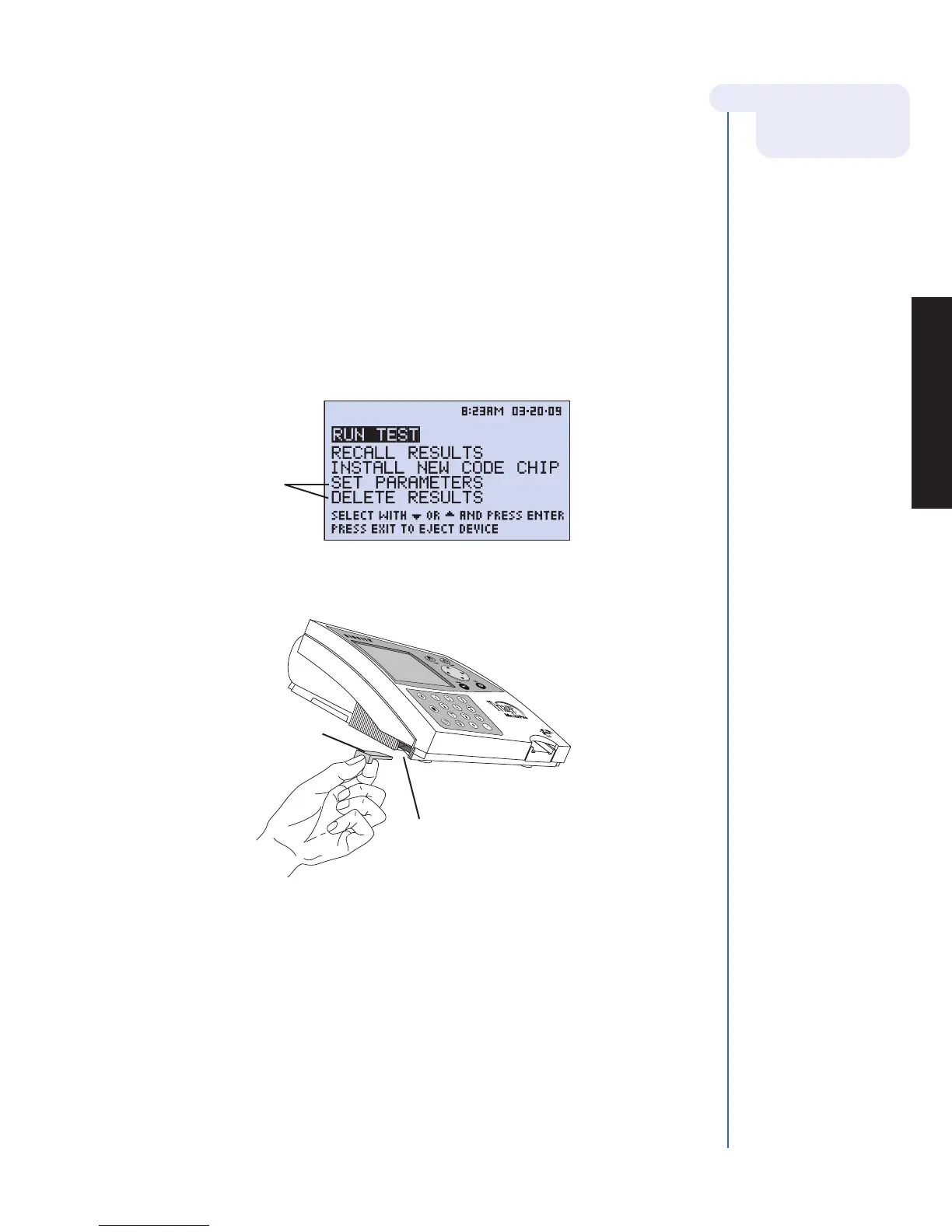
4. Insert Supervisor Code Chip module:
a. Remove the Supervisor Code Chip module Box from the meter box.
b. Remove the Supervisor Code Chip module from its box.
c. Insert the Supervisor Code Chip module into the Code Chip module Port. The port
is located on the left side of the meter, towards the bottom front corner. Note the
orientation of the Code Chip module in the drawing below.
d. Once the Supervisor Code Chip module is installed, verify that two additional menu
items appear on the display screen.
For more details about
Code Chips modules
see page N-9.
Code Chip module
Code Chip module Port
Menu options
accessible only
when the Supervisor
Code Chip module
is inserted.



 To Next Page