800953 Bittium Faros Manual
© Bittium Biosignals Ltd 2023
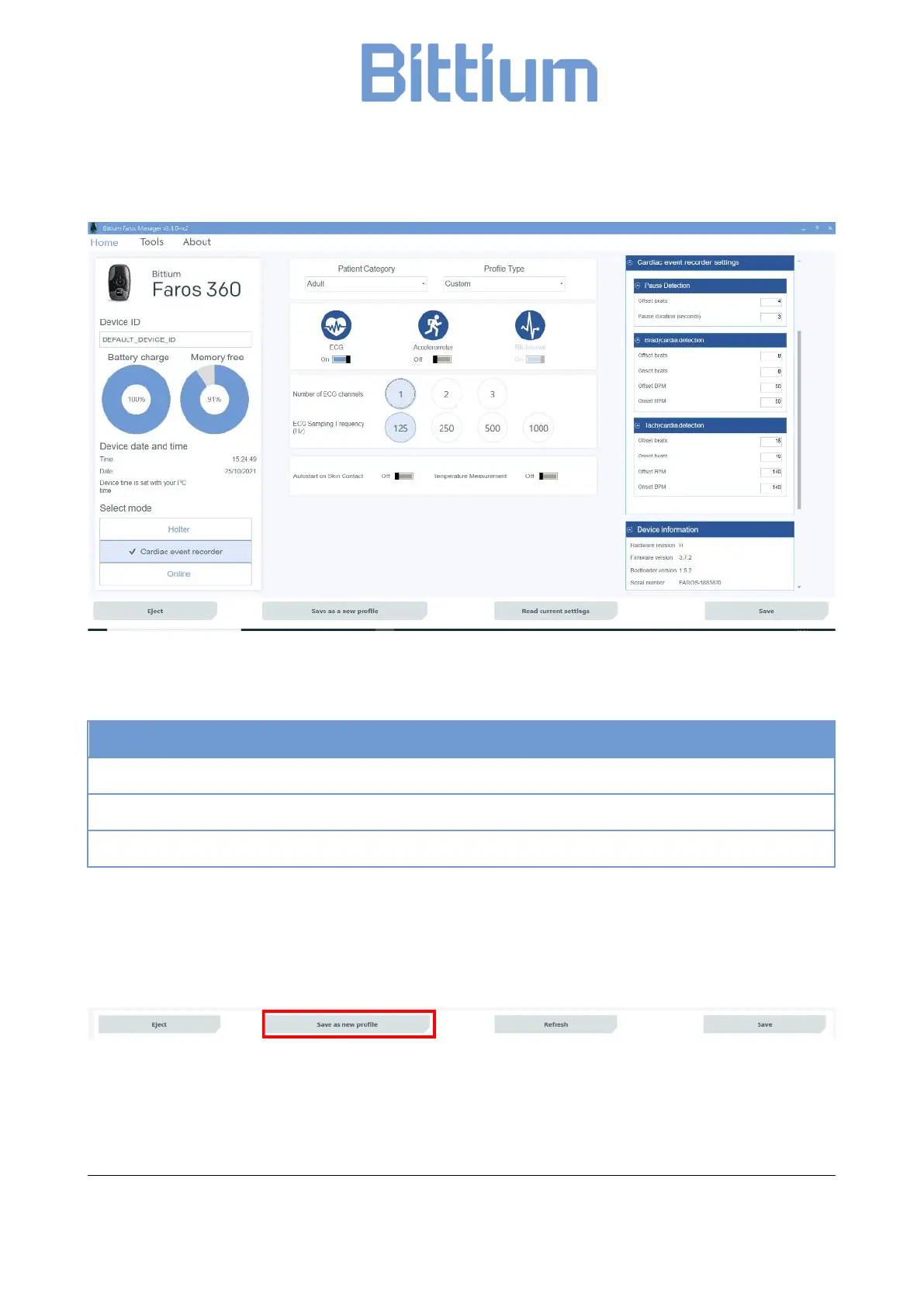
Figure 5 Cardiac Event Recorder configuration
Cardiac event recorder settings (default detection values)
Pause; Offset beats 4, Pause duration (seconds) 3
Bradycardia; Onset / Offset beats 8, Onset / Offset bpm 50
Tachycardia; Onset / Offset beats 16, Onset / Offset bpm 140
6.3 User customized profiles
In Faros Manager 3.4.x, you can save your current measurement configurations to a profile for later use.
Click on “Save as new profile” button at the bottom bar of application.
Figure 6 "Save as new profile" button
“Information” –window is shown, and you are asked to name the created profile. Enter the new profile
name and click “OK” button. New profile is now saved.


 To Next Page