7 HOW TO START AND STOP A RECORDING
Before recording make sure that the device battery is fully charged. The device can be charged with the
USB-cable included in the Faros package or with a regular micro-USB charger.
• The blue light indicator is blinking when the battery is charging
• When the battery is full, the blue light indicator shines continuously.
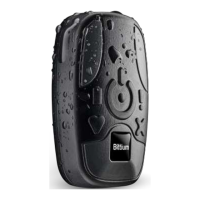
The Faros device has one pushbutton. The device starts when you push the button.
7.1 Patient preparation for OmegaSnap electrodes
Step 1: Prepare the skin of the patient in the area where the electrode is placed:
a) Shave the hair off from the area where the electrode is placed.
b) Clean the skin with appropriate alcohol (for example denat. 80% alcohol), electrode preparation
pads or using mild soap and water.
c) Make sure that the skin is dry before applying electrode
Step 2: Attach the electrode to the patient’s skin:
d) Electrode placement is instructed in next chapters.
e) Check that the adhesive sticks properly.
f) Check that there is no air between the electrode gel and patient’s skin.
g) Check that there is no hair under the adhesive.
Step 3: Attach the device to the electrode:
h) Attach the device to the electrode (see electrode placement pictures in chapter 7.1.1)
Step 4. Start the measurement:
i) Press the Faros device pushbutton once.
j) Green light indicator starts to blink – the device is now recording.


 To Next Page