800953 Bittium Faros Manual
© Bittium Biosignals Ltd 2023
8.2 eMotion EDF Viewer menus
Table 14 EDF Viewer menus
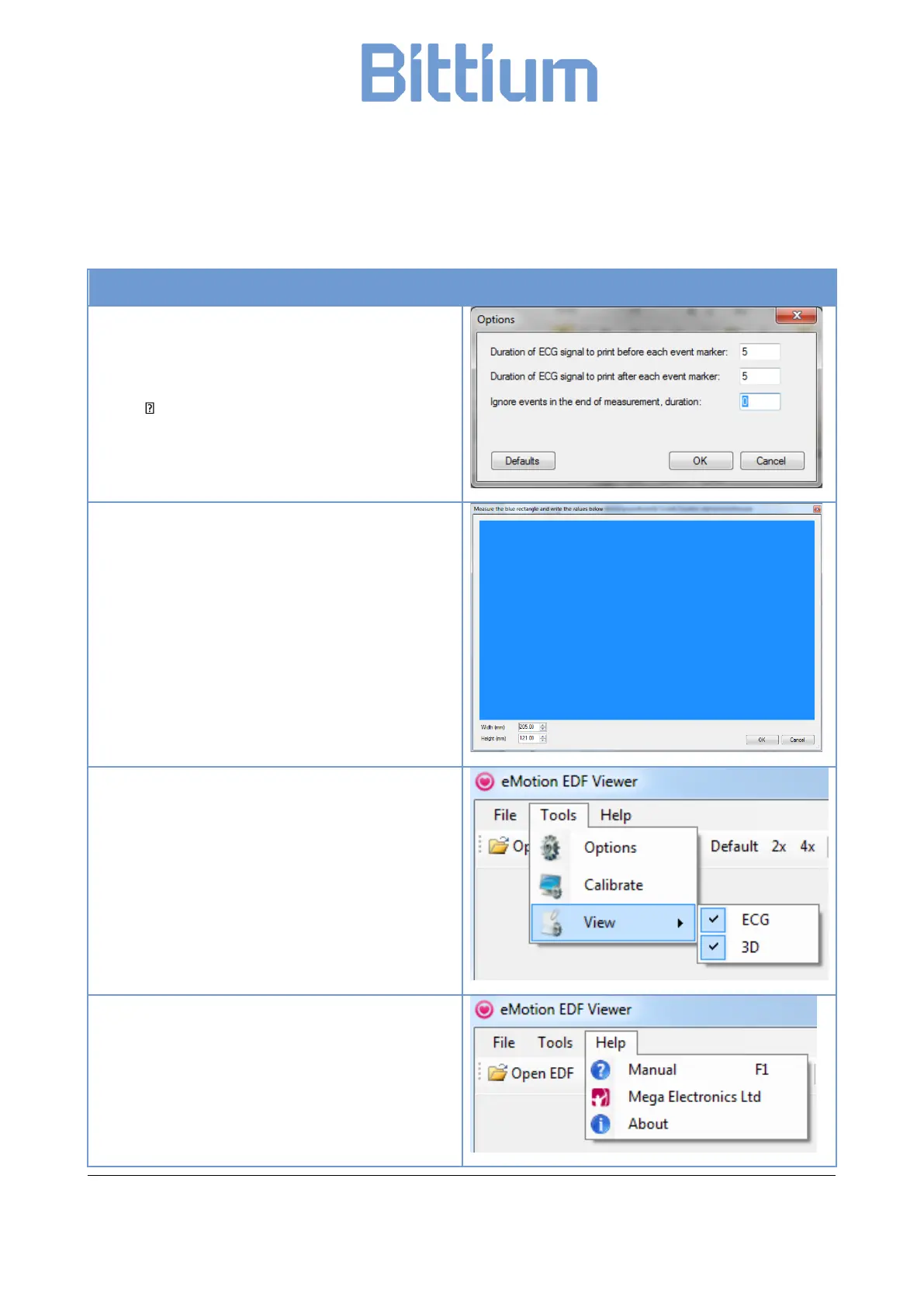
Tools: Options
Event Report layout and parameters can be
managed from
‘Tools’ ‘Options’ menu.
Calibrate
To calibrate ‘Data window’ mm-grid view select
‘Calibrate’ from ‘Tools’. Measure the blue rectangle
and write the values below. Click ‘OK’.
Tools: View
Multiple signals (that is ECG and physical activity
(3D) can be reviewed if they are recorded. Before
opening the .edf-file click ‘Tools’ and ‘View’ to select
presented signal types.
Help
Help menu contains software-related information,
link to manufacturer webpage and the User Manual.


 To Next Page