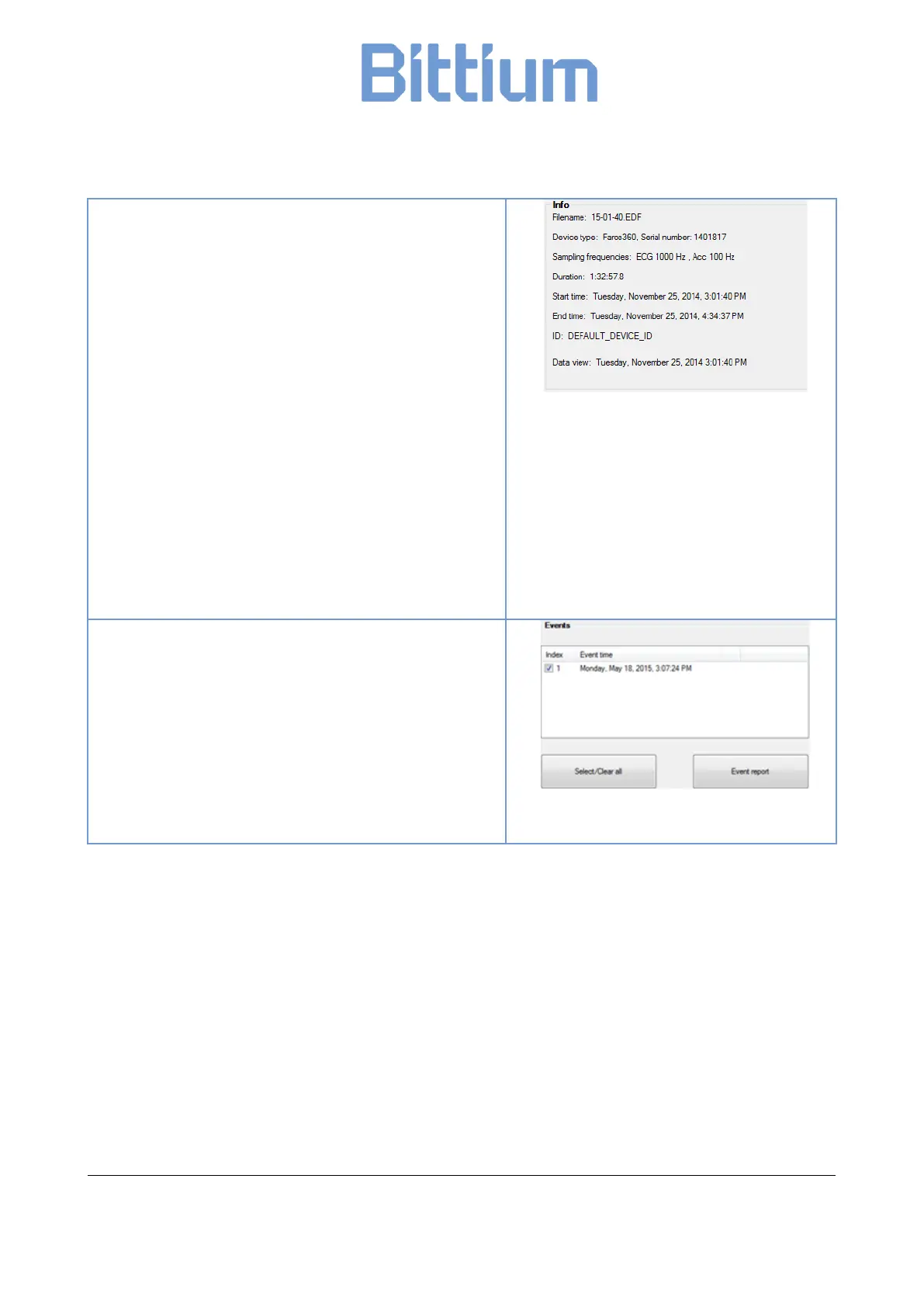
Info window shows the configuration of the ECG data.
• Filename: EDF filename.
• Device type: Faros device type.
• Serial number: Faros serial number.
• Sampling frequencies: Sampling rates of EDF data
channels.
• Duration: Data length (hh:mm:ss.s).
• Start time: Recording start date and time
formatted.
• End time: Recording end date and time formatted.
• ID: ID tag set in Faros device.
• Data view: EDF data view pointer, that is the date
and time of current data in review window.
Events window shows the manually created patient
markers.
A reporting option is provided for desired events. Checked
(with checkboxes) events will be included in the report.
‘Select/Clear all’ will toggle event selection between ‘None
selected’ and ‘All selected’.
‘Event report’ will open a PDF report in a separate window
with options to print or save.


 To Next Page