10 FREQUENTLY ASKED QUESTIONS (FAQ)
What can I do if I am experiencing difficulties with my Faros device?
Start by going through the user manual and the Frequently Asked Questions listed below to see if these
provide a solution to your question. If you cannot find the solution from the user manual, please contact us
through our service portal:
1) Go to: https://dojo.bittium.com/medical
2) Create an account for logging into the portal
3) Send your support request to Bittium through the portal
Alternatively sent your support request via email to: medical.support@bittium.com
How can I review recorded cardiac events?
Cardiac events recorded by Faros can be reviewed with software which needs to be purchased separately.
To get quotation and more information, please contact us at medical.support@bittium.com
How do I know that the battery of the device is fully charged?
When the battery is fully charged, the blue LED lights stays on continuously when the device is connected
to a computer with micro-USB cable. Please remember to fully charge your Faros devices before the first
use.
In my last measurement the time and date of the measurement were totally wrong.
Why is that? How can I fix this problem?
When the device is delivered, the device clock is synchronized to the Finnish time (UTC +2, EET). This is why
the clock needs to be synchronized before the first use. Also, if the battery of the device has run out, the
clock of the device may change. This is why we recommend to synchronize the clock of the device every
time you connect the device with your PC (either when recharging or when downloading data from the
device).
Do I need software for downloading measurement data from the device?
No, there is no need for software in this case. Once you connect the device to PC via USB, you can browse
to the hard drive of the device (named “FAROS_DATA”) and copy/cut and paste the needed files to your
computer. If you wish, you can also open the measurement files directly with software from the device’s
memory. Alternatively, you can use Faros Manager to save measurement files.
How can I reset my Faros device?
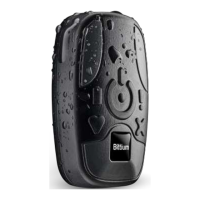
Start pressing the push button. Press and hold the button until all the LED lights blink once (approximately
10 seconds).


 To Next Page