14
3.1 Menu and Control Button
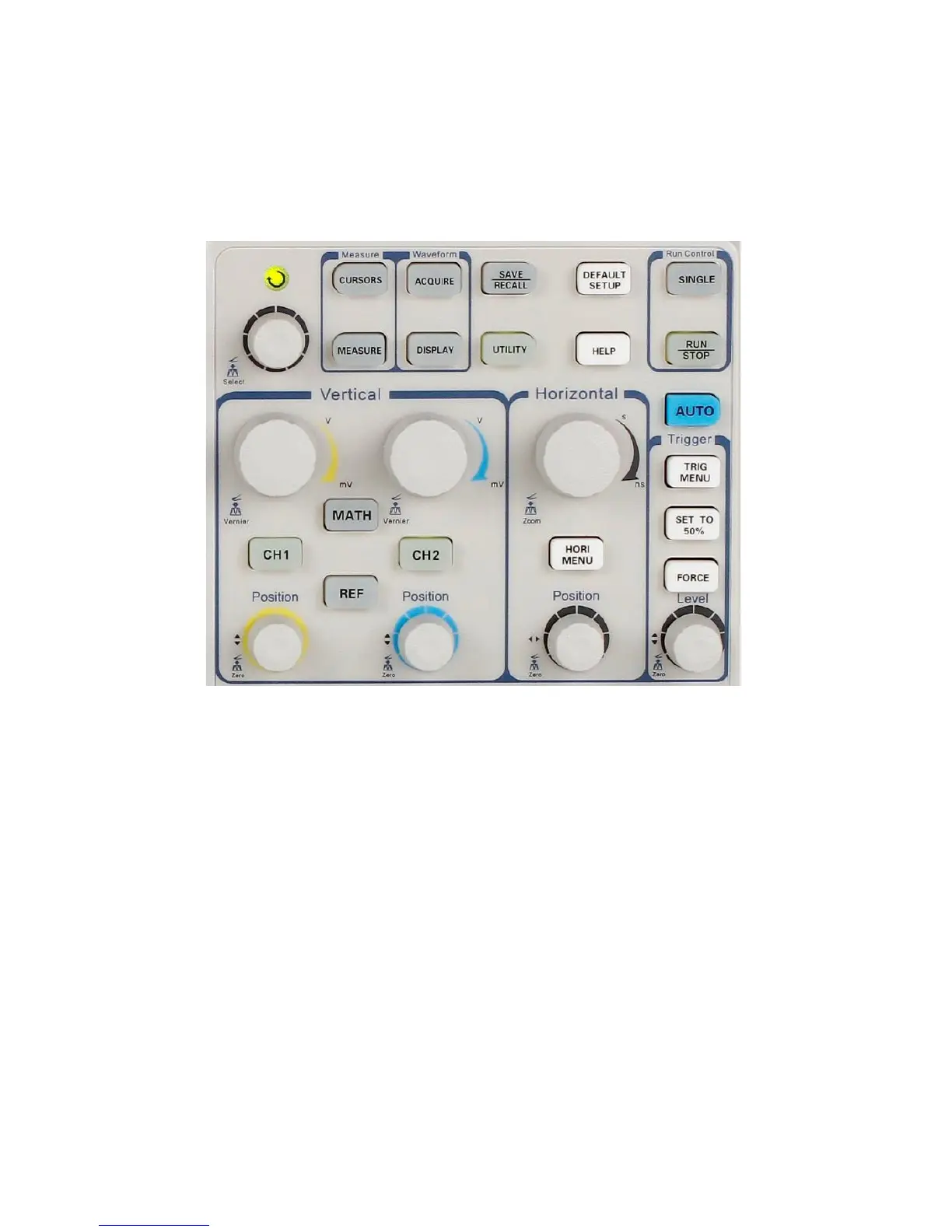
Figure 3.1 – Control Buttons
Channel buttons (CH1, CH2): Press a channel button to turn
that channel ON or OFF and open the channel menu for that
channel. You can use the channel menu to set up a channel.
When the channel is on, the channel button is lit.
MATH: Press to display the Math menu. You can use the
MATH menu to use the oscilloscope’s Math functions.
REF: Press to display the Ref Wave menu. You can use this
menu to save and recall four or two reference waveforms to
and from internal memory.













 To Next Page