17
1.8 7 7. 8 7 7. 2 2 6 9 BLACKBOX.COM
NEED HELP?
LEAVE THE TECH TO US
LIVE 24/7
TECHNICAL
SUPPORT
1.8 77.877.2269
CHAPTER 5: INVISAPC MANAGER
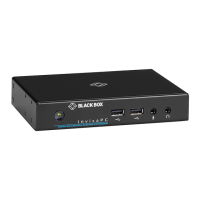
An InvisaPC Manager (DTX1032-R) managing a network of InvisaPC Receivers and Transmitters can also act as an InvisaPC
Receiver. The DTX1032-R can manage 32 transmitters/receivers by default. It can manage up to 250 transmitter/receivers
when an upgrade license(s) (DTX1032-LIC100 / DTX1032-LIC250) is added to DTX1032-R.
NOTES:
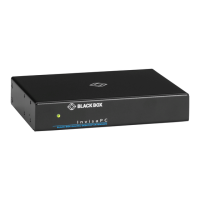
The front panel of the InvisaPC Manager (not pictured) looks similar to the InvisaPC receiver’s (DTX1000-R or DTX1002-R) front
panel shown in Chapter 3 of this manual.
The rear panel of the InvisaPC Manager (not pictured) looks similar to the DTX1000-R front panel shown in Chapter 3 of this
manual.
5.1 CONFIGURATION OF MANAGER
The DTX1032-R Manager is configured using an On-Screen Display built into the Manager in the same manner as a Receiver.
A Manager user profile is protected by username and password to permit different users to access the same unit securely. It
maintains the central database that is distributed to all Receivers in the “domain” of the Manager (i.e. discovered and added to
manager) – called the “managed domain”. This distribution ensures that there is no single point of failure in the InvisaPC system –
each Receiver has a copy of the database. This enables each Receiver to continue operation – log users in, make connections as
required – even if the Manager goes off-line.


 To Next Page