40
1.8 7 7. 8 7 7. 2 2 6 9 BLACKBOX.COM
NEED HELP?
LEAVE THE TECH TO US
LIVE 24/7
TECHNICAL
SUPPORT
1.8 77.877.2269
CHAPTER 12: OSD FUNCTIONS
12.6.2 NETWORK
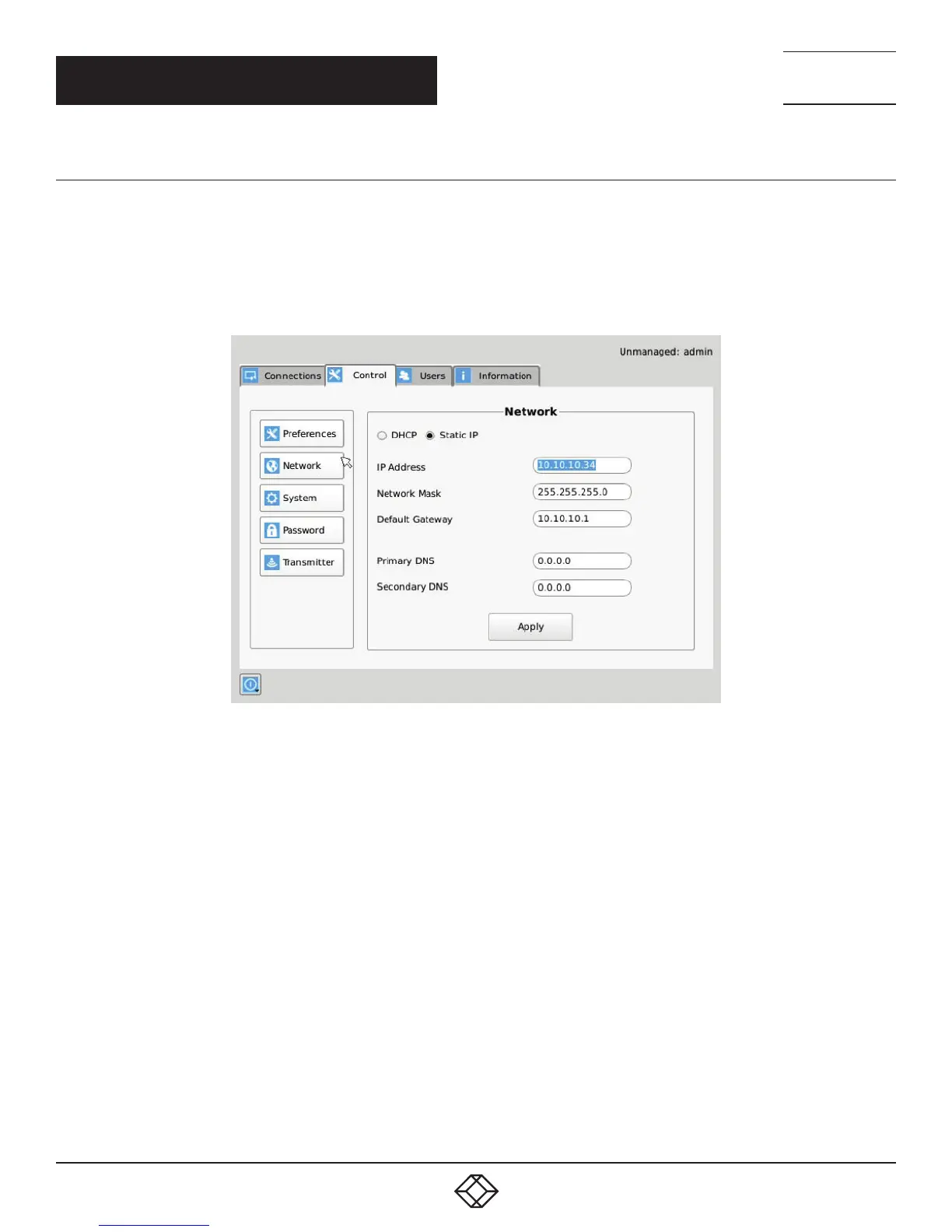
The network screen shown in Figure 12-12 allows an administrator to change the settings for the InvisaPC Receiver or Manager. The
default network setting for the Receiver is a static IP address of 192.168.1.21. It has a Network Mask of 255.255.255.0 and a Gateway
192.168.1.1. If DHCP is selected, the Receiver or Manager gets its IP address from the DHCP server. Click the Apply
button to confirm any changes to network settings.
NOTE: Only IPv4 addressing supported in current firmware version.
FIGURE 12-12. NETWORK SETTINGS



 To Next Page