31
1.8 7 7. 8 7 7. 2 2 6 9 BLACKBOX.COM
NEED HELP?
LEAVE THE TECH TO US
LIVE 24/7
TECHNICAL
SUPPORT
1.8 77.877.2269
CHAPTER 12: OSD FUNCTIONS
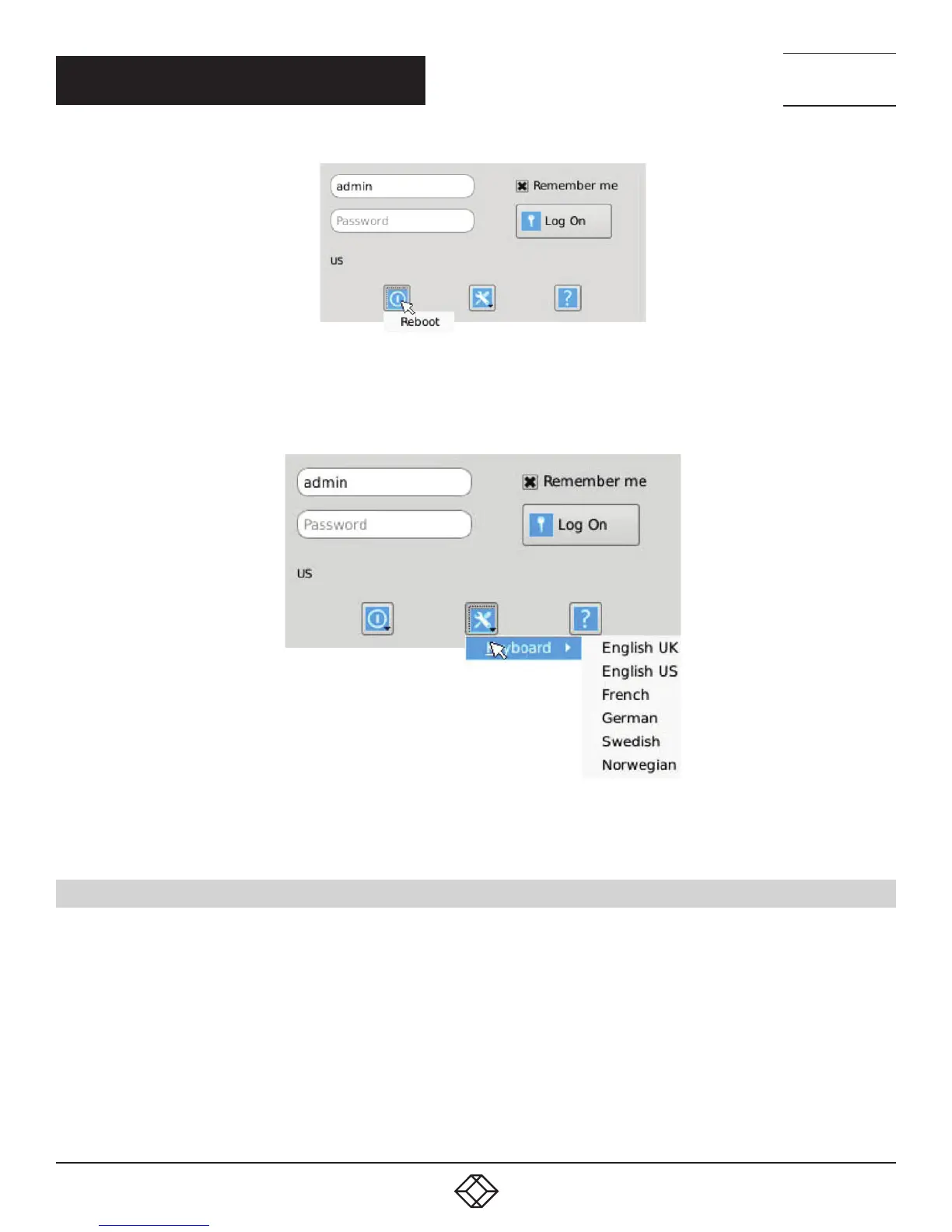
FIGURE 12-2. LOG-ON SCREEN - REBOOT BUTTON
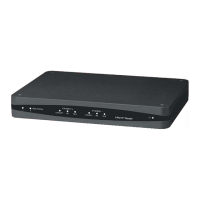
System Preferences: This button has a drop down menu that allows the user to define system preferences for the InvisaPC
Receiver. Figure 12-3 shows how the keyboard type can be selected.
FIGURE 12-3. SETTING SYSTEMS KEYBOARD TYPE
Help: This button opens a pop-up window with help on that screen.
12.3 DEFAULT USERNAME AND PASSWORD
The InvisaPC Receiver and Manager ship with a default username of admin with a blank password (i.e. no password). This user
cannot be deleted, but the password can be changed.
NOTE: If you create a password for the default Admin account and forget it, there is no way to reset / retrieve it unless using a
manager. We recommend that the administrator creates a second Admin account for critical systems in case the main Admin
account is locked out.


 To Next Page