20
1.8 7 7. 8 7 7. 2 2 6 9 BLACKBOX.COM
NEED HELP?
LEAVE THE TECH TO US
LIVE 24/7
TECHNICAL
SUPPORT
1.8 77.877.2269
CHAPTER 7: APPLICATION EXAMPLES
7.2 VIDEO, AUDIO AND USB SWITCHING
Numerous applications require being able to switch between different target PCs or Virtual Desktops. The user wants to be able
to change the source of Video, Audio, or USB extension (or all three together).
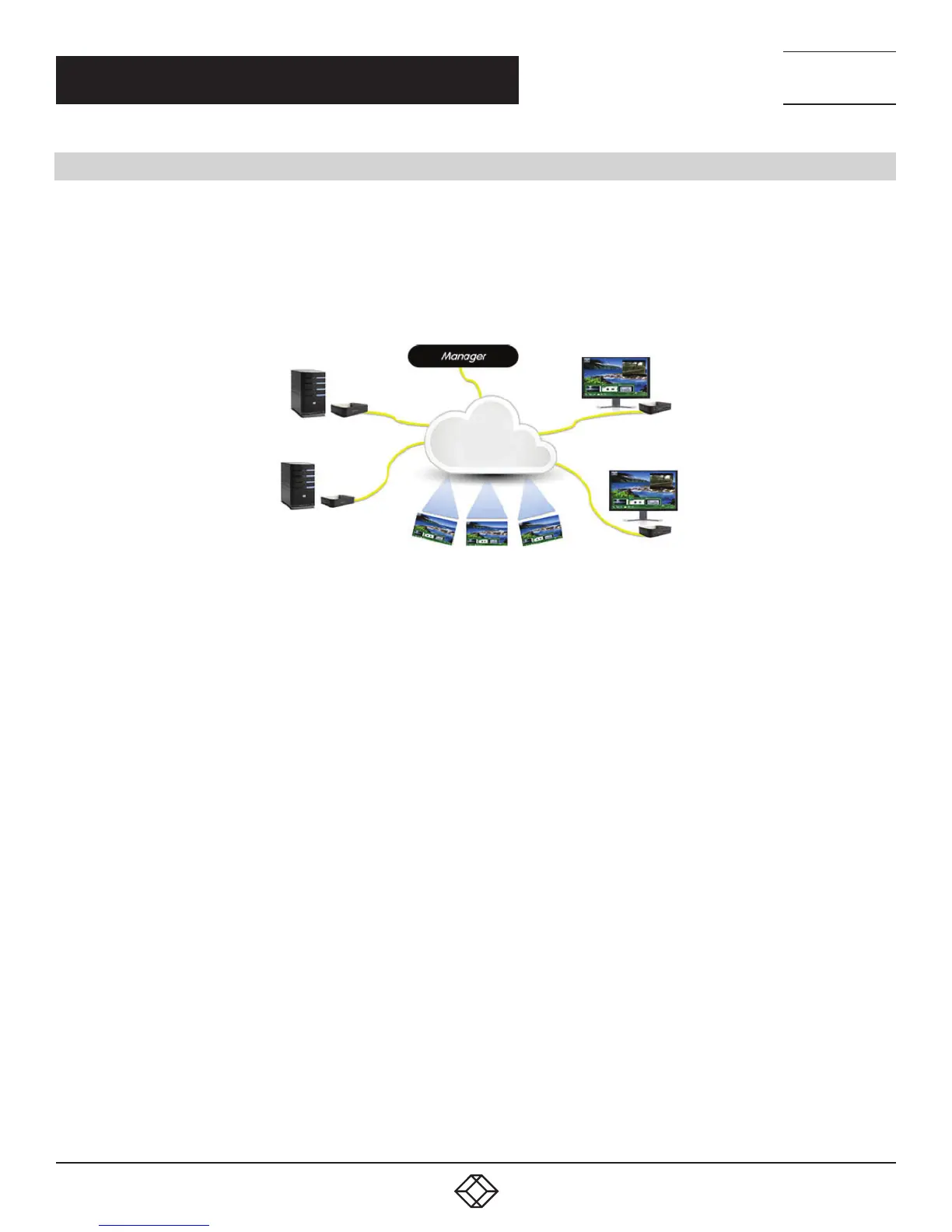
Connections can be made to a target using InvisaPC’s intuitive On-Screen-Display (OSD). In Figure 7-2, a larger scale system
is shown. This is referred to as a switching or matrix type of deployment. In this deployment, there are several Receivers and
Transmitters and a manager, as well as virtual desktops.
Transmitters
Receivers
Virtual Desktops
FIGURE 7-2. INVISAPC SWITCHING EXAMPLE


 To Next Page