33
1.8 7 7. 8 7 7. 2 2 6 9 BLACKBOX.COM
NEED HELP?
LEAVE THE TECH TO US
LIVE 24/7
TECHNICAL
SUPPORT
1.8 77.877.2269
CHAPTER 12: OSD FUNCTIONS
12.5.1 CREATING A NEW CONNECTION
To allow an InvisaPC Receiver or Manager to connect to a target InvisaPC Transmitter, an administrator must create a connection.
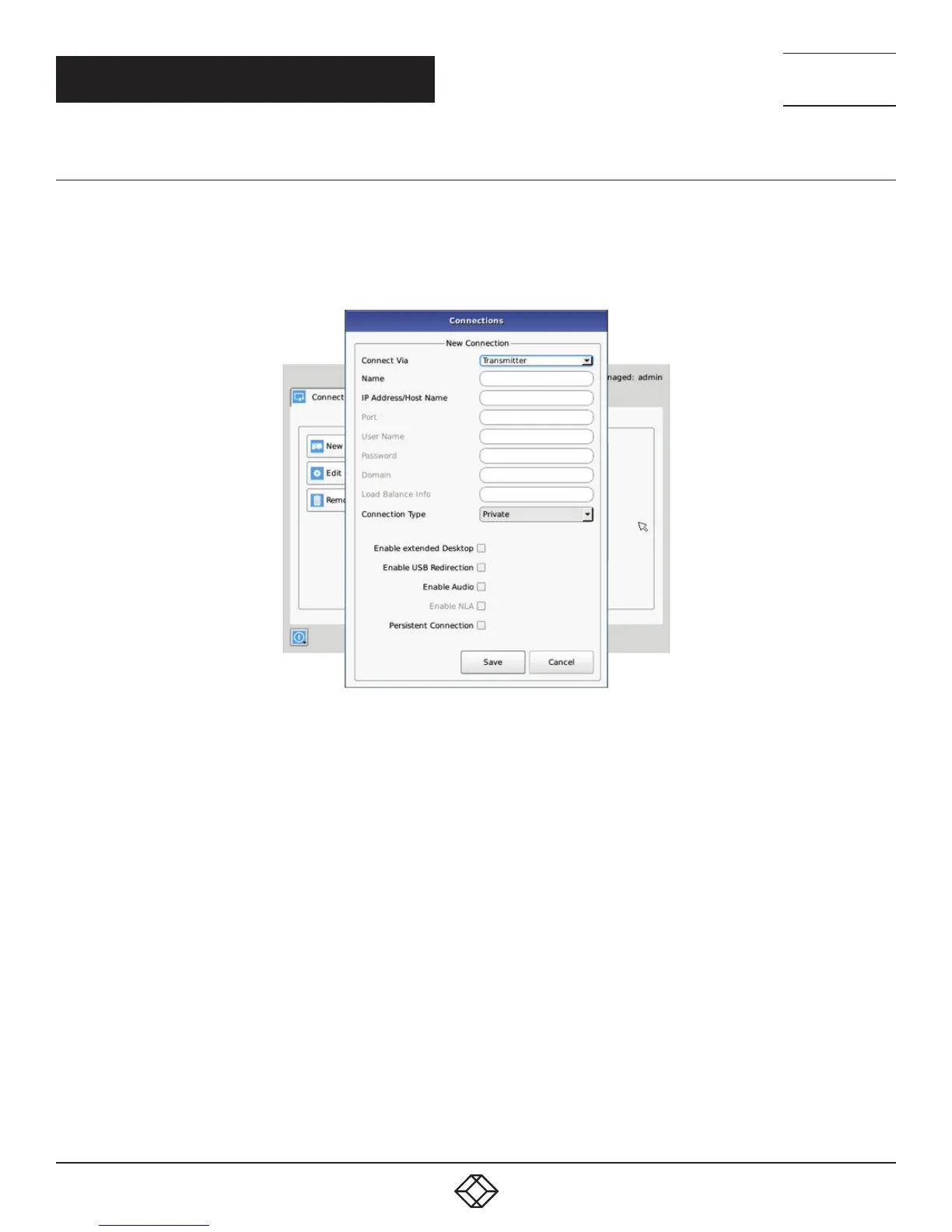
The administrator clicks on the New button on the Connections screen. This causes the New Connections pop-up window to appear
as shown in Figure 12-5.
FIGURE 12-5. NEW CONNECTION WINDOW
The fields on this screen are:
Port: defines the port to be used for the RDP connection for connections via VM Direct or Broker. Uses 3389 by default;
Username: defines username to be used on a VM connection. Only used for connections via VM Direct or Broker. If left “blank” on VM
Direct – user will be presented with Windows Login screen on VM;
Password: defines username to be used on a VM connection. Only used for connections via VM Direct or Broker;
Domain: defines domain that a Virtual Machine is part of (if part of a windows domain). Not used for connections to Transmitters.
Load Balance Info: defines resource on the broker (VM pool) that the Receiver will attempt to connect to after user credentials have
been validated. Only used on connections via Broker;
Connection Type: used to define whether a connection is Private or Shared (i.e. others connections of type Shared can join in session
and share Keyboard, Video and Mouse). Only available if Connection Via is set to Transmitter;
Name: this is a unique name for the new connection. The name can be between 1 and 32 characters. The name can be
composed of any Alphanumeric characters and special characters except for “ ”/ \ [ ] : ; | = , + * ? < > `’.
IP Address/Host Name: IP Address of InvisaPC Transmiter (if Connection Via set to Transmitter) or VM in IP v4 format. Alternatively it
can be the Host Name if this can be resolved in the local DNS server. Note: Using Host Name will increase the switching time by the
time needed to resolve the Host Name to an IP address;



 To Next Page