41
1.8 7 7. 8 7 7. 2 2 6 9 BLACKBOX.COM
NEED HELP?
LEAVE THE TECH TO US
LIVE 24/7
TECHNICAL
SUPPORT
1.8 77.877.2269
CHAPTER 12: OSD FUNCTIONS
12.6.3 SYSTEM
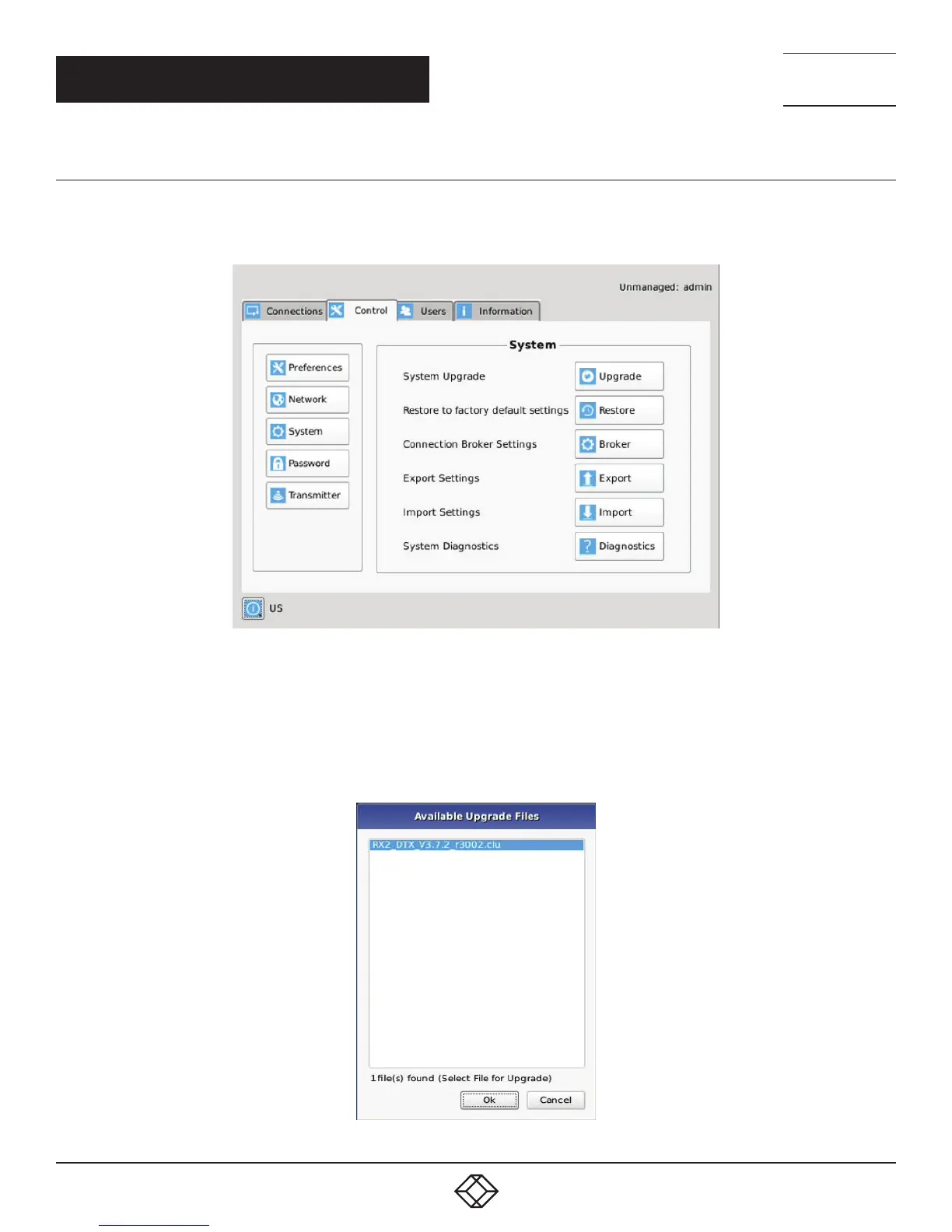
The System screen shown in Figure 12-13 allows an administrator to upgrade the firmware in the InvisaPC Receiver or Manager, reset
it to factory defaults, import/export the configuration to an external USB drive, and perform a system diagnostic.
FIGURE 12-13. SYSTEM SCREEN
System Upgrade
The InvisaPC Receiver or Manager can be upgraded from a USB Flash drive. Simply take the “firmware.clu” file and place it in the root
directory of the flash drive. When you click the Upgrade button, the “valid” upgrade files on the USB drive are displayed. A valid file
has the extension .clu – an example is shown in Figure 12-14. If the flash drive isn’t recognized, format the drive using Fat32 file system.
FIGURE 12-14. UPGRADE FILES



 To Next Page