31
1.8 7 7. 87 7. 2 2 6 9 BLACKBOX.COM
NEED HELP?
LEAVE THE TECH TO US
LIVE 24/7
TECHNICAL
SUPPORT
1.8 77.87 7.2269
CHAPTER 3: INSTALLATION
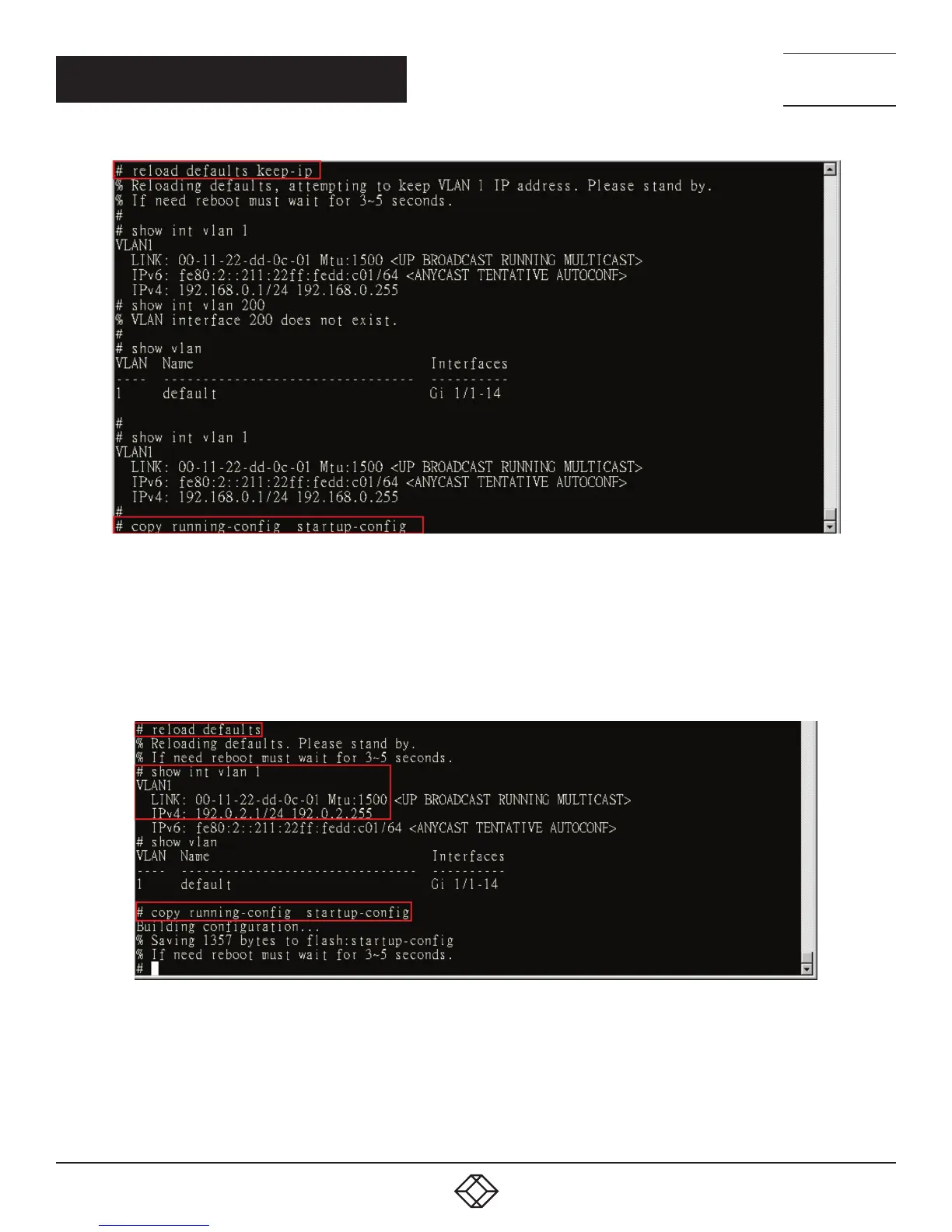
FIGURE 3-17. RESET CONFIGURATION BUT KEEP MANAGEMENT IP SETTING
To reset all configurations to default:
1. Execute this command: reload defaults
2. Check the interface VLAN and IP address, confirm that they all changed to the default setting.
3. Execute this command: copy running-config startup-config
FIGURE 3-18. RESET ALL CONFIGURATIONS













 To Next Page