5
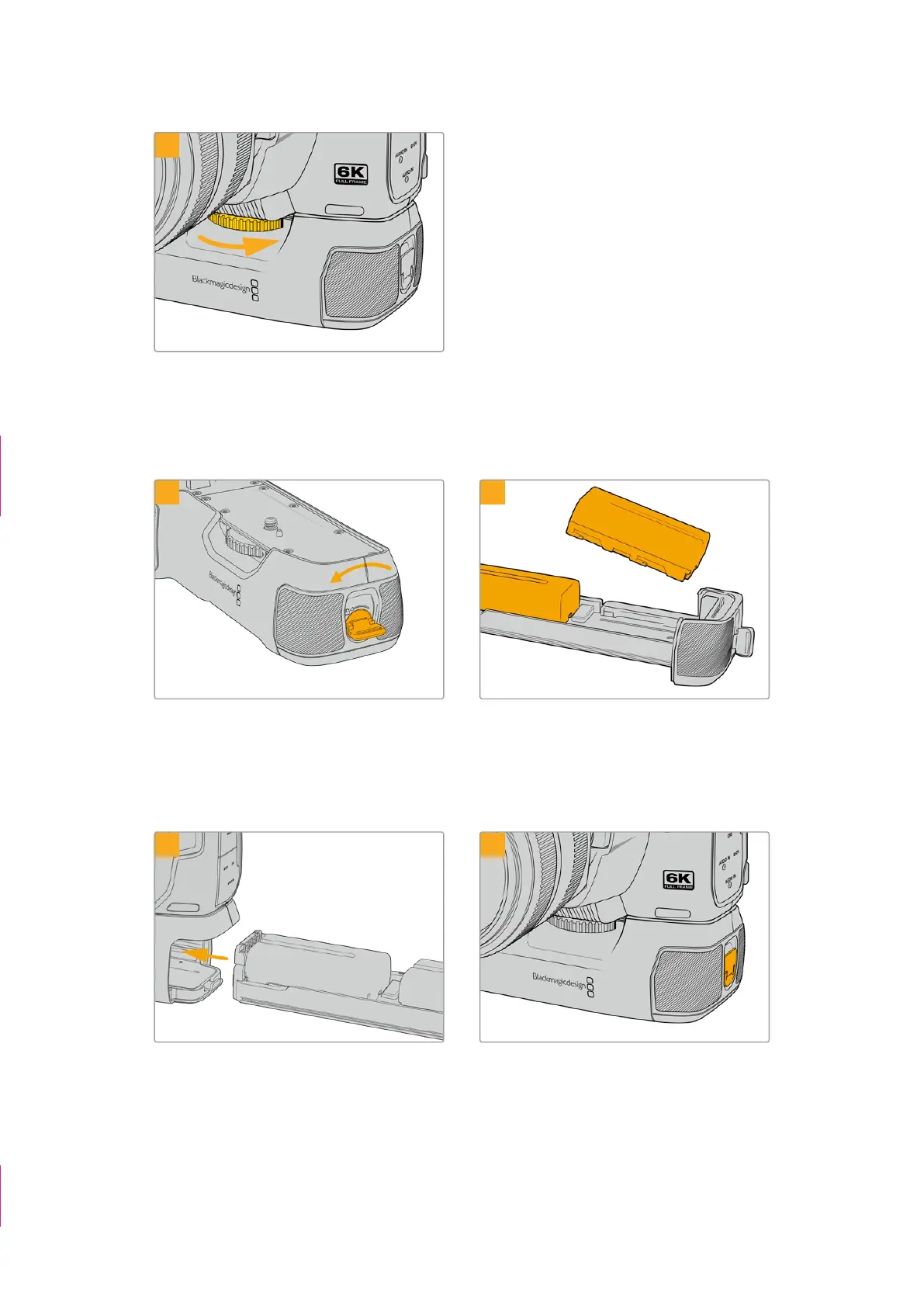
Turn the knob on the front of the battery grip to
the right to tighten the screw firmly and secure the
battery grip to the camera.
Inserting Batteries into the Battery Pro Grip
1 2
Twist the locking tab on the end of the battery grip
anticlockwise to unlock the battery tray. Slide out the
battery tray. You can do this before or after attaching
the battery grip to your camera.
Place two NP-F570 batteries into the battery tray,
being careful of their orientation, and slide them
away from each other. A tab between the batteries
moves up to lock the batteries into place. When you
want to remove the batteries, press down on this
locking tab and slide the batteries toward each other.
3 4
Slide the battery tray into the battery grip and turn
the locking tab clockwise. It’s important to note that
you can continue filming while changing batteries
in the battery grip if your camera is powered by an
external source plugged into the DC power input.
Twist the locking tab on the end of the battery grip
clockwise to lock the battery tray.
“Attaching Blackmagic
Pocket Camera Battery
Grip” section removed
TIP box deleted
139Using a Battery Grip



 To Next Page