Powering your Camera
With a lens attached, you can now supply power to your camera. Blackmagic Cinema Camera
6K can be powered by inserting the supplied NP-F570 battery or by connecting the AC
power adapter.
To insert the battery:
1 On the underside of the camera, press the door release to open the battery door.
2 With the contacts facing the terminal, insert the battery until you feel it click into place
under the locking tab.
3 Close the door to the battery terminal and gently push until it clicks into place. To release
the battery, push the locking tab towards the front of the camera and the battery will eject.
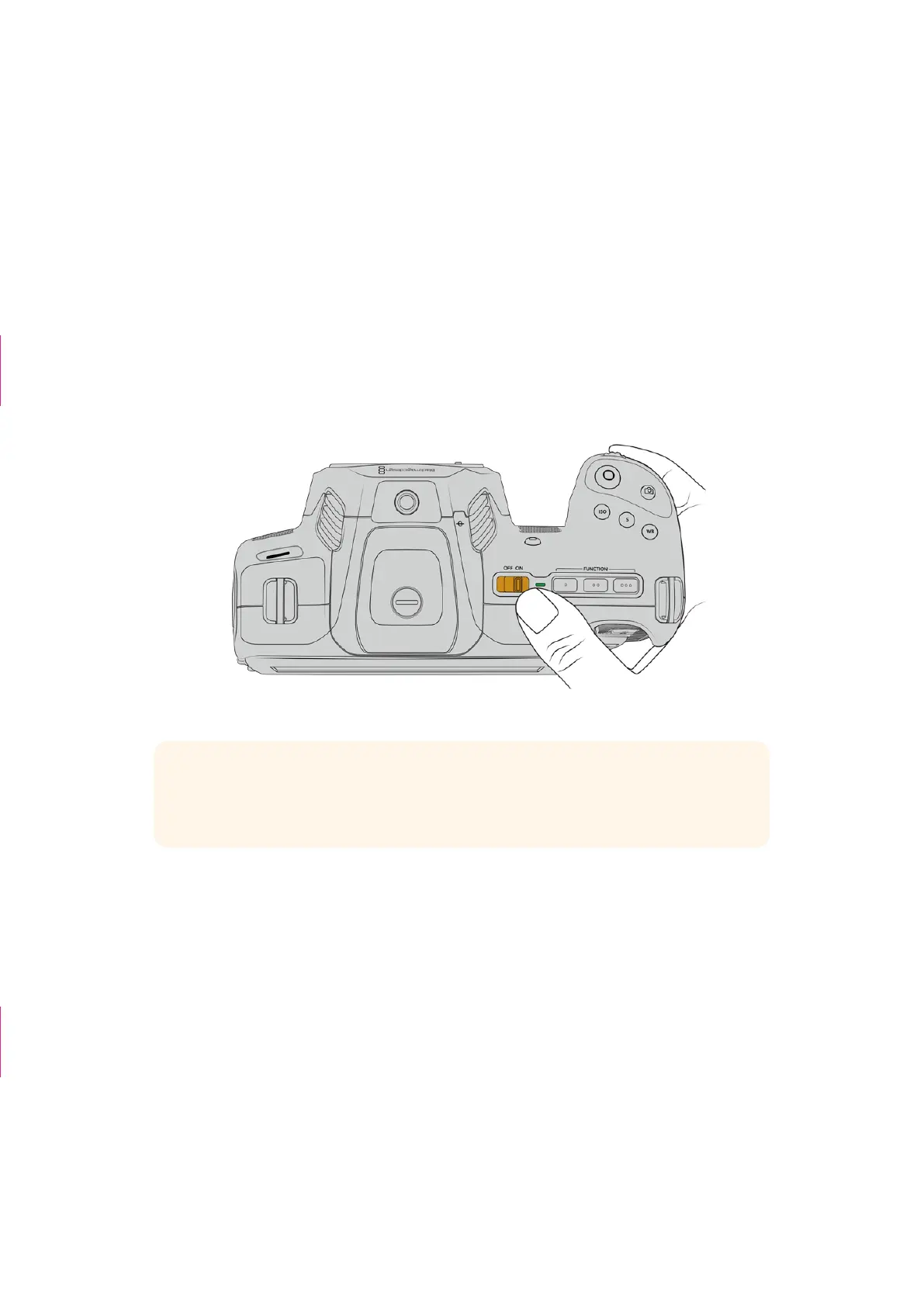
To turn your camera on, move the power switch on the top of your camera to the ‘on’ position.
To turn your camera off, move the power switch to the ‘off’ position.
To turn your camera on, switch the power button to the ‘on’ position
TIP Two NP-F570 batteries can be used via the optional Blackmagic Pocket Camera
Battery Pro Grip accessory. For information about adding a battery grip to your Cinema
Camera 6K, refer to the ‘using a battery grip’ section in this manual.
Powering Your Camera with the Included Power Cable
The included 100-240 volt AC plug pack can be used to power your Blackmagic Cinema
Camera 6K and to charge the internal battery when your camera is powered off. Two additional
batteries in an optional Blackmagic Pocket Cinema Camera Battery Pro Grip will also charge
when attached.
The DC power cable locks to the camera so it cannot be accidentally disconnected.
To plug in external power:
1 Connect the AC to 12V DC adapter plug to your mains power socket.
2 Open the rubber protector on the left side of your camera and rotate the locking DC power
connector so that it lines up with the recess on the top of the 12VDC power input. Gently
push the connector into the input until it clicks.
3 To unplug the connector, pull the sheath away from the connector and remove the
connector from the input.
TIP box deleted
Change to body
copy style
6Getting Started



 To Next Page