Developer Information
Camera Control REST API
If you are a software developer you can build custom applications or leverage ready to use
tools such as REST client or Postman to seamlessly control and interact with your compatible
Blackmagic camera using Camera Control REST API. This API enables you to perform a wide
range of operations, such as starting or stopping recordings, accessing disk information and
much more. Whether you’re developing a custom application tailored to your specific needs
or utilizing existing tools, this API empowers you to unlock the full potential of your Blackmagic
camera with ease. We look forward to seeing what you come up with!
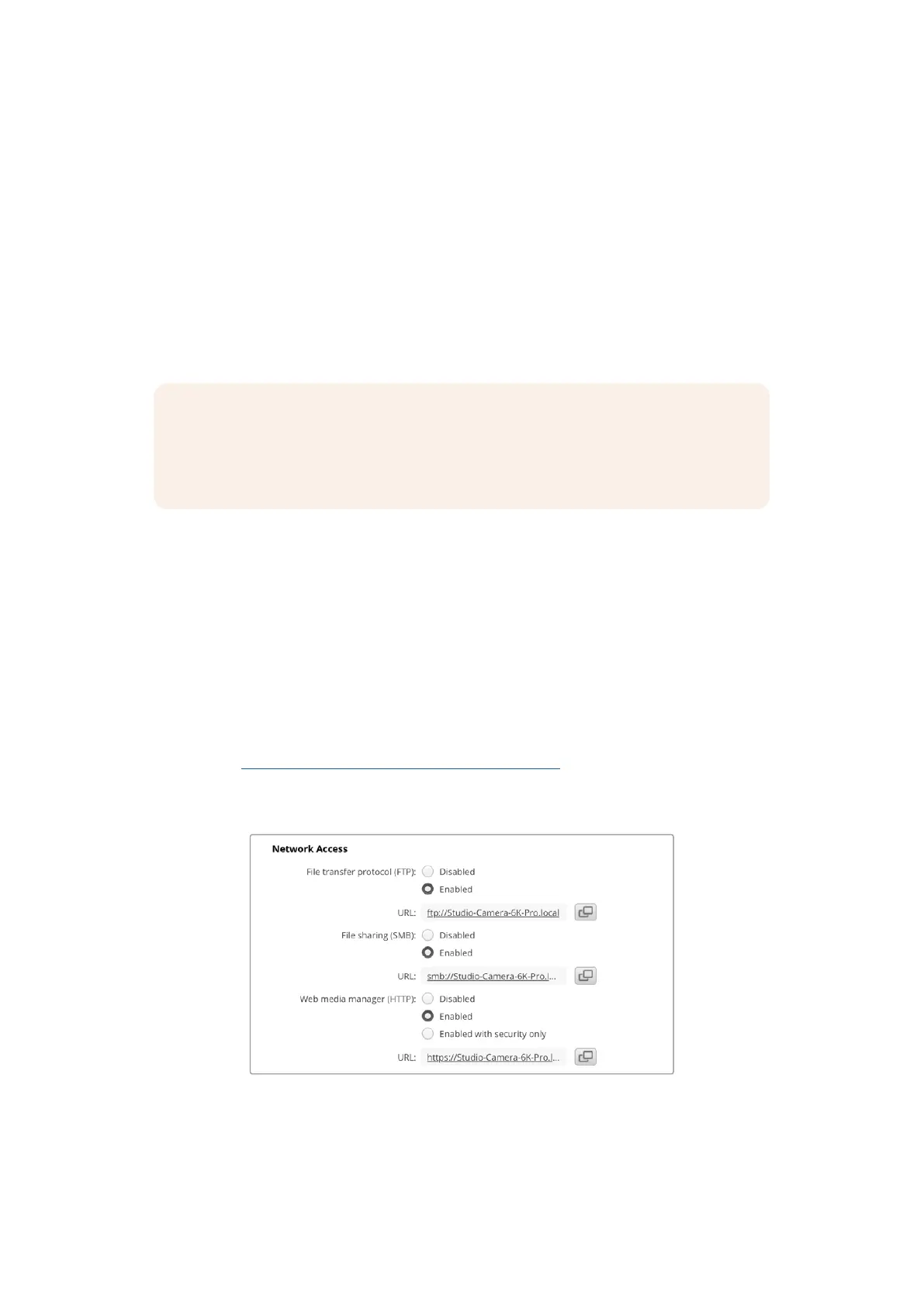
NOTE It’s important to mention that controlling Blackmagic cameras via REST API
relies on the web manager being enabled on each compatible Blackmagic camera.
Enable the web media manager in the Blackmagic Camera Setup ‘network access’
settings for each camera you are controlling.
The following Blackmagic cameras are compatible with Camera Control REST API:
• Blackmagic Cinema Camera 6K
Sending API Commands
To send an API command to your camera from a third party application such as Postman,
add /control/api/v1/ to the end of the camera’s Web media manager URL or IP address.
For example, https://Studio-Camera-6K-Pro.local/control/api/v1/
You can find the Web media manager URL and IP address information in Blackmagic
Camera Setup.
The Web media manager URL in Blackmagic Camera Setup
• Blackmagic Studio Camera 4K Plus
• Blackmagic Studio Camera 4K Pro G2
• Blackmagic Studio Camera 4K Plus G2
• Blackmagic Studio Camera 6K Pro
• Blackmagic Studio Camera 4K Pro
140Developer Information



 To Next Page