11 USB
The USB-C port lets you record directly to an attached USB-C flash disk. When your camera
is switched off, you can recharge its battery via the USB-C port from an external source
such as a battery pack. To update your camera’s internal software, connect the camera to
a computer via the USB-C port and run the camera update application.
12 Mini XLR Microphone Input
Your Blackmagic Cinema Camera 6K features two mini XLR audio inputs for external
balanced audio. A standard XLR microphone can be connected to your camera using an
XLR to mini XLR adapter cable.
These audio inputs provide phantom power for connecting professional microphones that
aren’t internally powered. For more information on enabling phantom power refer to the
‘audio’ section in this manual.
SMPTE compliant timecode from an external source is also supported. In the ‘audio’ menu,
set the channel source to XLR line or XLR mic depending on the level of your timecode
generator. The timecode will be embedded in your video file as timecode metadata. You
can set one XLR channel to accept a timecode signal at the same time as using the other
XLR channel for a different type of audio source.
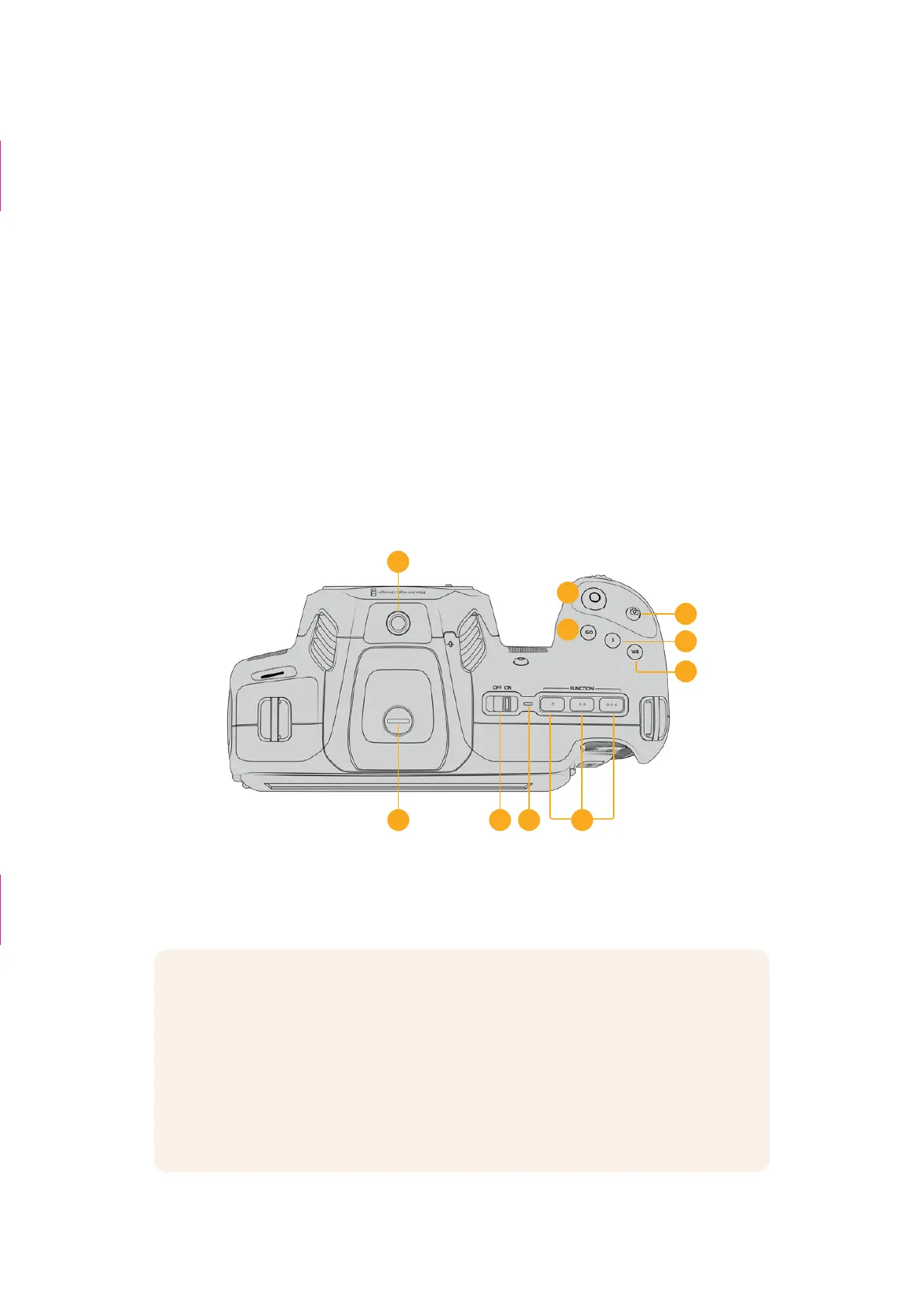
Top Panel
14
13
17
15
16
20
19 21
22
18
Blackmagic Cinema Camera 6K top panel
13 1/4-20 Mounting Point
You can use the 1/4-20 mounting point on the top of your camera to attach an external
microphone or other small accessories.
NOTE The 1/4” mount on the top of your Blackmagic Cinema Camera 6K should
only be used for lightweight accessories such as small microphones. Do not support
the weight of the camera via the top 1/4” mount by using accessories like a screw
in camera handle in conjunction with a heavy lens. This will damage the 1/4” mount
which will not be covered under warranty. Do not subject the mount to excessive
lever force, such as mounting a heavy accessory on an extension arm. To mount
heavier accessories, we strongly recommend using a camera cage designed for the
Blackmagic Cinema Camera 6K that attaches to both the top and bottom 1/4” mount
simultaneously.
‘Custom Power
Solutions’ box
deleted
The second camera
+ caption removed
25Camera Features



 To Next Page