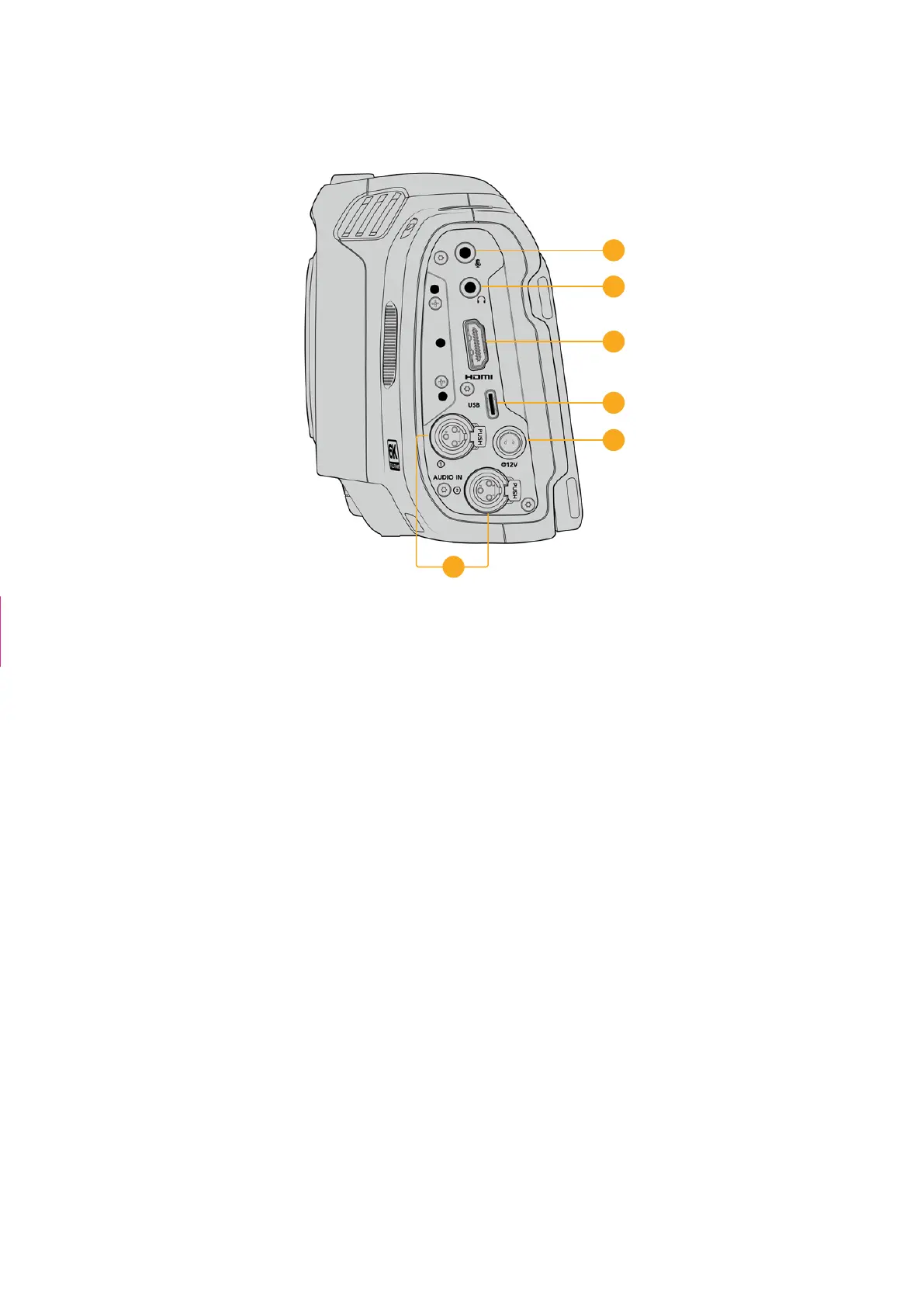
Left Side
8
7
11
10
9
12
Left side ports on Blackmagic Cinema Camera 6K
7 3.5mm Microphone Input
Connect a microphone to your camera’s 3.5mm stereo connector. Mic and line level
audio are supported. The microphone level audio is lower than the line level, so if you
are connecting a microphone to the camera and have line level selected, you will find the
levels are too low. The microphone input also accepts SMPTE compliant LTCtimecode from
an external source on the left channel. Valid timecode will be detected automatically, and
embedded in your video file as timecode metadata. Werecommend sending LTC timecode
via a line level output, especially if you are not recording timecode as an audio track.
8 Headphones Input
Monitor audio while recording or playing back clips by plugging your headphones into
the 3.5mm stereo headphones jack. When headphones are plugged in, the speaker
output is muted.
9 HDMI
The full size HDMI connector supports 10-bit 4:2:2 1080p HD video with support for HDR
and two channels of embedded audio. Use the touchscreen menu to set a clean feed
or include overlays on the output. You can use the HDMI port to connect to an external
monitor or recorder. It is a good practice to setup external equipment and plug in all cables
before you switch on your camera and accessories. Always use high quality cables for
HDMI connections.
10 Power Input
You can use the DC jack to power your camera. To connect the power adapter, rotate the
plug so it aligns with the recess at the top of the jack, then push in the plug until it locks. To
disconnect the power plug, retract the locking sheath, then pull out the plug.
The second camera
removed + caption
24Camera Features



 To Next Page