NOTE When shooting under lights, your shutter can reveal light flicker. Blackmagic
Cinema Camera 6K will automatically calculate a flicker free shutter value for your
current frame rate. It will display up to three suggested flicker free shutter options at
the bottom of the touchscreen display when adjusting your shutter. These shutter
values are affected by mains power frequency in your region. You can set your
local power frequency to 50Hz or 60Hz in the camera’s setup menu. See the ‘setup
settings’ section in this manual for more information.
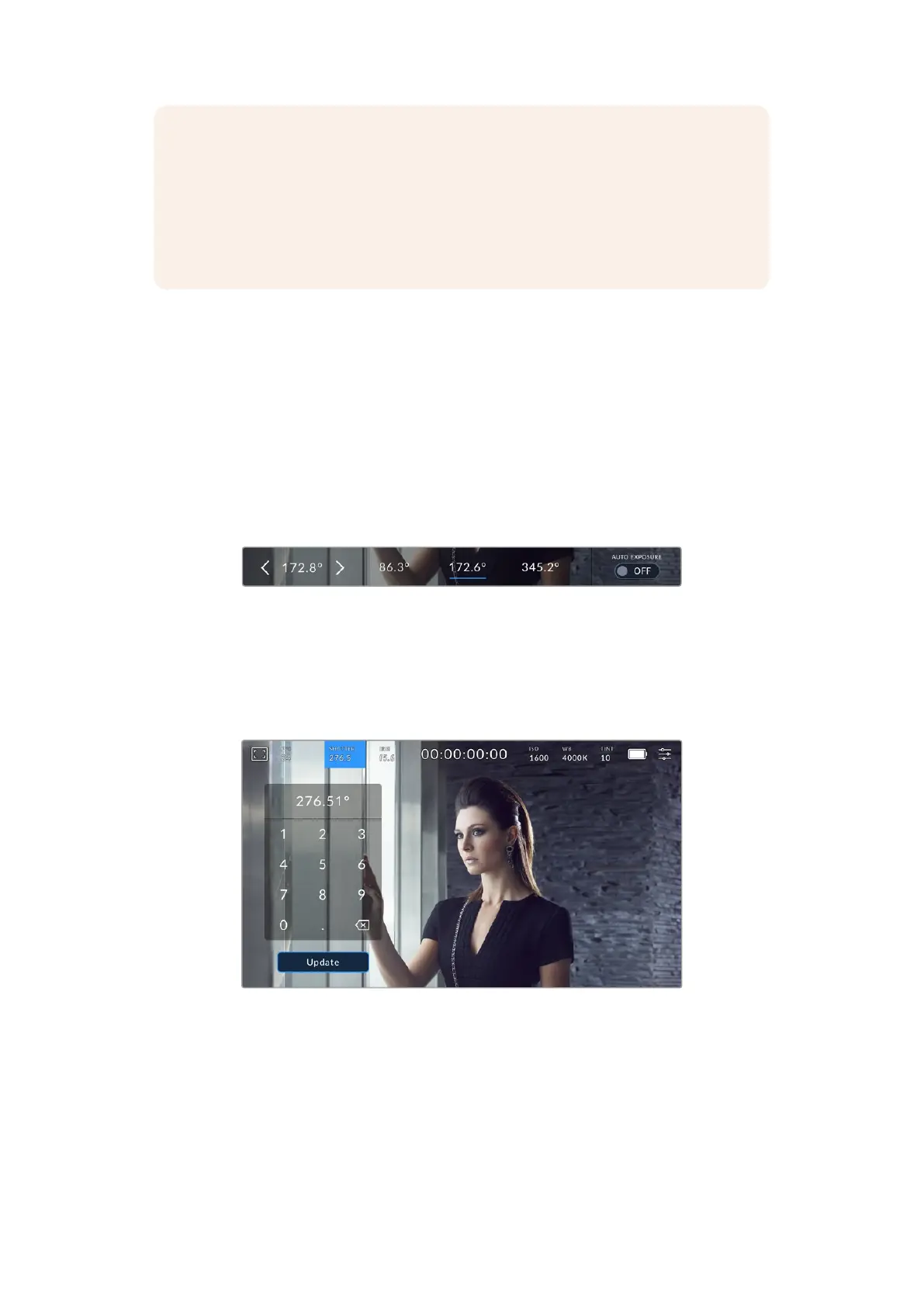
Tapping the ‘shutter’ indicator brings up the suggested shutter values along the bottom of the
touch screen. If you have auto exposure set to ‘off,’ this screen will show you your currently
selected shutter value, as well as the available flicker free shutter values, based on the mains
power frequency you have selected in your camera’s setup menu. For more information, see
the ‘setup settings’ section in this manual.
It’s worth mentioning the characteristics of individual light sources may still cause flicker even
when using flicker free values. We recommend always performing a test shoot when not using
continuous lights.
To select one of the flicker free shutter values, simply tap on one of the displayed shutter
values. Using the arrows on either side of the current shutter value indicator, will cycle through
some of the most commonly used values.
Your camera will suggest flicker free shutter values based on the mains power
frequency you choose in the ‘setup’ menu
If you are shooting outside, or using flicker free lights, you can also manually select a shutter
value by double tapping the current shutter indicator at the bottom left of your screen. When
shutter angle is selected, this will bring up a keypad which you can use to set any shutter angle
between 5 and 360 degrees.
Use the manual shutter keypad to enter your shutter timing of choicewhen
shooting outdoors or under flicker free lights
Your Blackmagic Cinema Camera 6K has three shutter based auto exposure modes. Toselect
one of these, tapthe ‘auto exposure’ button in the far right of the shutter menu.
39Touchscreen Controls



 To Next Page