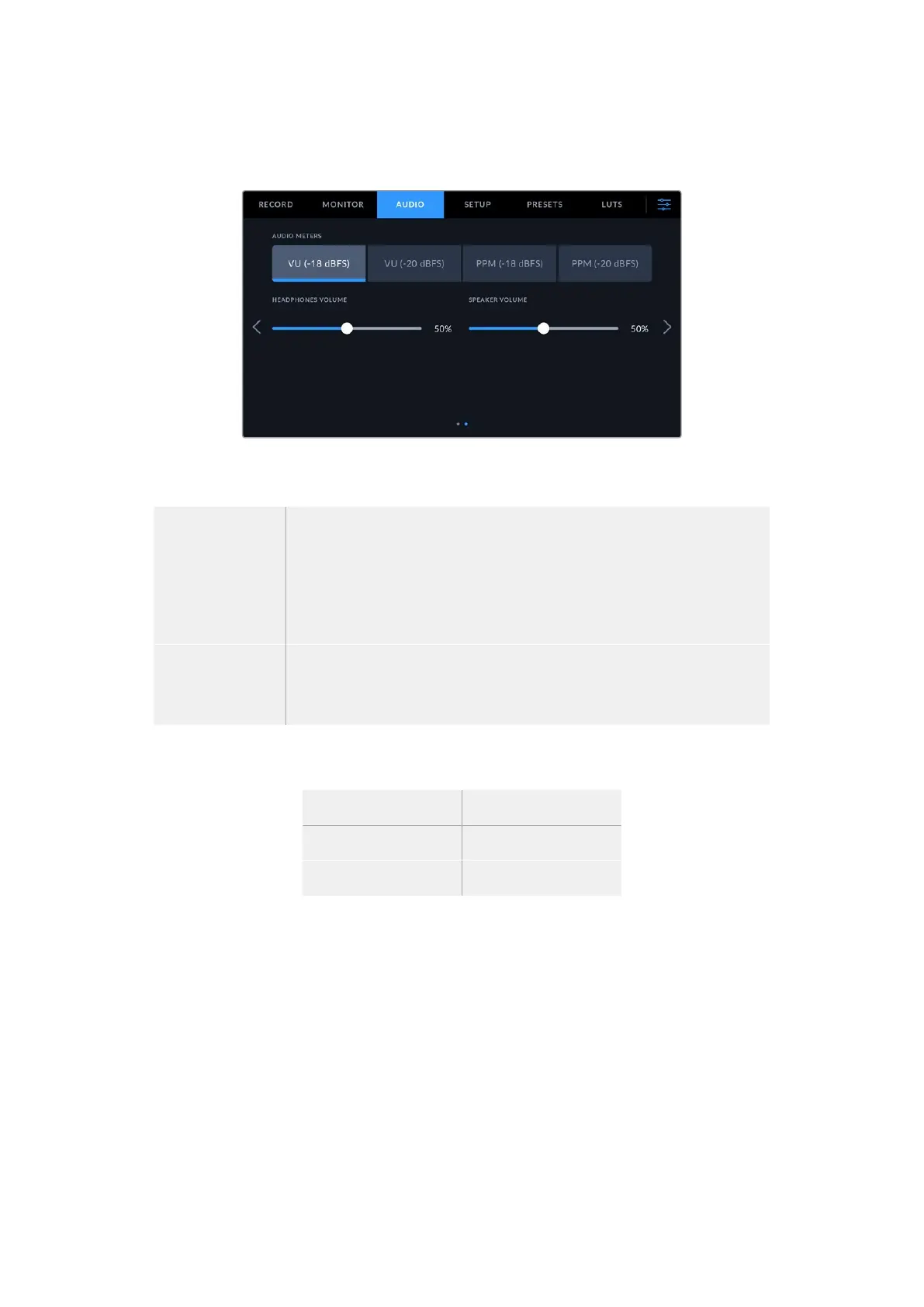
Audio Settings 2
The second page of the ‘audio’ tab contains the following settings.
Audio Meters
You can choose from two different audio meter display types.
VU The VU meter, or ‘volume units’ meter, averages out short peaks and troughs in
your audio signal. If you are using VU metering, adjust the input levels on your
Blackmagic Cinema Camera 6K so that the meter peaks at the 0db indicator on
the audio meter. This maximizes the signal to noise ratio and ensures your audio
is at the highest quality. If your audio peaks beyond the 0dB indicator there is a
high risk of sound distortion.
PPM PPM meters, or ‘peak program meters’ displays a ‘peak hold’ feature that
momentarily holds the signal peaks and a slow fall back so you can easily see
where your audio is peaking.
Both VU and PPM meters are available at reference levels of -18dBFS or -20dBFS so you can
monitor your audio to suit different international broadcasting standards.
Audio meter setting Standard
PPM (-20 dBFS) SMPTE RP.0155
PPM (-18 dBFS) EBU R.68
Headphones Volume
This slider adjusts the output levels for headphones attached to your camera’s 3.5mm
headphone jack. Move the audio slider left or right to adjust levels. These levels will also update
when you adjust the headphone volume using the settings wheel on the forward control panel.
Speaker Volume
This slider adjusts the output levels for the built in speaker. Move the audio slider left or right
to adjust levels. These levels will also update when you adjust the speaker volume using the
settings wheel on the forward control panel.
67Settings



 To Next Page