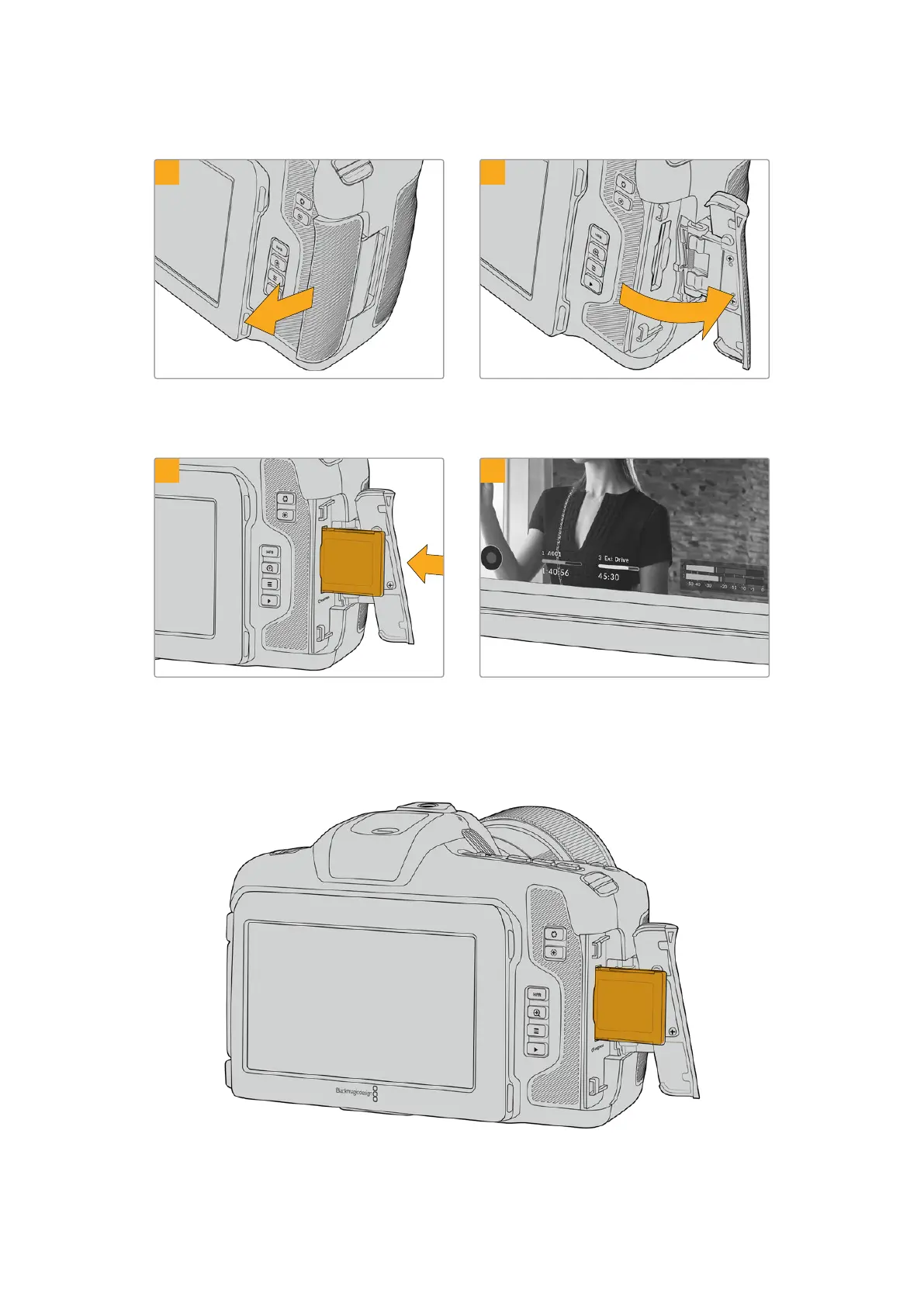
To insert a CFexpress card:
1
2
To access the CFexpress card slot, hold the camera
with the LCD facing you. Slide the door on the right
side towards you and then let it swing open.
The spring loaded door opens so you can access
the CFexpress card slot.
3 4
Insert the CFexpress card into the slot until you
feel it lock into place. The card should insert easily
without the need for excessive force. To remove a
CFexpress card, gently push the card in and then
release to eject it.
The storage information at the bottom of the LCD
touchscreen will show the name and record time
remaining of the detected CFexpress card.
8Storage Media



 To Next Page