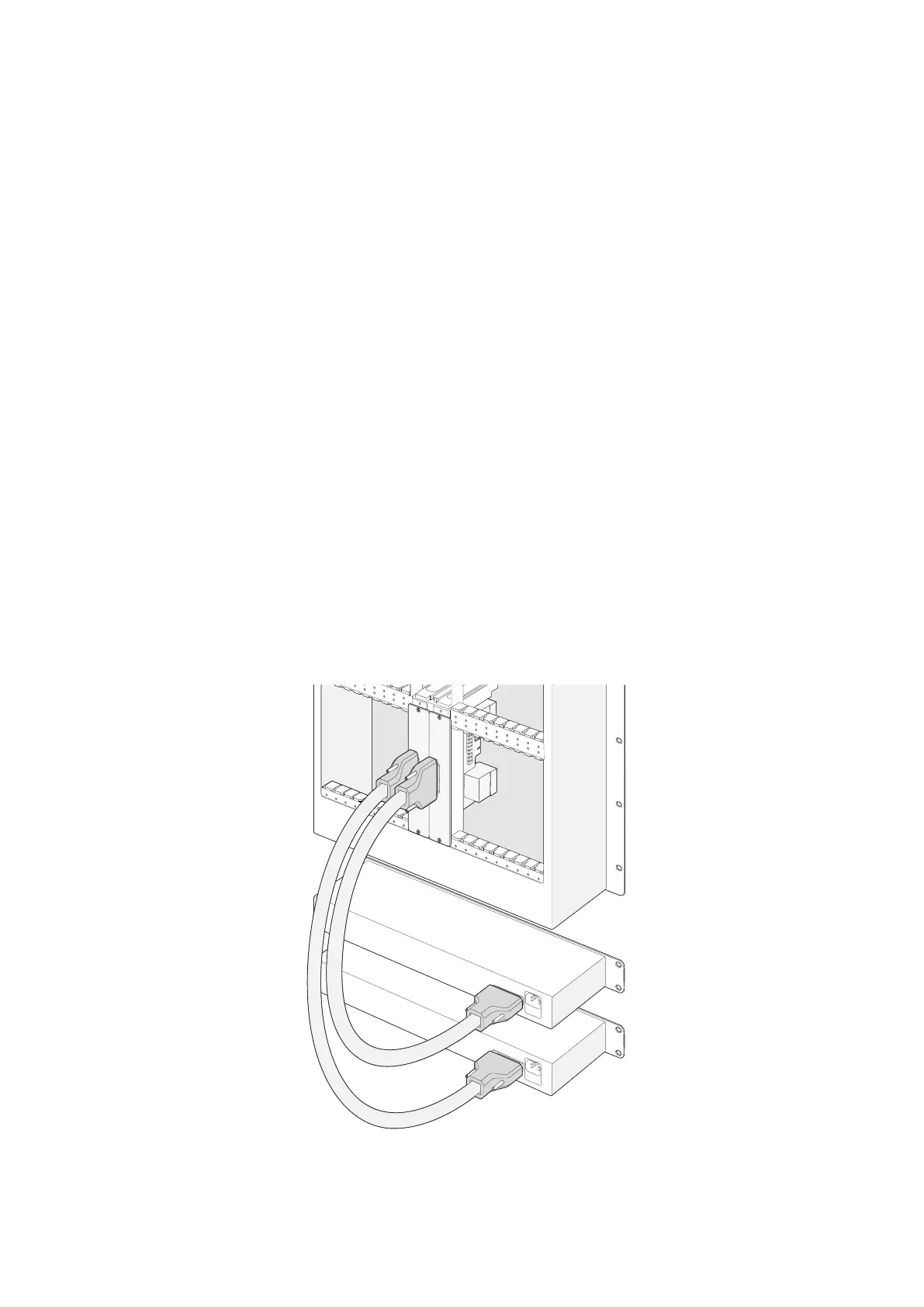
Installing a second Power Supply while Universal Videohub288 is running
If you wish to install a redundant or replacement power supply while Universal Videohub288
is already running from a power supply, please carry out the installation procedure in the
following order:
1 Ensure that the new power supply is disconnected from any electrical source.
2 Orient the new power card so that the MAIN POWER label appears at the top of the card.
Now insert the power card into the spare power card slot.
3 Use a number 02 size Pozidriv screwdriver to secure the power card with its two screws.
4 If you are installing a redundant power supply for the first time, install the 1RU chassis
below the first power supply, leaving 1RU of clearance between the two power supplies for
heat dissipation. If you are installing a replacement power supply, install the replacement
1RU chassis where the faulty unit was previously located.
5 Connect the new power cable between the connectors on the new power card and the
new power supply. Tighten the thumb screws on both power connectors.
6 Connect an IEC cord from the new power supply to the wall socket and turn on the power.
Removing a Power Supply while Universal Videohub288 is running
If you need to remove a faulty power supply while Universal Videohub288 is running from
another power supply, please carry out the removal procedure in the following order:
1 Switch off the power to the faulty power supply and unplug its IEC cord.
2 Disconnect the power cable between the power card and the faulty power supply.
3 Remove the faulty 1RU chassis and associated power card. Ensure all components from the
faulty unit are placed somewhere where they will not be confused with a new replacement unit.
MAIN POWER
+12V 800W
MAIN POWER
+12V 800W
Two Universal Videohub Power Supplies can be installed
for power redundancy with the Universal Videohub288
21Universal Videohub Routers



 To Next Page