MAIN POWER
+12V 800W
MAIN POWER
+12V
150W 150W 150W
ALARM
POWER OVERLOAD
ALARM
REF IN
RS-422
CONTROL
ETHERNET
USB DIAGNOSTIC
POWER OVERLOAD
ALARM
REF IN
RS-422
CONTROL
ETHERNET
USB DIAGNOSTIC
2
3
4
5
6
6
1
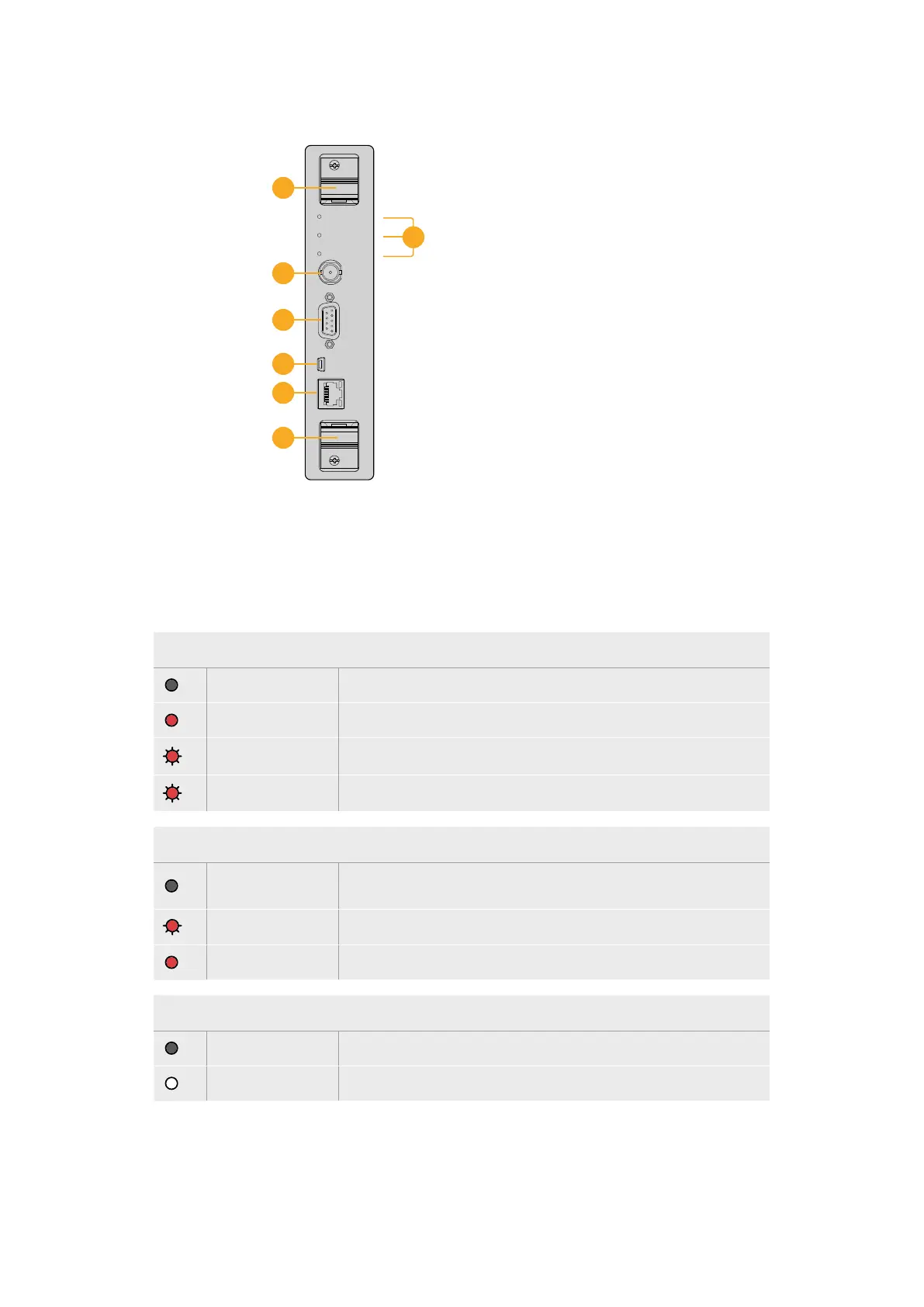
1 Status LED lights
2 Reference In
3 RS-422 router control
4 USB 2.0
5 Ethernet router control
6 Handle
Universal Videohub72 Crosspoint
Universal Videohub Status LEDs
The status LEDs marked ‘alarm’, ‘power overload’ and ‘ref in’ provide you with an indication
of the current state of the Blackmagic Universal Videohub72 Crosspoint. The following
LED conditions provide specific information about the status of the unit.
Red ‘alarm’ LED
Off No error. Normal operation
On Error condition. Other error. Telnet into device to get error code.
1
1 flash Error condition. Fan failure.
3
3 flashes Error condition. No redundant power supply.
Red ‘power overload’ LED
Off
Normal operation. Inactive / Slave mode. This should only be seen on
a Blackmagic Universal Videohub288 with 2 crosspoints
Slowly blinking Normal operation. Active / Master mode.
On Error condition. Power overload. Not enough power is being supplied
White ‘ref in’ LED
Off Normal operation. No reference connected.
On Normal operation. Reference connected.
25Universal Videohub Routers



 To Next Page