SAM 950 Berkeley Nucleonics Corporation 11 of 62
POWER AND BATTERY CHARGE GUIDE
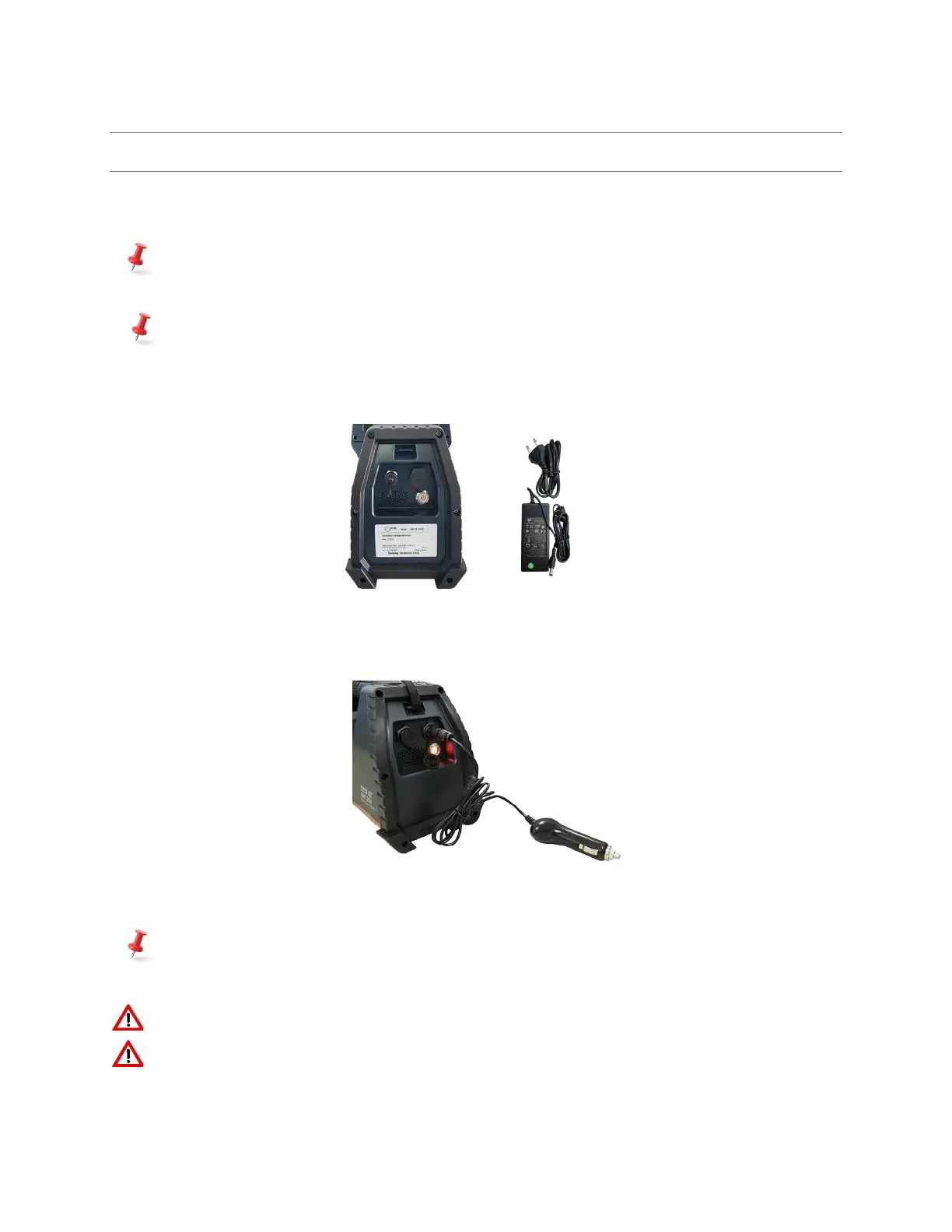
Figure 1.4 shows the location of the power switch and the DC connector for charging the internal battery.
The LED turns red when the power is ON.
The battery charger (figure 3.2 below) has a built-in overcharging protection circuit. Once the battery
is fully charged the LED turns green and auto charging is terminated.
The power system of PDA is directly connected and controlled by the SAM 950’s internal battery.
Therefore, PDA’s operation time is same as the SAM 950 unit and it’s On/Off is synchronized with
the SAM 950 unit.
Figure 3.2. Power switch and battery charger
SAM 950 also can be charged by vehicle electric system with standard 12 V DC. Figure 3.3. shows a vehicle
charging unit.
Figure 3.3. Vehicle charger
The SAM 950 is equipped with a Lithium Ion battery. The battery has a built-in power protection
circuit (PCM) which prevents the battery from both overcharging and over-discharging.
Hazard: Internal high voltage (up to 1,000 volts)! Do not disassemble the unit.
Servicing of the unit should be performed by BNC qualified personnel.



 To Next Page