SAM 950 Berkeley Nucleonics Corporation 33 of 62
ATTACH MEDIA FILES
Text and audio comments and/or photo/video may be attached to the opened event.
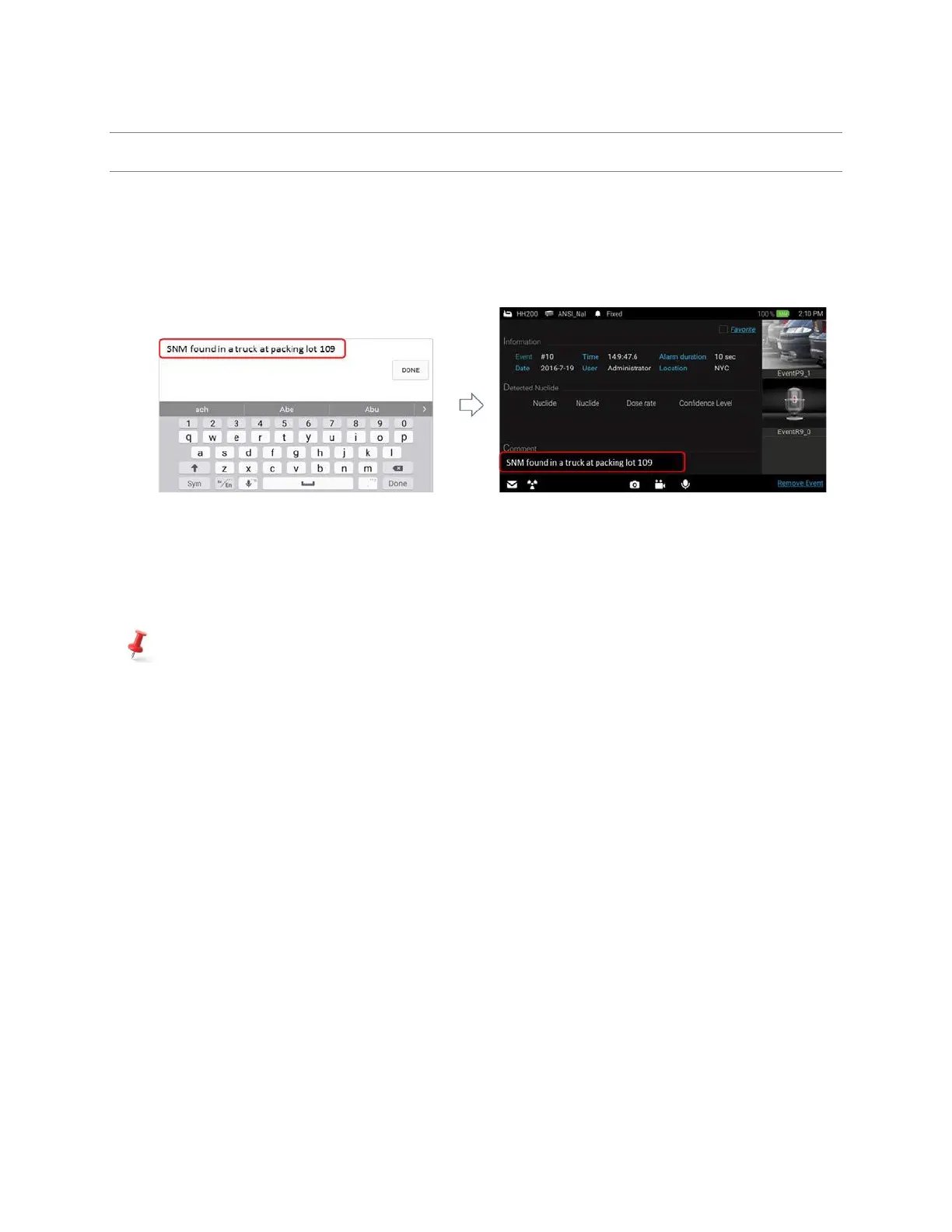
✓ Attach text comment procedure (figure 4.20)
1. Touch Comment area. The keypad and typing window screen appeared.
2. Type in comments and touch “Done” button.
Figure 4.20 Attach text comment procedure
✓ Attach audio comments/photo/video procedure (figure 4.21)
1. Touch ‘Photo’, ‘Video’, or ‘Audio’ icon. Selected application is now opened.
2. Take audio comment, photo or video and save.
User can save as many photo/video as needed. The total number of photo/video saved is displayed
on the screen.



 To Next Page