SAM 950 Berkeley Nucleonics Corporation 35 of 62
SEQUENTIAL MODE OPERATION
SAM 950 provides automatic and programed event log generation. This feature is quite useful when
sequential event(s) has to be monitored with long period of time. The 200 unit can be mounted on a tripod
for convenience and steady monitoring over long measurement time.
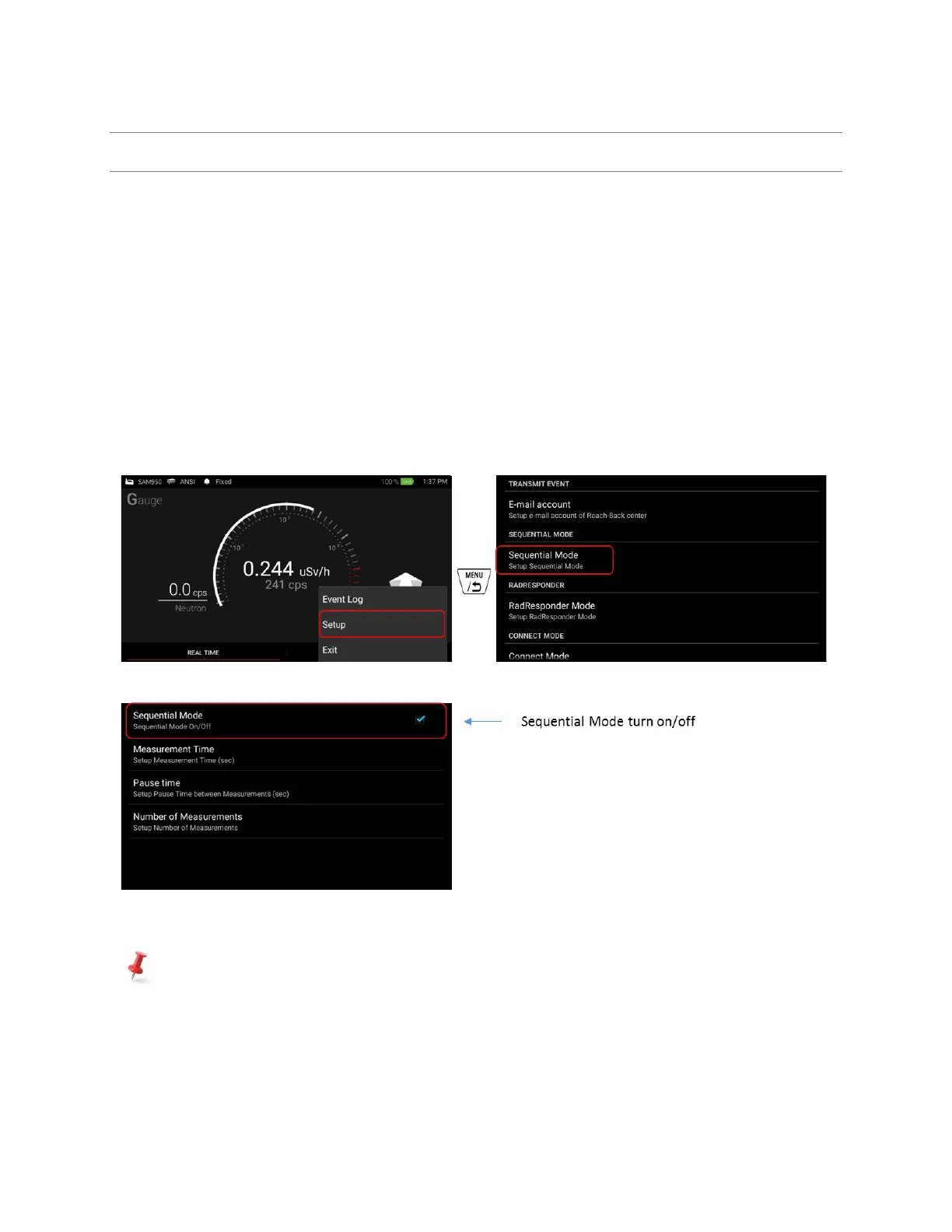
Following is steps to configure sequential mode operation.
1. Press menu button. And select Setup menu.
2. Select ‘Sequential Mode’
3. Sequential Mode is optional feature. It can be On/Off by check/uncheck the box as shown in figure
4.22.
4. Setup ‘Measurement Time’, ‘Pause time’ and ‘Number of Measurement’.
Figure 4.22. Optional Sequential Mode setup example
‘SEQUENTIAL MODE’ menu tab is created on the bottom of main screen when sequential mode
option is turned ON as shown in figure 4.23.



 To Next Page