SAM 950 Berkeley Nucleonics Corporation 22 of 62
PRIMARY GUI
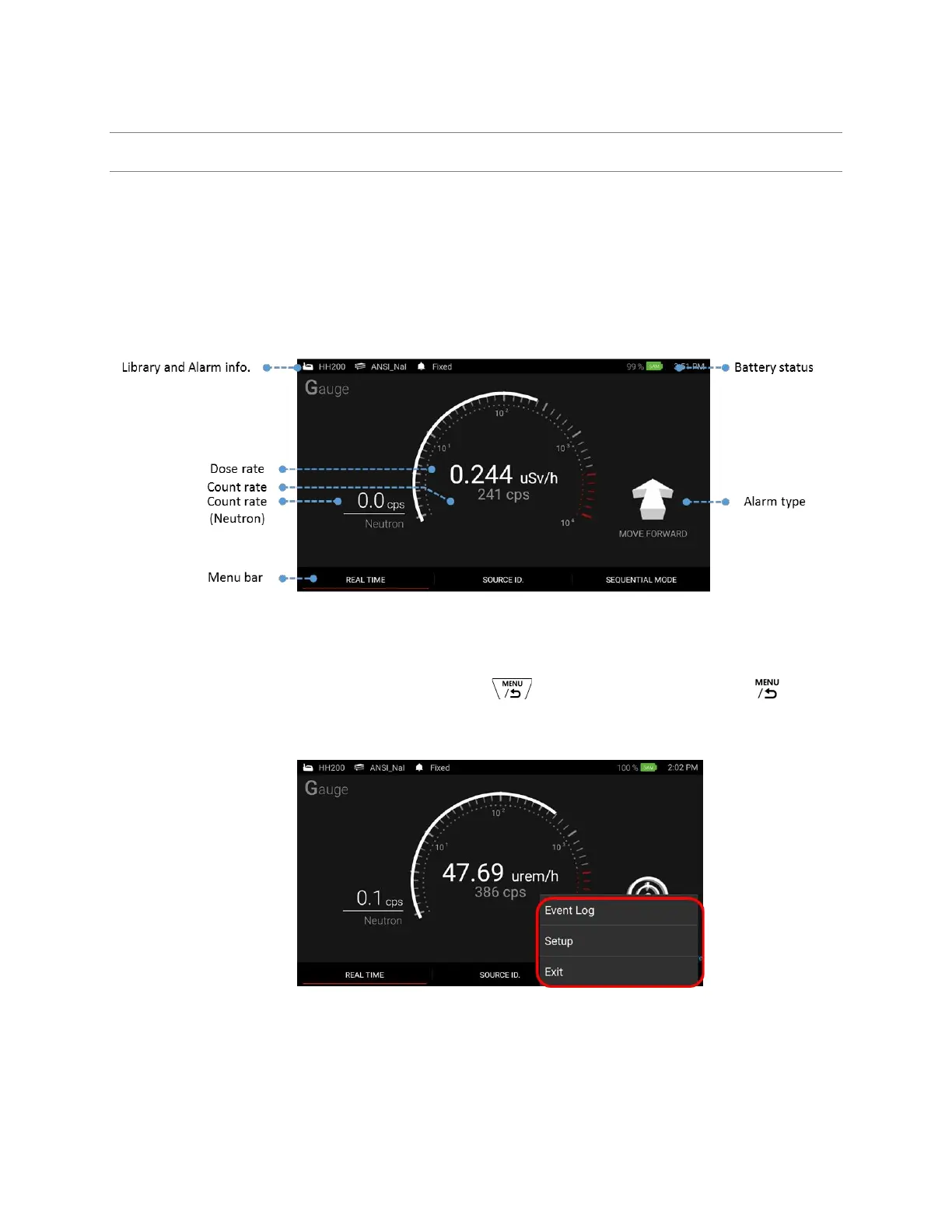
Primary GUI is the main home screen that primarily contains Gamma and Neutron activity information. In
addition, library, alarm status, and battery indicator information are also displayed. The primary GUI is the
gate way to major takes such as ‘Real Time’ activity analysis, ‘Source ID’, and optional ‘Sequential mode’
access. Those menus can be accessed by touching corresponding menu tab located on the bottom of the
primary GUI as shown in figure 4.6. or pressing function buttons on the handle.
The primary GUI and its components are shown in figure 4.6. Details are provided in the following sections.
Figure 4.6 Primary GUI description
To access ‘Setup’ and ‘Event log’ list, press and hold the button on the handle or touch icon on
the screen. The pop-up menu is appeared as shown in figure 4.7.
Figure 4.7. Pop-up menu for setup and event log management



 To Next Page