SAM 950 Berkeley Nucleonics Corporation 23 of 62
CALIBRATION AND BACKGROUND MEASUREMENT
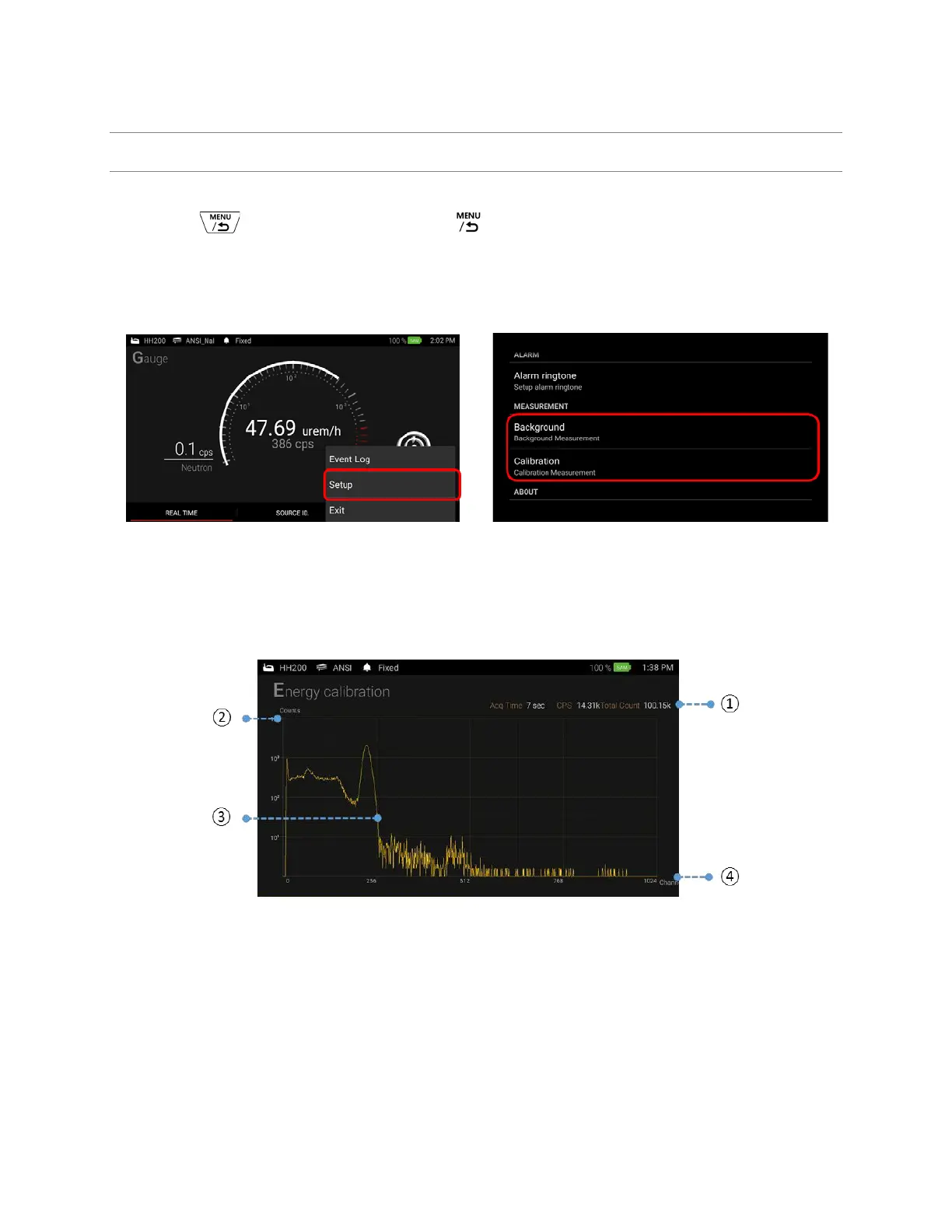
Background / Calibration menu is accessed by touching the setup button (to access the pop-up menu, click
and hold the button on the handle or touch icon on the PDA screen.).
1. Select “Setup” either by touch on the screen or move curse using the key button on the handle.
2. Select the desired setup procedure. i.e., Background or Calibration
Figure 4.8. Accessing to Background and Calibration menu
3. Calibration: place a calibration source (Cs-137) in front of the detector (minimum 3 inches away
from the detector surface) and start calibration. Required counts to terminate the calibration
procedure is defined in ‘Setup’ menu.
Figure 4.9. Energy calibration screen
4. Background measurent: For background measurement, make sure no sources are present during the
background measurement procedure. Reguiared background counts to terminate the background
measurement procedure is defined in ‘Setup’ menu.



 To Next Page