SAM 950 Berkeley Nucleonics Corporation 25 of 62
ISOTOPE IDENTIFICATION
Unlike the SAM 945 which triggers isotope identification automatically whenever the count exceed alarm
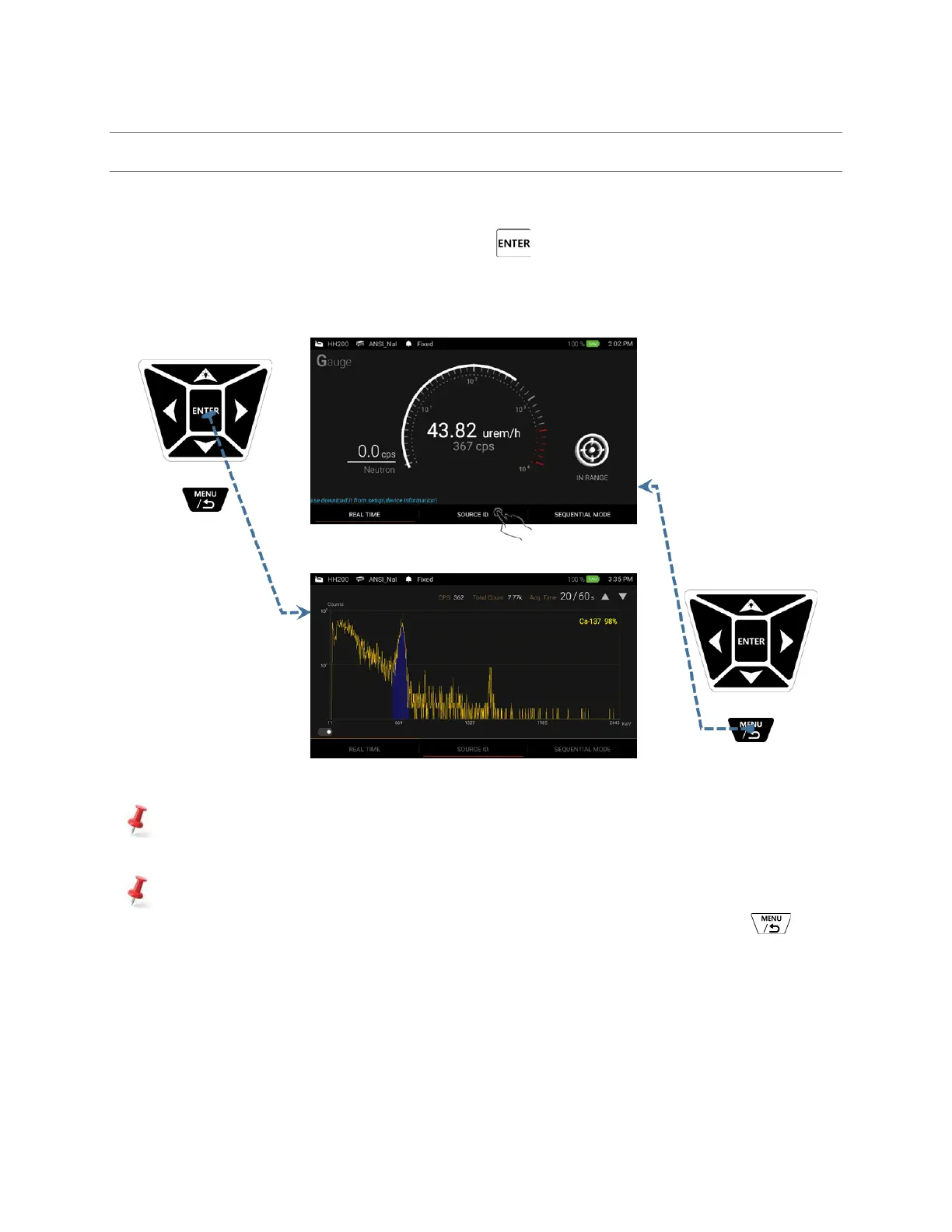
threshold, the SAM 950 can perform isotope identification by manually despite of alarm status. There are
three ways to execute ‘Manual ID’; 1. Press and hold the ‘Enter’ key for about 2 seconds, 2. Touch the
‘Source ID’ menu on the main screen, or 3. Scroll and locate the red bar on the ‘manual ID’ menu by using
left/right button on the handle and press ‘Enter’ key.
Figure 4.11. shows graphical illustration of ways to execute ‘Manual ID’.
Figure 4.11. Executing ‘Manual ID’
To do programmed and automatic isotope identification, user can select ‘Sequential mode’
measurement. The sequential mode can be programmable in ‘Setup’ menu.
The isotope identification result, i.e., ‘event log’ is automatically saved when the ID is completed.
However, unwanted event can be discarded by stopping ID process by pressing ‘Back’ button
anytime during manual ID.
✓ Manual ID screen
The primary screen is switched to ‘Manual ID’ screen as shown in figure 4.11 when ‘Manual ID’ is executed.
Spectrum is updated every 1 second and photo-peak area(s) is color coded with candidate isotope information.



 To Next Page