SAM 950 Berkeley Nucleonics Corporation 40 of 62
STEP 4. ALARM THRESHOLD
SAM 950 provides two options for alarm triggering described in the following table.
Fixed(Set)
Alarm
Threshold
Alarm is ON when the count rate exceeds the fixed (set) value. This
method is prone to false alarms if the NORM background is fluctuating
(usually the case when the system is in motion during search mode)
The threshold value is automatically set according to the statistical
fluctuation of the measured background which is updated every 10
seconds. The standard deviation (σ) value is automatically calculated. The
threshold value for the background is a multiple of this sigma (σ) value.
This multiple is selected during the setup procedure. When the incoming
count rate exceeds the threshold value then the system will alarm. This
mode is recommended for search mode when the system is in motion and
subject, therefore, to fluctuating background.
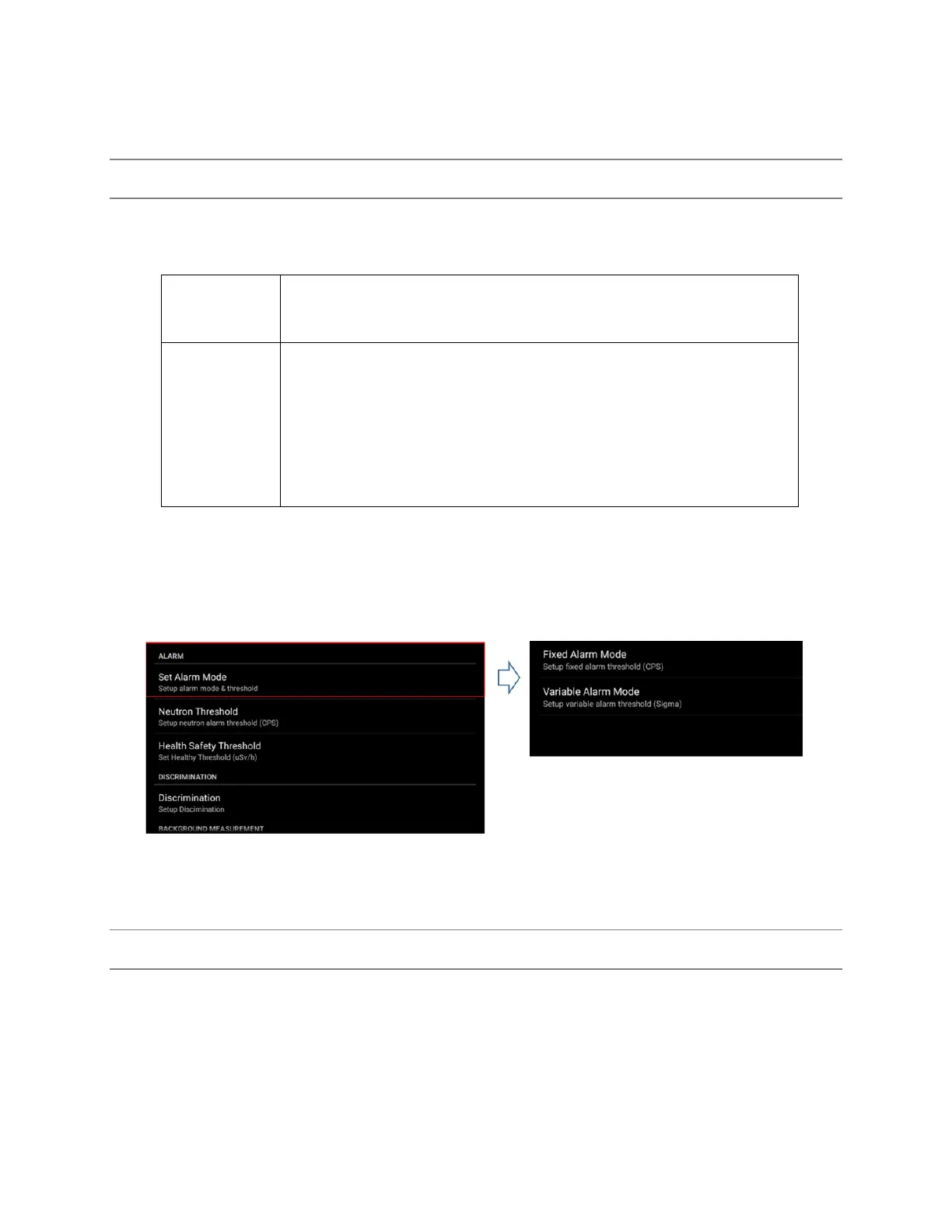
1. Select ‘Set Alarm Mode’. (figure 5.4)
2. Select either “Fixed alarm mode” or “variable alarm mode”.
3. Select a fixed count rate value from the ‘Fixed alarm mode’ menu OR
4. Select a standard deviation (sigma) value from the “Variable alarm mode”
Figure 5.4. Example of Alarm threshold configuration
STEP 5. ALARM RINGTONE
The SAM 950 provides five alarm ringtone options as shown in Figure 5.5. below.
1. Select ‘Alarm ringtone’ (figure 5.5)
2. Select desired alarm ringtone.
3. OK and save the ringtone.



 To Next Page