SAM 950 Berkeley Nucleonics Corporation 46 of 62
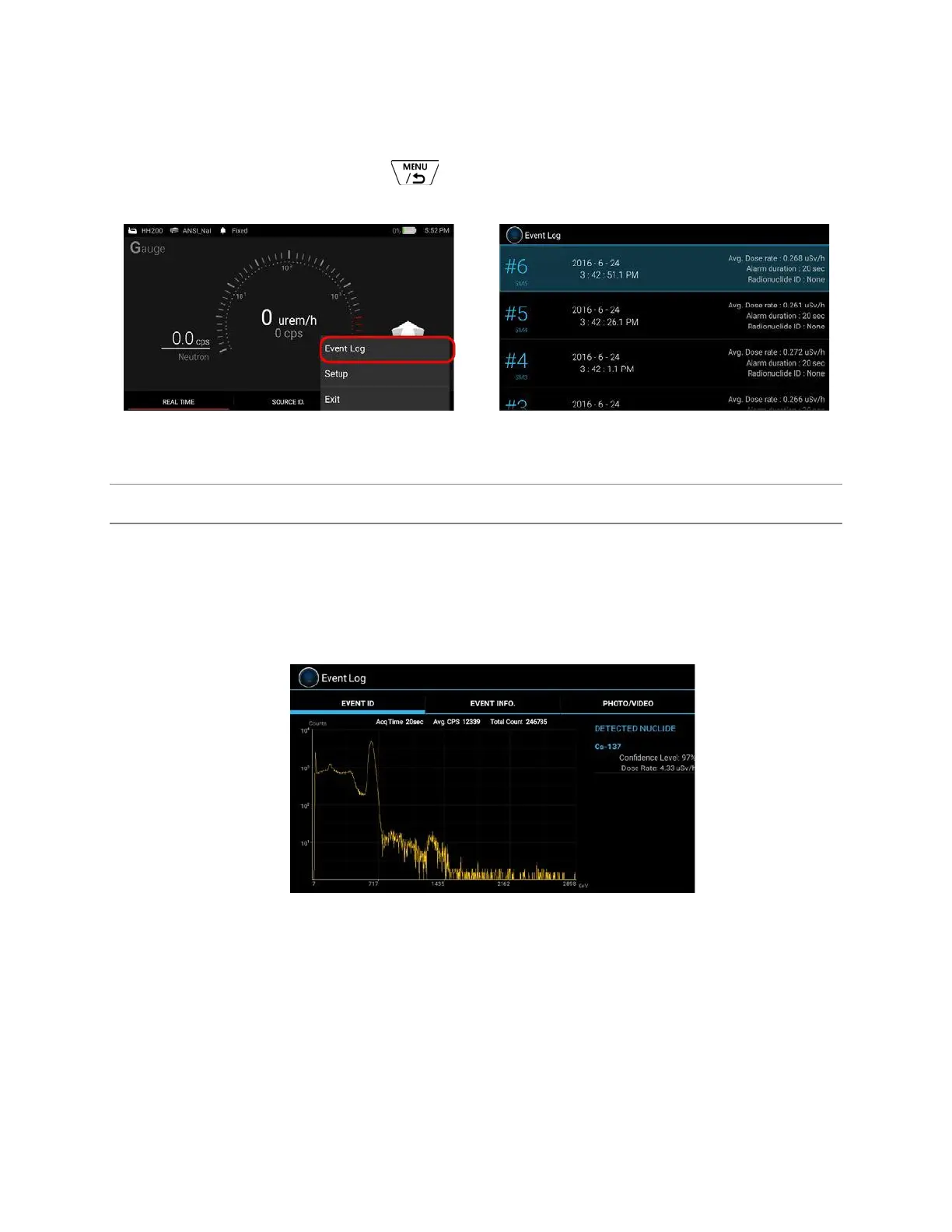
1. Select ‘menu button’ (Long Press ).
2. Select ‘Event Log’ menu.
Figure 5.11. Example of entering Event log menu
STEP 12. EVENT ID AND INFO
An event spectrum and its associated information can be displayed by touching the event on the list (Figure
2.41). The Event Log screen appears as shown in figure 5.12 below. The Event Log screen consists of 3 tabs,
i.e., EVENT ID, EVENT INFO and PHOTO/VIDEO.
Figure 5.12 and 5.13 shows EVENT ID and EVENT INFO screen, respectively.
Figure 5.12. Event ID screen



 To Next Page